Skip to content

Delete an instance

This page guides through the deletion process of STACKIT Servers in the STACKIT Portal.

Deleting an existing STACKIT Server instance

Section titled “Deleting an existing STACKIT Server instance”

If a STACKIT server instance is no longer needed, it can be easily deleted. This page describes how this works and what to look out for.

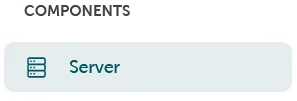
Data carrier management can be found in the Portal under ComponentsServer.

Navigation panel section titled ‘COMPONENTS’ containing a single menu item labeled ‘Server’ with a server icon (horizontal lines representing a server rack) on a light blue background.

Here you can select the server to be deleted and select Delete via the function menu.
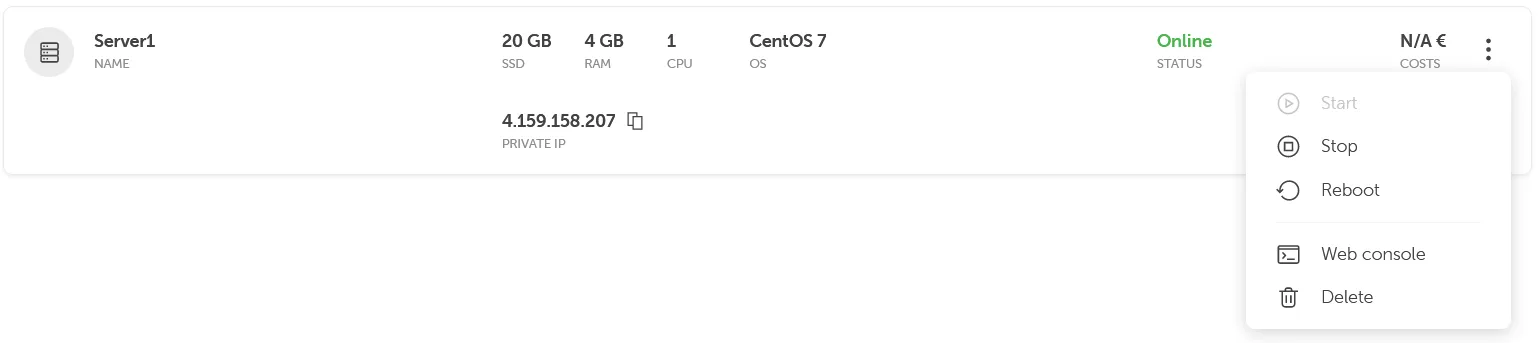
Server list view showing detailed specifications for Server1: 20 GB SSD storage, 4 GB RAM, 1 CPU, running CentOS 7 with ‘Online’ status in green. The private IP address 4.159.158.207 is displayed with a copy icon. On the right, a dropdown menu shows management options: Start, Stop, Reboot, Web console, and Delete. The server name appears on the left with a server icon, and ‘N/A €’ costs are shown on the far right.

The server is deleted once the deletion process is confirmed.
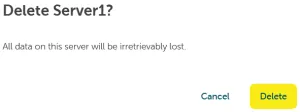
Server deletion confirmation dialog with title ‘Delete Server1?’ and warning message ‘All data on this server will be irretrievably lost’. Two action buttons are displayed: a gray ‘Cancel’ button and a yellow ‘Delete’ button on the right.