Configure an OpenSearch service
Last updated on
You can manage your services using
- the Cloud Foundry CLI or the Cloud Foundry UI (Stratos), see Cloud Foundry
- the STACKIT CLI or the STACKIT Portal, see the instructions below.
Services must always be managed in the environment they were created in.
- Services created in the STACKIT Portal/CLI must also be managed/deleted in the STACKIT Portal/CLI.
In the STACKIT Portal, some (not all) services may be displayed that were created using Cloud Foundry (esp. the Flex databases). - Services created using Cloud Foundry must be managed/deleted using Cloud Foundry.
Services displayed in Cloud Foundry as part of an organization prefixed bystackit_portal_prod_have been created using the STACKIT Portal/CLI and must be managed from there, even if management options are displayed in Cloud Foundry.
Overview of the Service Details
Section titled “Overview of the Service Details”- Visit the STACKIT Portal
- On the sidebar click on OpenSearch.
- Select the OpenSearch instance you want to manage.
In the Overview tab all informations about the selected service instance are displayed.
-
To use the Cloud Foundry CLI you first need to login into your STACKIT project endpoint. Read Interact with Cloud Foundry to get help logging in.
-
Open OpenSearch service details with the
cfcommand:Parameter Meaning Example SERVICE_INSTANCE The name of your service. my-cf-opensearch-service Terminal window cf service [SERVICE_INSTANCE]Example:
Terminal window cf service my-cf-opensearch-serviceResult:
Terminal window name: my-cf-opensearch-serviceguid: cd8c...type: managedbroker: a9s-searchoffering: appcloud-opensearch2plan: opensearch-1.4.10-singletags:offering tags: searchenginedescription: OpenSearch is a fully managed search and analytics engine.documentation:dashboard url: https://a9s-search-dashboard.system.01.cf.eu01.stackit.cloud/service-instances/cd8c...Showing status of last operation:status: create succeededmessage:started: 2025-11-20T08:19:34Zupdated: 2025-11-20T08:19:34ZShowing bound apps:There are no bound apps for this service instance.Showing sharing info:This service instance is not currently being shared.Showing upgrade status:Upgrades are not supported by this broker.In the Overview tab all informations about the selected service instance are displayed.
Manage Credentials
Section titled “Manage Credentials”-
Navigate to OpenSearch and select the instance.
-
Select Credentials in the menu.
In the Credentials tab all active credentials are listed. You can create new credentials using the Create Credentials button or delete existing credentials via the context menu.
To use the Cloud Foundry CLI you first need to login into your STACKIT project endpoint. Read Interact with Cloud Foundry to get help logging in.
Create OpenSearch service key with the cf command:
| Parameter | Meaning | Example |
|---|---|---|
| SERVICE_INSTANCE | The name of your service. You can freely choose anything. | my-cf-opensearch-service |
| KEY_NAME | The name of your service key. You can freely choose anything. | my-key |
cf create-service-key [SERVICE_INSTANCE] [KEY_NAME]Example:
cf create-service-key my-cf-opensearch-service my-keyGet a list of all available OpenSearch service keys with the cf command:
| Parameter | Meaning | Example |
|---|---|---|
| SERVICE_INSTANCE | The name of your service. | my-cf-opensearch-service |
cf service-keys [SERVICE_INSTANCE]Example:
cf service-keys my-cf-opensearch-serviceResult:
name last operation messagemy-key create succeededmy-key2 create succeeded...Retrieve OpenSearch service key with the cf command:
| Parameter | Meaning | Example |
|---|---|---|
| SERVICE_INSTANCE | The name of your service. | my-cf-opensearch-service |
| KEY_NAME | The name of your service key. You can freely choose anything. | my-key |
cf service-key [SERVICE_INSTANCE] [KEY_NAME]Example:
cf service-key my-cf-opensearch-service my-keyResult:
{ "credentials": { "cacrt": "-----BEGIN CERTIFICATE-----\n...\n-----END CERTIFICATE-----\n", ... "password": "a9s53...", "username": "a9sc0..." }}You can connect to OpenSearch instances using any REST API tool. The Getting Started section describes how to test your connection.
Delete OpenSearch service key with the cf command:
| Parameter | Meaning | Example |
|---|---|---|
| SERVICE_INSTANCE | The name of your service. | my-cf-opensearch-service |
| KEY_NAME | The name of your service key. | my-key |
cf delete-service-key [SERVICE_INSTANCE] [KEY_NAME]Example:
cf delete-service-key my-cf-opensearch-service my-keyConfirm service key deletion by enter y
Really delete the service key my-key? [yN]:Dashboard
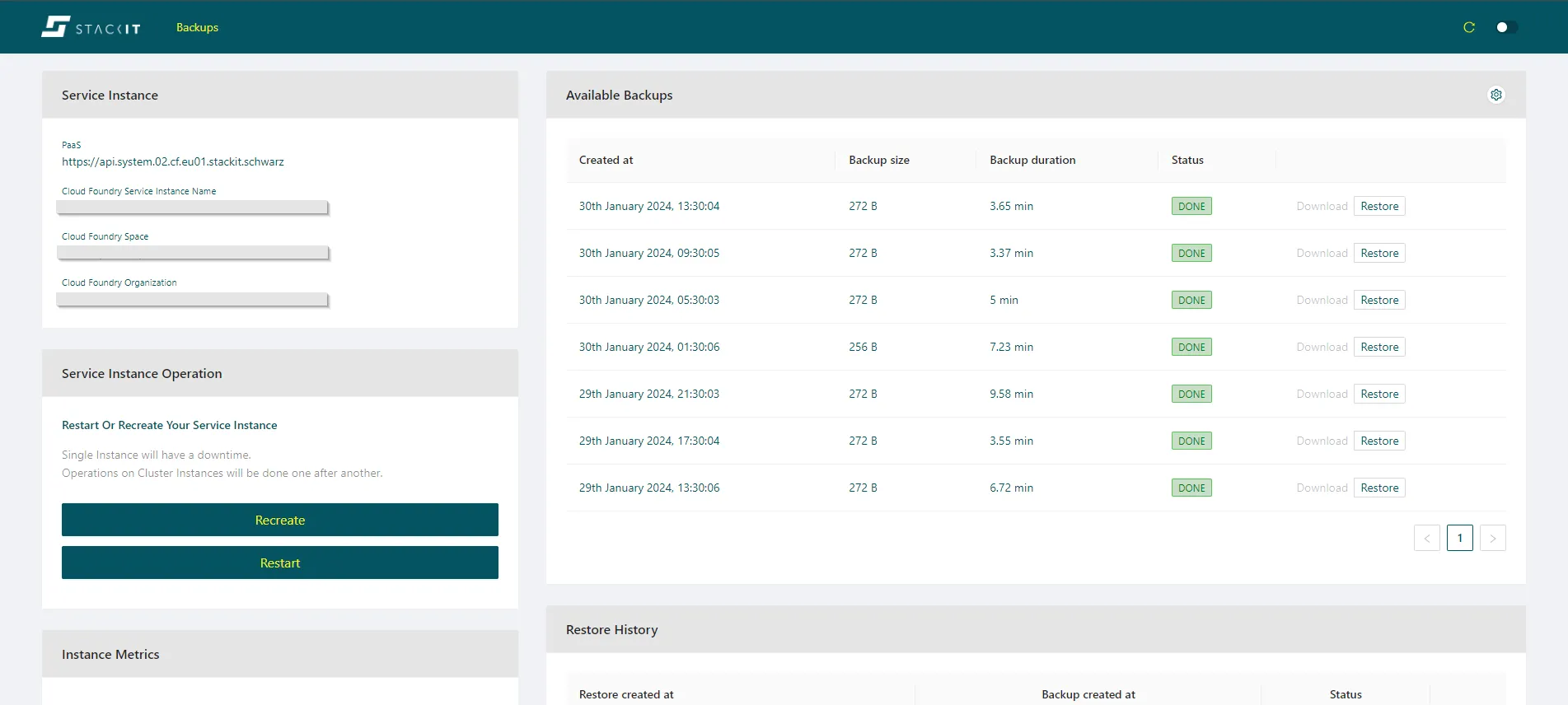
Section titled “Dashboard”The services always come with a dashboard that can be viewed after creation.
- Visit the STACKIT Portal
- On the sidebar click on OpenSearch.
- Select the OpenSearch instance you want to view.
In the Overview tab all informations about the selected service instance are displayed.
-
To use the Cloud Foundry CLI you first need to login into your STACKIT project endpoint. Read Interact with Cloud Foundry to get help logging in.
-
Open OpenSearch service details with the
cfcommand:Parameter Meaning Example SERVICE_INSTANCE The name of your service. my-cf-opensearch-service Terminal window cf service [SERVICE_INSTANCE]Example:
Terminal window cf service my-cf-opensearch-serviceResult:
Terminal window ....dashboard url: https://a9s-search-dashboard.system.01.cf.eu01.stackit.cloud/service-instances/cd8c...... -
Open the dashboard URL