Creating additional storage volumes
Last updated on
This tutorial will guide you through the process of creating additional storage volumes on the STACKIT portal.
-
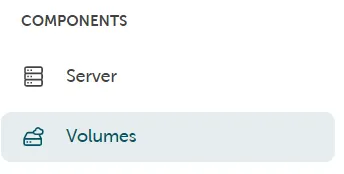
The management of the storage volumes can be found in the STACKIT portal left-hand side - Components → Volumes.
-
Press the button Create volume to create additional storage volumes.

Configuration options
Section titled “Configuration options”- You can select the desired size of the volume by using the slider or by entering it directly in the size field.
- The specification of name and description facilitates the correct assignment of the storage volume.
- Choosing the correct Availability Zone (AZ) is relevant as only servers in the same AZ can use the volume.
You must also assign the created volumes to a server. You can do this in the detailed settings of the server on the STACKIT portal: Volume → Use existing volume.