Zusätzliche Speicher-Volumes erstellen
Zuletzt aktualisiert am
Dieses Tutorial führt Sie durch den Prozess des Erstellens zusätzlicher Speicher-Volumes im STACKIT Portal.
-
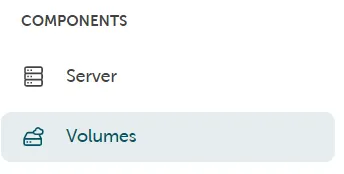
Die Verwaltung der Speicher-Volumes finden Sie im STACKIT Portal auf der linken Seite – Komponenten → Volumes.
-
Drücken Sie die Schaltfläche Volume erstellen, um zusätzliche Speicher-Volumes zu erstellen.
Konfigurationsoptionen
Abschnitt betitelt „Konfigurationsoptionen“- Sie können die gewünschte Festplattengröße des Volumes über den Schieberegler auswählen oder direkt in das Feld für die Größe eingeben.
- Die Angabe von Name und Beschreibung erleichtert die korrekte Zuordnung des Speicher-Volumes.
- Die Auswahl der richtigen Availability Zone (AZ) ist relevant, da nur Server in der gleichen AZ das Volume nutzen können.
Sie müssen die erstellten Volumes auch einem Server zuweisen. Dies können Sie in den Detaileinstellungen des Servers im STACKIT Portal tun: Volume → Vorhandenes Volume verwenden.