Löschen eines zusätzlichen Datenspeichers
Zuletzt aktualisiert am
Dieses Tutorial führt Sie durch den Prozess des Löschens eines zusätzlichen Datenspeichers im STACKIT Portal. Wenn Sie einen Datenspeicher nicht mehr benötigen, können Sie ihn einfach löschen. Dieser Artikel beschreibt, wie das funktioniert und worauf zu achten ist.
Bevor Sie einen Datenspeicher löschen können, müssen Sie ihn von jedem zugehörigen Server trennen.
-
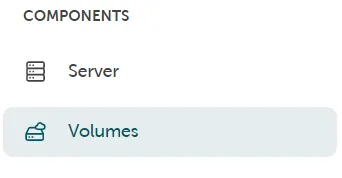
Die Verwaltung der Datenspeicher finden Sie im STACKIT Portal: Komponenten → Volumes
-
Hier können Sie den Datenspeicher auswählen, der gelöscht werden soll.
Falls der Datenspeicher noch mit einem Server verbunden ist, kann er erst gelöscht werden, nachdem der Datenspeicher vom Server getrennt wurde.
-
Der Datenspeicher wird gelöscht, sobald der Löschvorgang bestätigt wurde.
Dazu muss der Name des Datenspeichers eingegeben werden, um ein versehentliches Löschen zu verhindern. Die Daten werden nach erfolgreichem Abschluss des Löschvorgangs unwiderruflich gelöscht.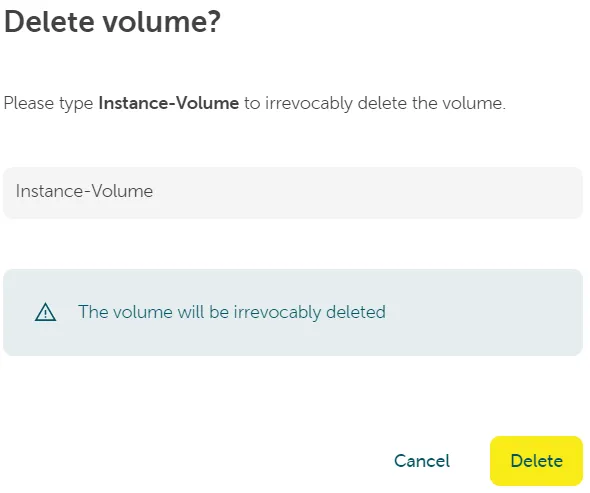
Für Snapshots und Sicherungen der Datenspeicher gilt Folgendes:
- Alle Snapshots (falls vorhanden) müssen vor dem Löschen des Volumes gelöscht worden sein.
- Alle (eventuell erstellten) Sicherungen bleiben beim Löschen des Datenspeichers erhalten und müssen bei Bedarf separat gelöscht werden.