Ändern eines zusätzlichen Speichervolumes
Zuletzt aktualisiert am
Dieses Tutorial führt Sie durch den Prozess der Änderung zusätzlicher Speichervolumes im STACKIT Portal.
Sie können den Namen eines bestehenden Speichervolumes nachträglich ändern. Weiterhin können Sie das Speichervolumen mit einem Server verbunden oder von diesem trennen. Der Prozess des Verbindens und Trennens erfolgt aus der Server-Perspektive und wird im Folgenden beschrieben.
Für beide Prozesse – das Verbinden und das Entkoppeln – sollte Sie die VM vorab herunterfahren, um unerwünschte Nebeneffekte zu vermeiden.
Verbinden eines neuen Speichervolumes mit einem Server
Abschnitt betitelt „Verbinden eines neuen Speichervolumes mit einem Server“Bevor das Speichervolume mit einem Server verbunden wird, müssen Sie es vorab erstellt haben.
-
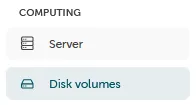
Die Verwaltung der Speichervolumes finden Sie im Portal: “Computing” → “Disk volumes”
-
Bereits verbundene Datenvolumes werden ebenfalls in diesem Menü angezeigt und können neu verbunden werden. Um einen neuen Datenträger zu erstellen, wählen Sie “Speicher-Volume erstellen”:

-
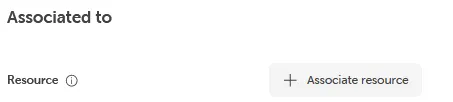
Nach der Auswahl des Datenvolumes können Sie den Verbindungsprozess zu einem Server mit “Ressource zuwesien” abschließen.
Entkoppeln eines Volumes von einem Server
Abschnitt betitelt „Entkoppeln eines Volumes von einem Server“-
Die Verwaltung der Speichervolumes finden Sie im Portal: “Computing” → “Speichervolumes”
-
Hier können Sie den Server auswählen, für den ein bereits gekoppeltes Speichervolumen getrennt werden soll. In der Detailansicht des Servers kann das zu entfernende Datenvolume im Volume-Bereich ausgewählt werden.

Bitte beachten Sie, dass ein Boot-Volume nicht getrennt werden kann (dies ist die Festplatte, die das Betriebssystem enthält).
- Der Entkopplungsprozess kann abschließend mit dem Bestätigungs-Button abgeschlossen werden.