Customer Relations in the STACKIT Partner Portal
Last updated on
Customer Relations in the STACKIT Partner Portal track the link between a partner organization and an end-customer. This relationship helps you manage and track interactions and transactions between the two. Each customer relation has a start date and an optional end date.
To set an end date, you can open a support ticket at the Help Center or contact your dedicated partner sales account manager.
Customer Relations overview
Section titled “Customer Relations overview”In the STACKIT Partner Portal, reseller partners can see an overview of all their customer relations. This overview includes:
- Name of end-customer organization
- ID of end-customer organization
- Type of customer relation: This indicates whether it is a reseller or referral customer relation.
- Current status of the customer relation
- Expiration date (optional): If you set an end date, it displays here.
Detail view
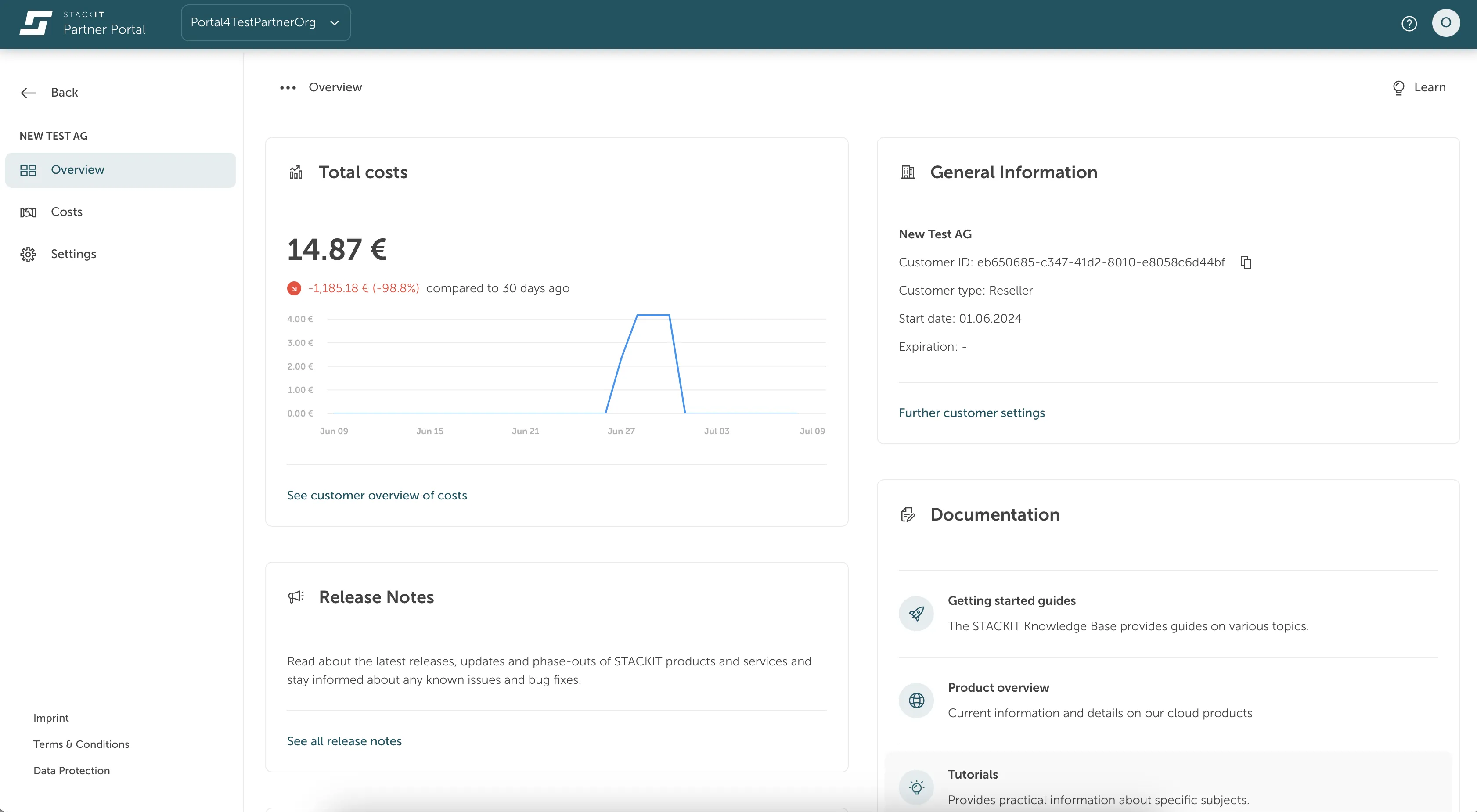
Section titled “Detail view”From the overview, you can navigate to each customer relation to see more detailed information, including:
- Generated costs: See the costs the end-customer generated.
- General information: Find details about the organization and the customer relation. This information helps your partner manager communicate with their end-customers.