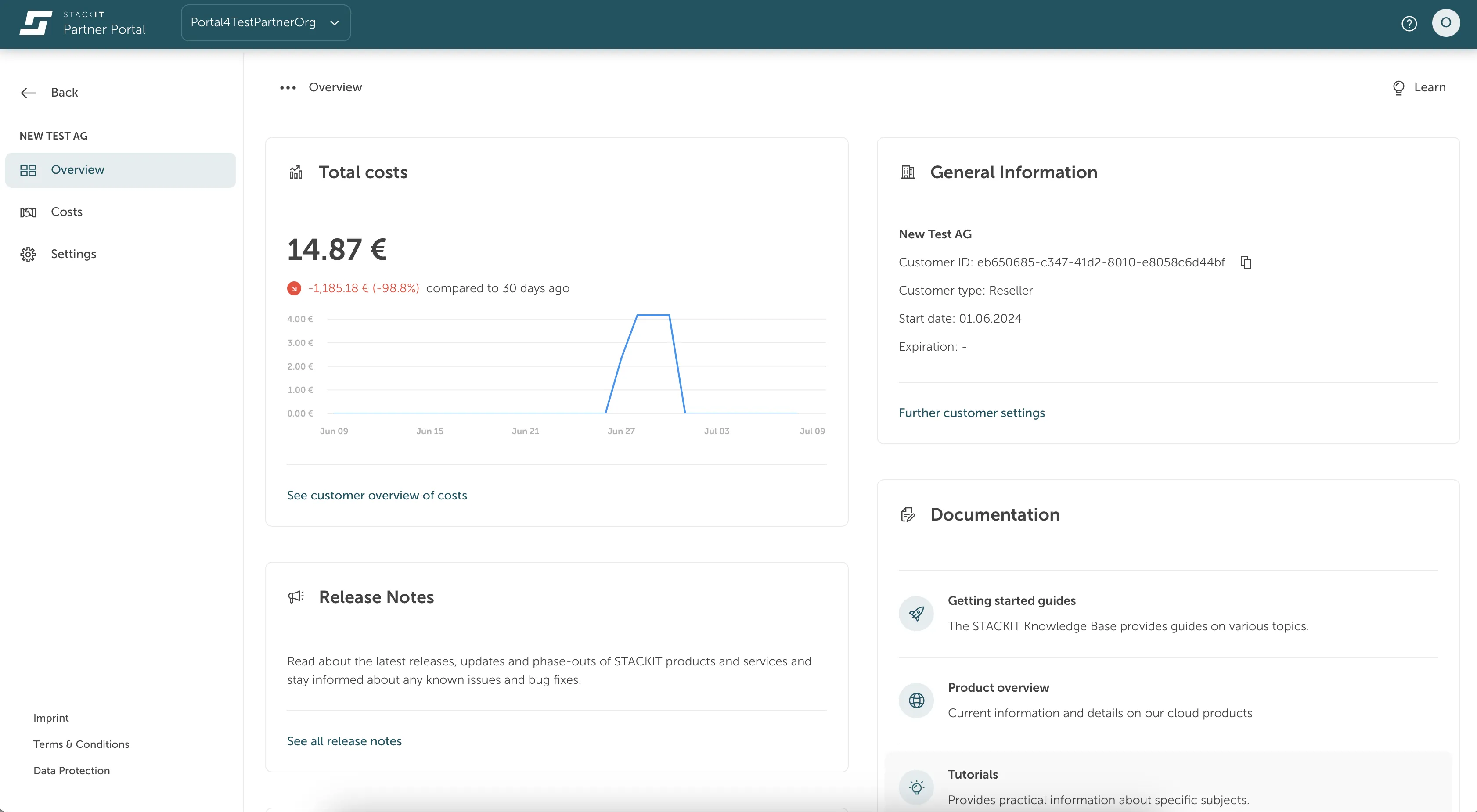
Customer Relations Dashboard in the STACKIT Partner Portal
Last updated on
Customer Relations in the STACKIT Partner Portal track the link between a partner organization and an end-customer. This relationship helps you manage and track interactions and transactions between the two. Each customer relation has a start date and an optional end date.
To set an end date, you can open a support ticket at the Help Center or contact your dedicated partner sales account manager.
Customer relations overview
Section titled “Customer relations overview”- ID of end-customer organization
- Current status of the customer relation
- Expiration date (optional): If you set an end date, it displays here.
Detail view
Section titled “Detail view”From the overview, you can navigate to each customer relation to see more detailed information, including:
- Total costs: See the costs the end-customer generated.
- General information: Find details about the organization and the customer relation. This information helps your partner manager communicate with their end-customers.