Connect to your Redis instance
Last updated on
Prerequisites
Section titled “Prerequisites”- You have a running instance of STACKIT Redis. If not, you can start with Create and manage instances for Redis.
- You have a user with proper permissions for the Redis database in your instance. If not, you can create one with Create and Manage Credentials for Redis
Connect to your Redis instance
Section titled “Connect to your Redis instance”After installing, open a shell of your choice and connect to your database. The redis-cli command does support the connection string format. You need the connection string and the endpoint of your instance to provide the necessary flags. You can lookup all these parameters in the Credentials tab of your instance. You need to extract the endpoint from the connection string.
redis-cli -u <Connection String> --tls --sni <Endpoint>If you don’t want to expose the password to the command line directly, you need to use this connection format:
redis-cli -h <Endpoint> -p <Port> --user <Username> --sni <Endpoint> --askpass --tlsWThe console will show something like this:
red601d47-master-1.data.eu01.onstackit.cloud:53137>Now type ping to see, if you are connected successfully:
red601d47-master-1.data.eu01.onstackit.cloud:53137> pingIf you are connected properly, the databse will answer with:
PONGNow you can start using the database. Press CTRL + D to close the connection.
Press Control + D to close the connection and return to your command prompt.
Redis Insight is a GUI tool to access and manage the database. Follow the instructions on the Redis Insight install page or install it from the sources of your operating system, if available.
After installing, open Redis Insight. Copy the connection string you saved in the user creation step.
-
After opening Redis Insight click on + Add Redis database.
-
On the new pane paste the connection string, that you’ve obtained in the Create and manage credentials for Redis article, into the Connection URL field.
-
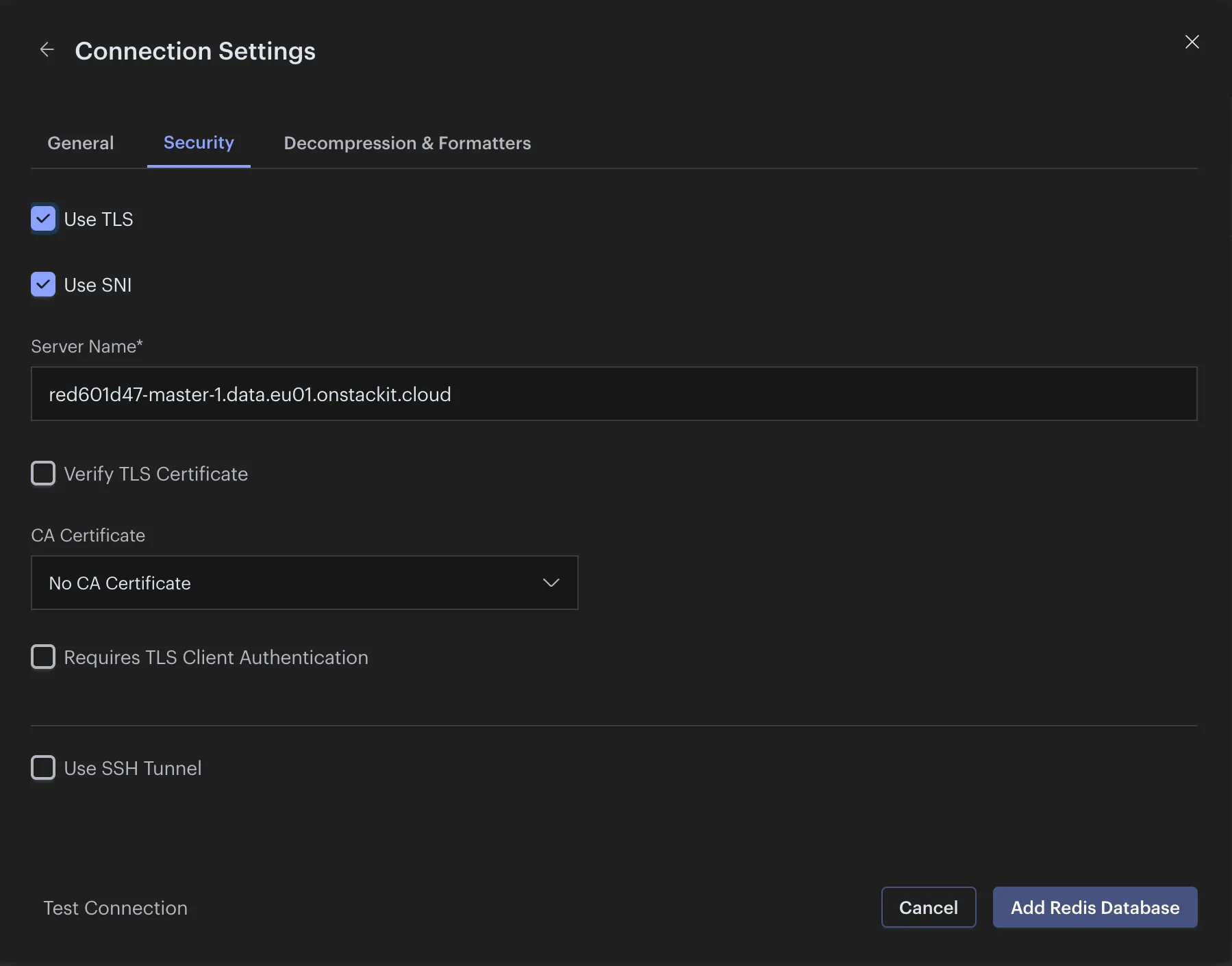
Then click on Connection Settings and switch to the Security tab.
-
Click on Use SNI and leave the prefilled field as it is.
-
Click on Add Redis Database