API Prerequisites Observability
Last updated on
Prerequisites
Section titled “Prerequisites”In order to follow the steps described on this page, the following conditions need to be met:
-
Your organization has a customer account.
(See: Create a customer account) -
You have a User Account with the necessary permissions.
(See: Create a user account) -
You have a Project in your customer account.
(See: Create a Project) -
You are logged into the Portal.
-
You have already created an Observability Service and your Service shows the Ready state.
(See: Creating a service Observability)
Accessing project ID, instance ID, and API URLs for requests
Section titled “Accessing project ID, instance ID, and API URLs for requests”The documentation of the API can be seen here. To issue API requests you need to know the two following ids:
- project ID: To access your project ID select the Dashboard link under Overview on the left hand side navigation. The project ID can then be copied from the project information panel.
- instance ID: To access your instance ID, select the Observability link under Logging & Monitoring on the left hand side navigation. Now select the observability instance whose instance ID you need. Select the Overview on the left hand side navigation, the instance ID can now be read from the general information panel.
Using Bearer Token Authentication
Section titled “Using Bearer Token Authentication”Bearer Token Authentication is the recommended way of authentication.
To create a bearer token you will first need to create a service account for which you then create an access token, more info on the process can be read here: Create a Service account.
Authorization: Bearer <Your Service Account Access Token>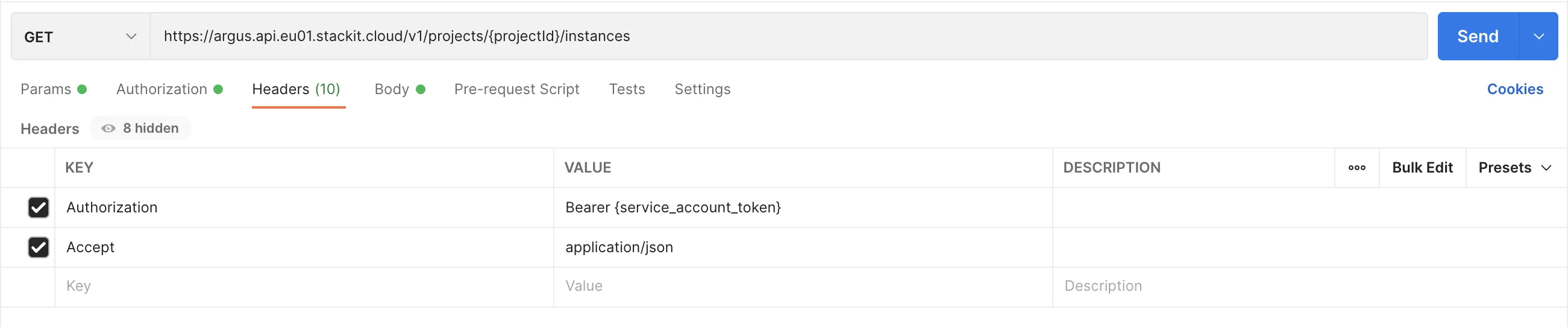
Using HTTP Basic Authentication
Section titled “Using HTTP Basic Authentication”Although Basic Authentication is still supported it should only be used for the following tasks:
- Remote writing of metrics
- Pushing logs
- Pushing traces
- Accessing product frontends (e.g. Prometheus)
Beware that the base URLs differ if Basic Authentication or Bearer Authentication is used:
- Basic Auth: Use
https://api.argus.eu01.stackit.cloud- Bearer Auth: Use
https://argus.api.eu01.stackit.cloudCreate an API user
Section titled “Create an API user”To work with the API, you need to create an API user.
- Select your STACKIT project and Observability Services for which you want to create a new API user.
- In the Observability Service Dashboard, open the API tab and select the Credentials section.
- Click Create credentials to create a new API user.
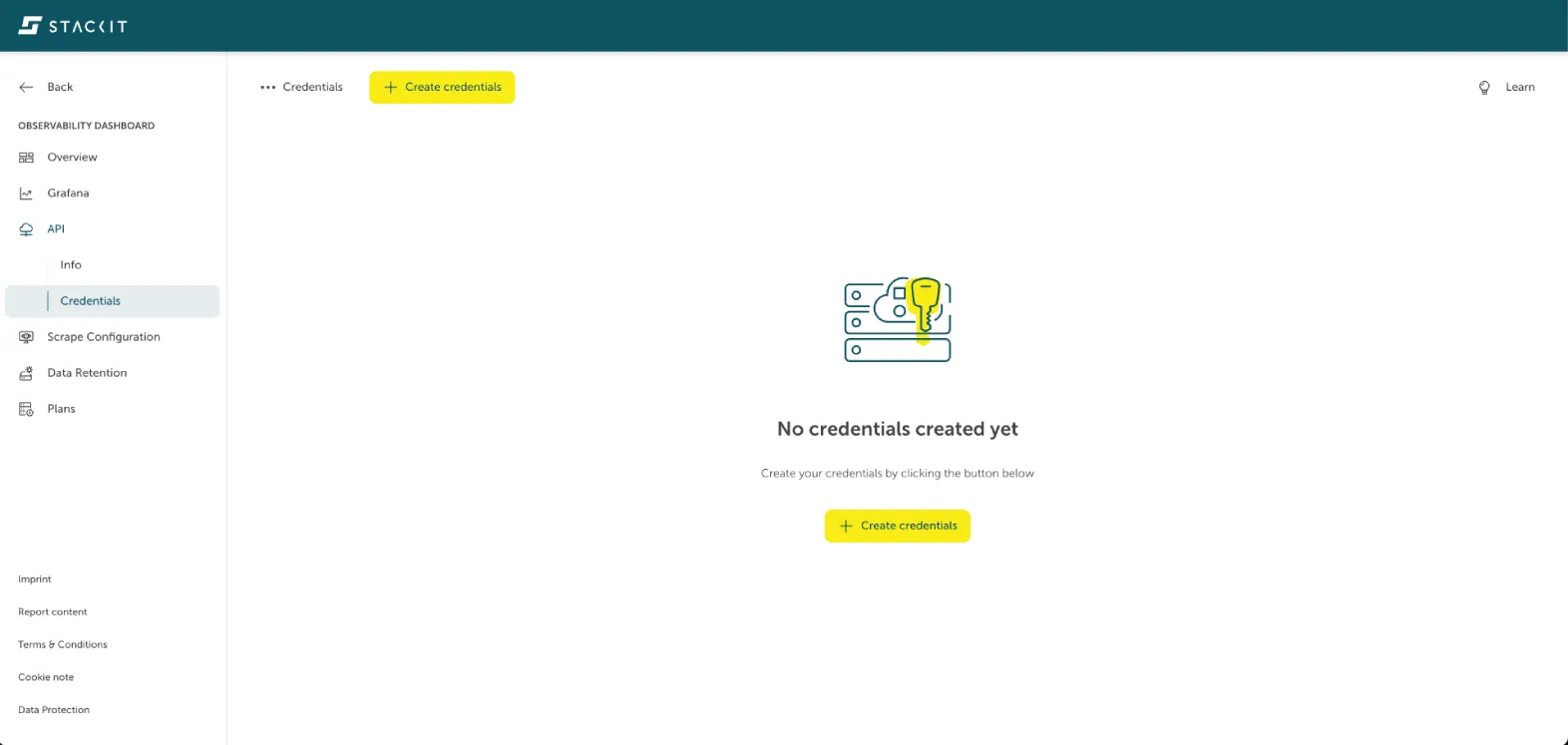
→ You will receive a new random name and password.
HTTP Authorization Header
Section titled “HTTP Authorization Header”You need to set the Authorization header with your credentials for each request.
Create the Authorization header string like this:
| “Basic” | Space | Your credentials in the form username:password encoded in base64 |
|---|---|---|
| Basic | dXNlcm5hbWU6cGFzc3dvcmQ= |
Example:
| Basic Umlja0FzdGxleTpOZXZlckdvbm5hR2l2ZVlvdVVw |
|---|
