Delete a distribution
Last updated on
You can delete your distribution in the overview.
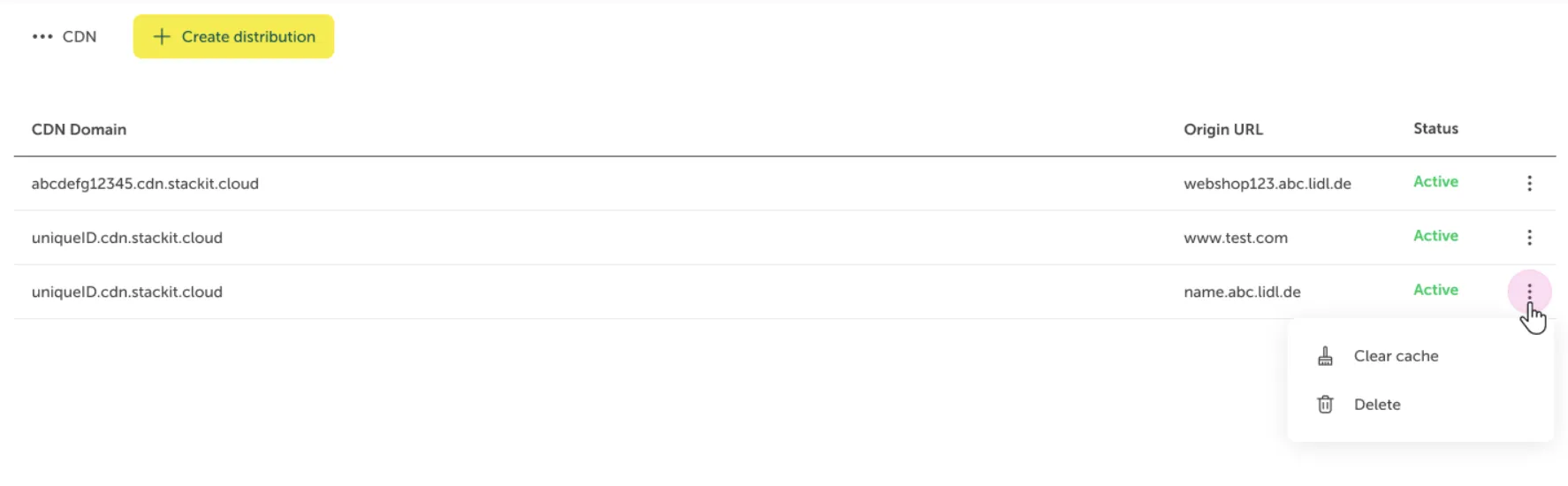
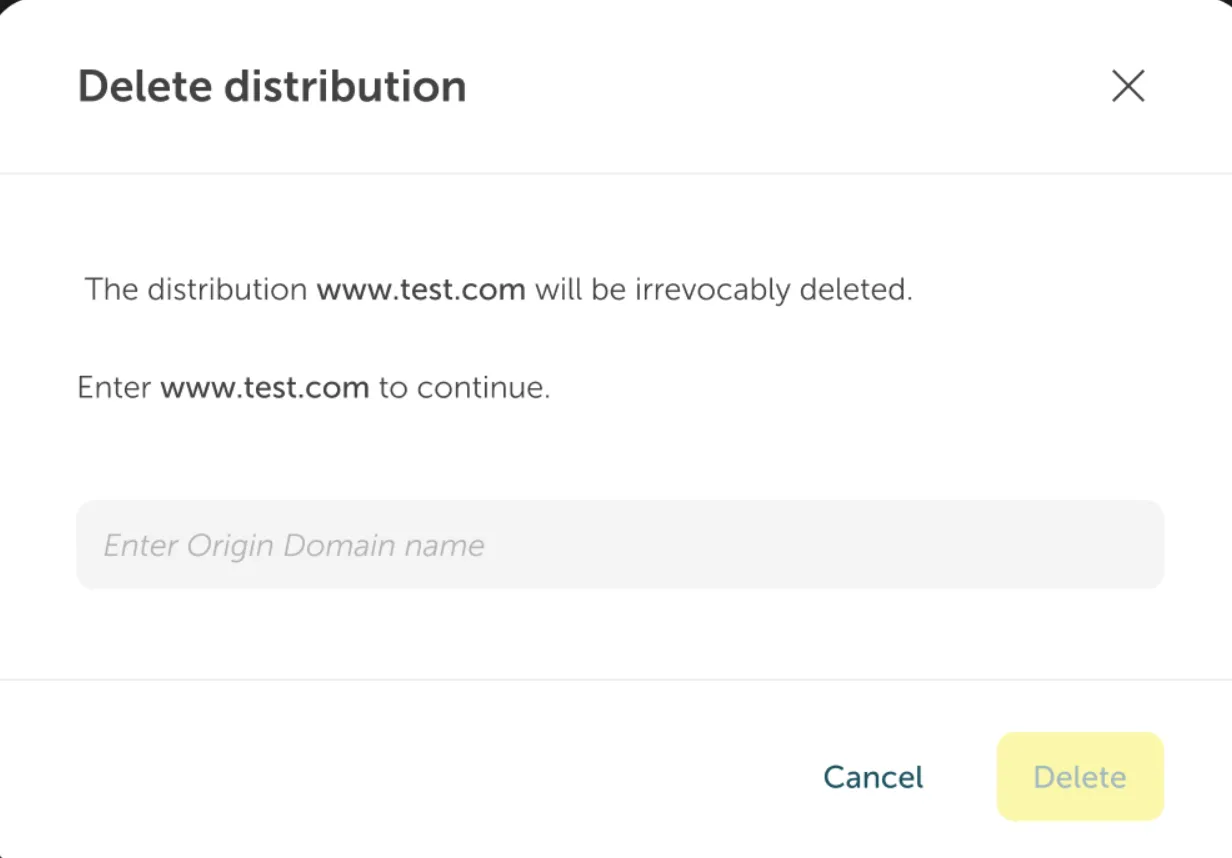
You have to confirm the deletion of your distribution by typing in the origin URL and with confirmation by clicking the “Delete” button.
Description on how to delete a CDN distribution via API
| Request | |
|---|---|
| DELETE | /v1/projects/{projectId}/distributions/{distributionId}?intentId={intentId} |
Required parameters
Section titled “Required parameters”| Name | Data type | Required |
|---|---|---|
projectId | String | yes |
distributionId | String | yes |
intentId | String | no |
Response
Section titled “Response”Example value
Section titled “Example value”Example description
Section titled “Example description”If you have just deleted the distribution, you get back the new state of the Distribution, which is DELETING. If the deletion process goes well, trying to fetch the Distribution will yield a 404 Not Found.
Trying to delete the Distribution again will return an empty response with 200 OK.
Terraform functions are not available yet.