Manage node pools
Last updated on
This tutorial guides you through the steps of how to modify the worker nodes of an existing Kubernetes cluster.
Overview
Section titled “Overview”Nodes form the underlying compute infrastructure for your containerized workloads and are mandatory for your Kubernetes cluster to function. SKE provides the option to individually configure so-called Node Pools for your cluster. A node pool describes a group of virtual machines (“nodes”) with the same configuration settings, for example, all allocating the same CPU cores or memory.
Add a new node pool to a Kubernetes cluster
Section titled “Add a new node pool to a Kubernetes cluster”In order to horizontally scale it up or down to a changed workload demand, it is necessary to add or remove worker nodes to/from a Kubernetes cluster. To change the node pool of a cluster, open the Kubernetes section in the STACKIT Cloud Portal and select the particular cluster in the Cluster panel. From the cluster overview page, head to the Node pool section and click on the button Create node pool.
![A screenshot of the STACKIT Kubernetes Engine (SKE) web interface, specifically the Node pools management page. The main section displays a table of existing node pools. Currently, only one node pool is listed with the name "pool-5ij2ok0xb". Its configuration shows a Machine type of "c1.2", OS as "flatcar [2905.2.0]", Size of "20 GB", and Nodes count of "1/2". A prominent, yellow button in the top right corner is labeled "Create node pool". The left navigation menu highlights "Node pools".](/_astro/NodepoolsOverview.B4xTfl8B_Z1e9qX3.webp)
First, you can specify a name for this set of nodes. Additionally, you can choose multiple availability zones (AZ) your nodes will be running in. Currently, SKE provides the option to choose between three single AZ and one metro AZ. To find out more about the STACKIT topology, please take a look at this article.
In SKE, for every cluster, runs a cluster autoscaler. It allows adding and removing nodes from/to your cluster automatically, based on your cluster utilization. Therefore, you can specify a minimum and a maximum amount of nodes. You can define a maximum surge which takes effect on updates for your nodes. The amount of new nods that will be created concurrently, in an OS or Kubernetes update, is defined by maximum surge.
When configuring multiple AZ, the values for minimum, maximum, maxSurge & maxUnavailable are distributed across each zone. Therefore, it is highly recommended to use multiples of the amount of configured AZ to ensure equal distribution.
Rollouts are carried out independently for each zone, i.e., if, for example, the operating system version is updated, the nodes of each zone are rolled out in parallel.
For example, if you want to create a node pool with three AZ, it is advisable to set minimum, maximum and maxSurge to values that are multiples of three, for example, minimum to 3, maximum to 9 and maxSurge to 3.
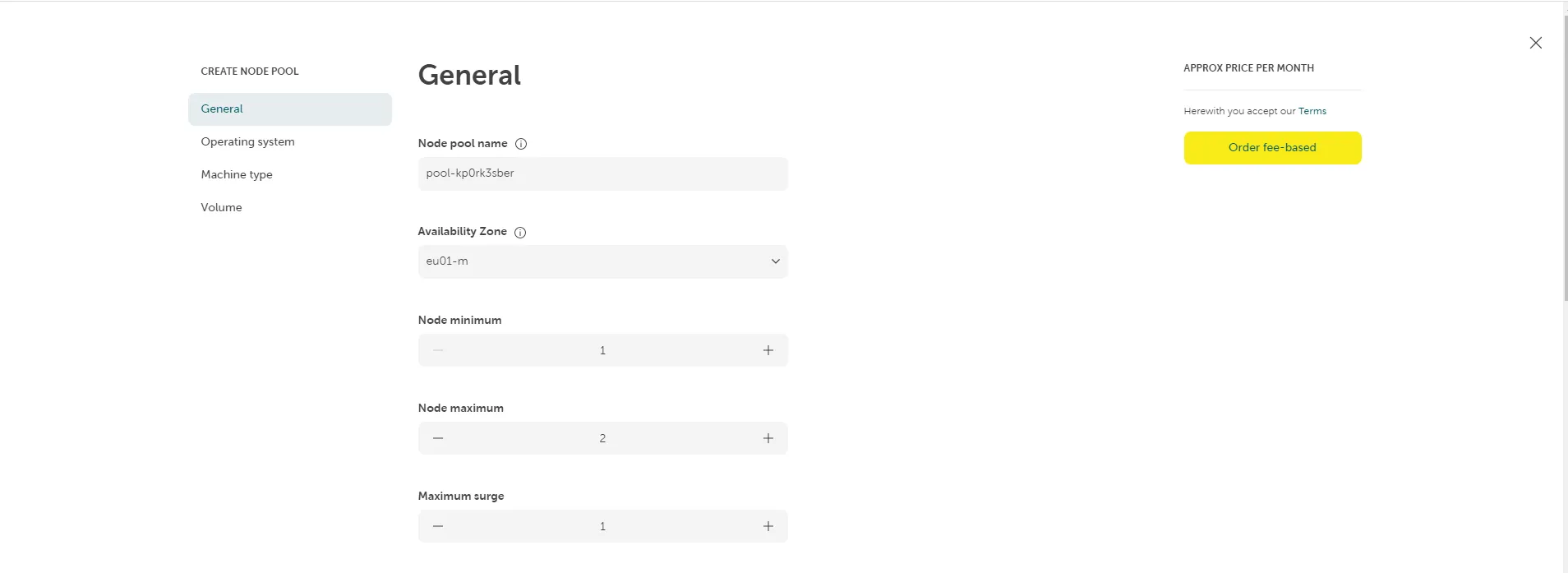
Next, define an operating system and its version. Additionally, a container runtime needs to be selected. Currently, only containerd is available for selection.
Define the compute resources of your virtual machines in the Machine Type panel. You can only select machine types which have a minimum of 2 CPU cores as Kubernetes worker node. Define the Volume type and volume size that will be used for your virtual machines. Each virtual machine will have one of these volumes, storing the operating system, your container images and ephemeral storage. You can see the performance of the volume types in the Service Details - Block Storage. We do not recommend to use Performance Class 0 as it is very slow to download and run containers on this machine.
Lastly, click on Order fee-based to successfully complete the configuration process. A confirmation will be shown in the top right corner.
![A screenshot of the STACKIT Kubernetes Engine (SKE) Node pools page after a successful creation operation. The table now lists two node pools: the original "pool-5ij2ok0xb" and a newly created one, "pool-kp0vk3sber". Both share the same configuration: Machine type "c1.2," OS "flatcar [2905.2.0]," Size "20 GB," and Nodes "1/2." A green notification banner appears at the top right with the text "Successfully create node pool," confirming the operation.](/_astro/NodepoolsSuccessfullyCreated.C5JGiXFe_1BsO34.webp)
Delete a node pool of a Kubernetes cluster
Section titled “Delete a node pool of a Kubernetes cluster”In case you want to remove a node pool of your SKE cluster, click on the context menu in the node pool section and select Delete. This action will trigger a request to SKE, which will take approximately five minutes to delete your node pool.

Edit the configuration of a node pool
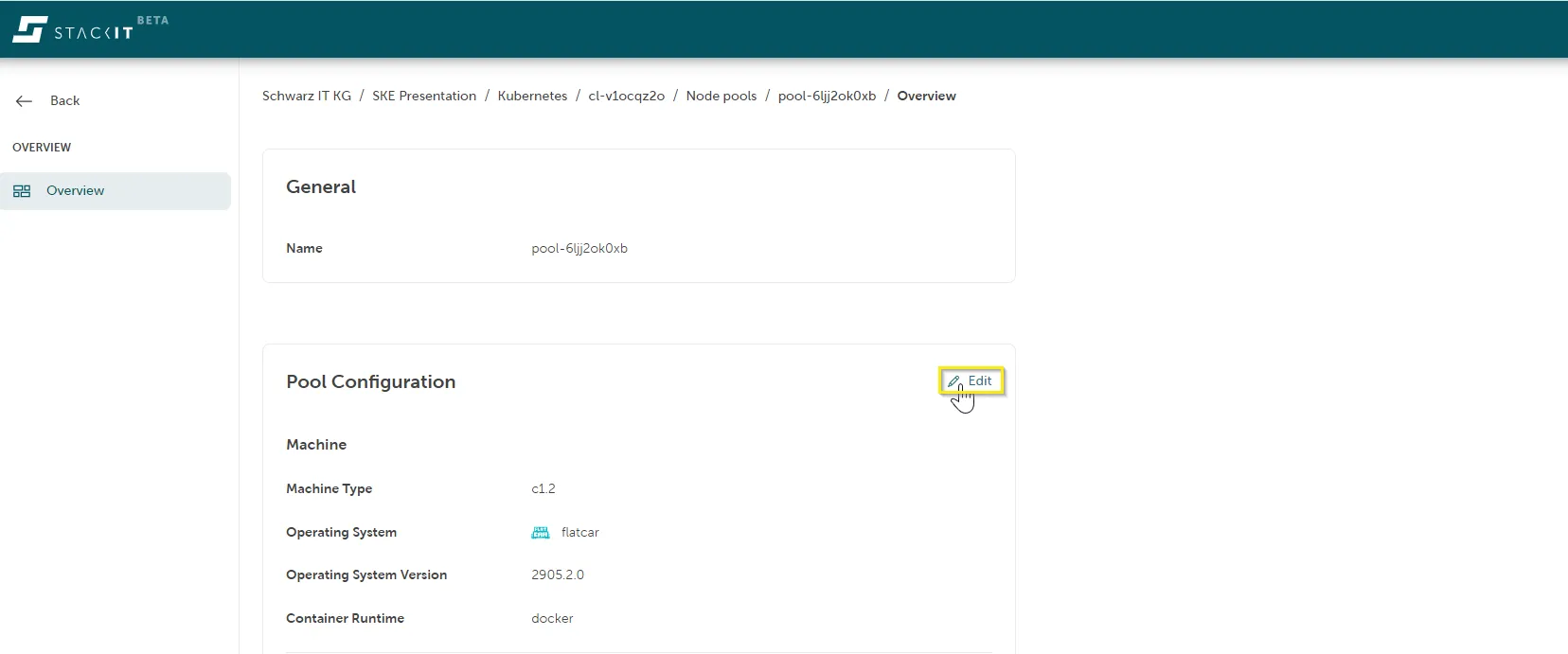
Section titled “Edit the configuration of a node pool”It is also possible to change the settings of a node pool afterwards. In this case, all nodes of this node pool will apply a rolling update, meaning new nodes join the cluster gradually, so no downtime will occur.
Editing a node pool can be done by clicking on the desired cluster in the Kubernetes section. Next, click on Node Pools on the left side of your screen and choose the specific node pool you want to adjust. This will open a new overview page for this node pool to adapt its configuration.
Disable system components on node pools
Section titled “Disable system components on node pools”System components are SKE-managed control-plane and infrastructure pods that keep a cluster functional and healthy. In SKE, they are the pods that appear with the label gardener.cloud/role=system-component in the kube-system namespace (except those created by a DaemonSet):
kubectl get pods -n kube-system -l gardener.cloud/role=system-componentSystem components provide cluster-wide services such as networking, DNS, control-plane connectivity, and maintenance tasks. The cluster depends on them, so at least one node pool must allow these components. If no node pool allows them, the cluster cannot operate correctly.
If a node pool allows system components, SKE may schedule these pods onto its nodes. That means:
- Some CPU, memory, and disk I/O are reserved for the system pods.
- Workloads can see different utilization or performance on those nodes.
- Capacity planning for application workloads needs to account for the system pods.
Disabling system components on selected node pools helps you keep nodes dedicated to user workloads and avoid undesirable side effects, such as:
- Reduced performance headroom for latency-sensitive apps.
- Uneven resource usage when system pods concentrate on a subset of nodes.
- Less predictable node utilization across pools.
To disable system components for a specific node pool, set allowSystemComponents to false, but ensure that at least one node pool keeps it enabled:
kubernetes: version: "1.29"nodepools:- name: "pool 1" allowSystemComponents: true # ...more configuration options- name: "pool 2" allowSystemComponents: false # ...more configuration options- name: "pool 3" allowSystemComponents: false # ...more configuration optionsIn the future, this configuration option will become available in the STACKIT Portal as well.