Deleting a Windows Server
Delete a Windows Server with the STACKIT Portal
Section titled “Delete a Windows Server with the STACKIT Portal”If you want to delete a Windows server with the STACKIT portal, please navigate to the server overview, click on the three vertical dots on the right and select delete:
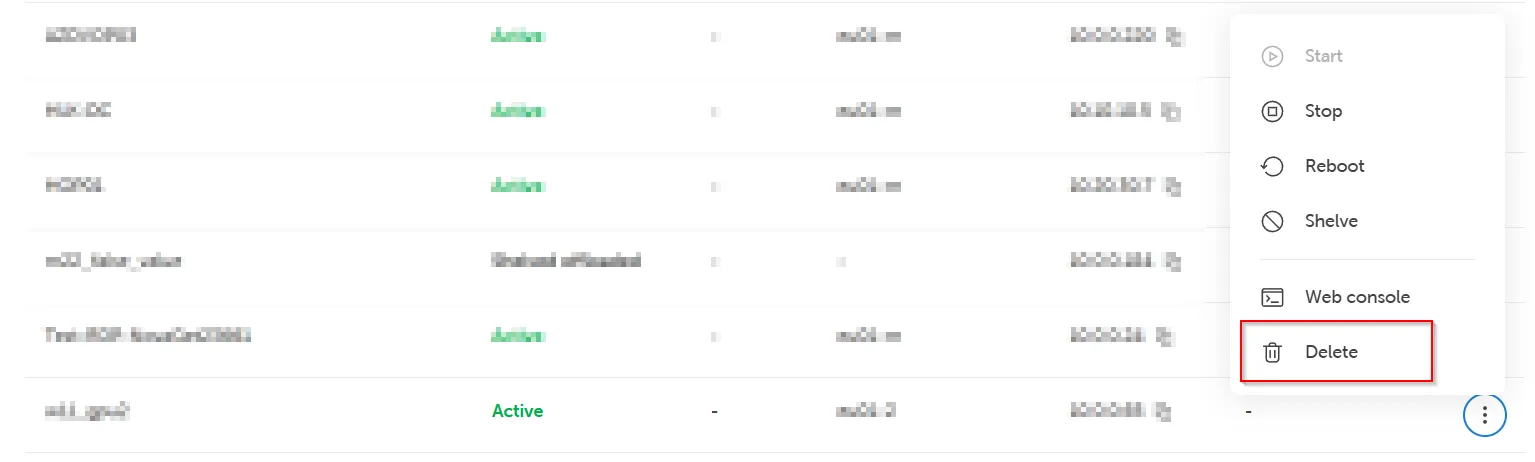
Wait for the process to finish. At this point your managed service for this server is being terminated.
Restore a backup volume related to a deleted Windows Server
Section titled “Restore a backup volume related to a deleted Windows Server”If you want to restore a backup from a volume after the server is deleted, you can find the available backups and volumeBackups.ids in your project via STACKIT IAAS API or CLI and use them to restore the backup in new volumes.
In case you do not provide a volume to which the backup need to be restored, a new volume will be created from this backup. You can use it to create new server after that from this volume.
All existing volume backups related to the deleted server will remain until their expiration date is reached. If preferred, you can also delete such backups manually via STACKIT IAAS API.
Please, read our FAQ & Known Issues section for more information.