FOCUS-Berichte aus Object Storage herunterladen
Zuletzt aktualisiert am
Wenn Sie bereits einen STACKIT Object Storage-Bucket und einen FOCUS-Exportzeitplan eingerichtet haben, können Sie nun die Berichte herunterladen. Das Object Storage-Angebot von STACKIT ist S3-kompatibel, sodass eine Vielzahl von Optionen zur Auswahl steht. In dieser Anleitung möchten wir einige gängige hervorheben.
Verwenden Sie Python, um programmgesteuert auf Berichte zuzugreifen.
Voraussetzungen
- Python 3 ist installiert.
- Code-Editor (z. B. Visual Studio Code).
-
Erstellen Sie ein Verzeichnis für Ihr Projekt und navigieren Sie dorthin.
Terminal-Fenster mkdir -p "desired/project/folder"cd "desired/project/folder" -
Initialisieren Sie eine virtuelle Umgebung und installieren Sie
boto3.Terminal-Fenster python3 -m venv .venvsource .venv/bin/activatepip install boto3 -
Legen Sie Ihre Zugangsdaten als Umgebungsvariablen fest. Wenn Sie keine Zugangsdaten haben, lesen Sie Object Storage-Zugangsdaten erstellen und löschen.
Terminal-Fenster export ACCESS_KEY_ID="<CHANGE ME>"export SECRET_ACCESS_KEY="<CHANGE ME>" -
Erstellen Sie eine Skriptdatei mit dem Namen
focus-downloader.py. Dieses Skript lädt den FOCUS-Bericht aus Ihrem Bucket (your-bucket) herunter und speichert ihn unter einem lokalen Pfad (local/path/to/downloaded-report.csv).import boto3import osimport sysaccess_key_id = os.getenv('ACCESS_KEY_ID')secret_access_key = os.getenv('SECRET_ACCESS_KEY')if not access_key_id:print('Environment variable ACCESS_KEY_ID empty!')sys.exit(1)if not secret_access_key:print('Environment variable SECRET_ACCESS_KEY empty!')sys.exit(1)s3 = boto3.client('s3',endpoint_url='https://object.storage.eu01.stackit.schwarz',aws_access_key_id=access_key_id,aws_secret_access_key=secret_access_key,)s3.download_file('your-bucket', 'path/to/report.csv', 'local/path/to/downloaded-report.csv') -
Führen Sie das Skript aus:
Terminal-Fenster python3 focus-downloader.py -
Überprüfen Sie den Download. Die Datei erscheint im angegebenen lokalen Pfad (z. B.
local/path/to/downloaded-report.csv).
s3cmd ist ein ausgereiftes Kommandozeilen-Tool für den Zugriff auf Dateien in S3-kompatiblem Speicher wie STACKIT Object Storage.
-
Installieren Sie
s3cmd, indem Sie den offiziellen Installationsanweisungen folgen. -
Starten Sie den Konfigurationsprozess:
Terminal-Fenster s3cmd --configure -
Geben Sie die Access Key ID aus Ihren Object Storage-Zugangsdaten ein.
-
Geben Sie Ihren Secret Access Key ein.
-
Geben Sie die Standardregion
eu01ein. Passen Sie den Werteu01an, wenn sich Ihr Bucket in einer anderen Region befindet. -
Geben Sie den Endpunkt ein:
object.storage.eu01.stackit.schwarz. Passen Sie die Region bei Bedarf an. -
Geben Sie die DNS-Style-Vorlage ein:
object.storage.eu01.stackit.schwarz/%(bucket) -
Überspringen Sie das Verschlüsselungspasswort mit
Enter. -
Überspringen Sie den GPG-Pfad mit
Enter. -
Geben Sie
Yesein, um HTTPS zu verwenden. -
Überspringen Sie den Proxy mit
Enter. -
Geben Sie
yein, um das Setup zu testen. -
Geben Sie
yein, um die Einstellungen zu speichern. -
Überprüfen Sie, ob Ihre Konfigurationszusammenfassung mit der folgenden Ausgabe übereinstimmt:
Terminal-Fenster New settings:Access Key: <Your Access Key ID>Secret Key: <Your Secret Access Key>Default Region: eu01S3 Endpoint: object.storage.eu01.stackit.schwarzDNS-style bucket+hostname:port template for accessing a bucket: object.storage.eu01.stackit.cloud/%(bucket)Encryption password:Path to GPG program: NoneUse HTTPS protocol: TrueHTTP Proxy server name:HTTP Proxy server port: 0Test access with supplied credentials? [Y/n] yPlease wait, attempting to list all buckets...Success. Your access key and secret key worked fine :-)Now verifying that encryption works...Not configured. Never mind.Save settings? [y/N] y -
Listen Sie Ihre Buckets auf, um den Zugriff zu testen:
Terminal-Fenster s3cmd ls -
Laden Sie einen Bericht herunter:
Terminal-Fenster s3cmd get s3://your-bucket/path/to/report.csv downloaded-report.csv
Cyberduck ist ein grafischer Speicher-Browser für MacOS und Windows, der mit vielen Protokollen kompatibel ist. Er kann auch zur Verbindung mit STACKIT Object Storage verwendet werden.
-
Laden Sie Cyberduck herunter und installieren Sie es: https://cyberduck.io/download/
-
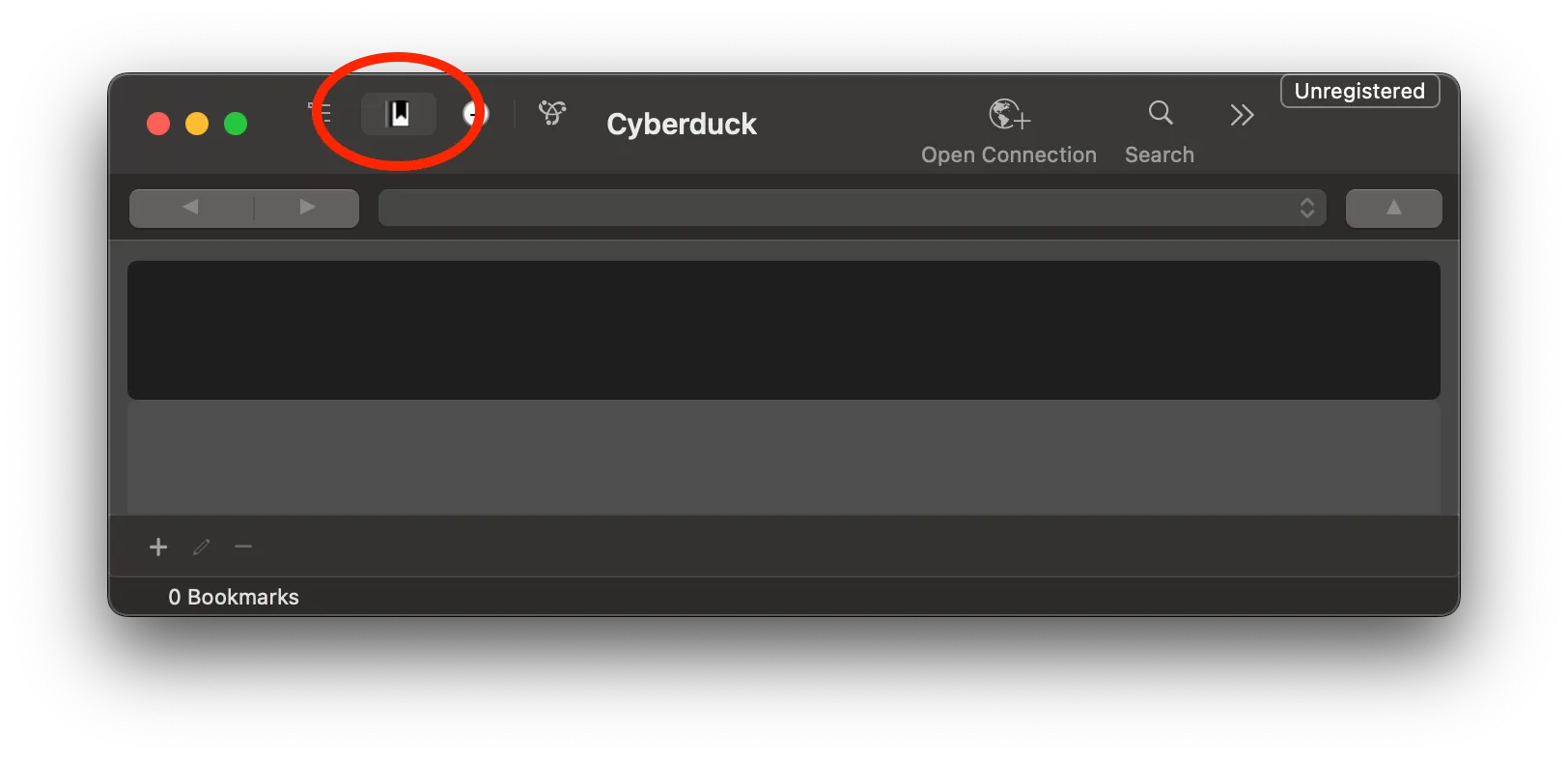
Öffnen Sie Cyberduck und wählen Sie den Tab Lesezeichen aus.
-
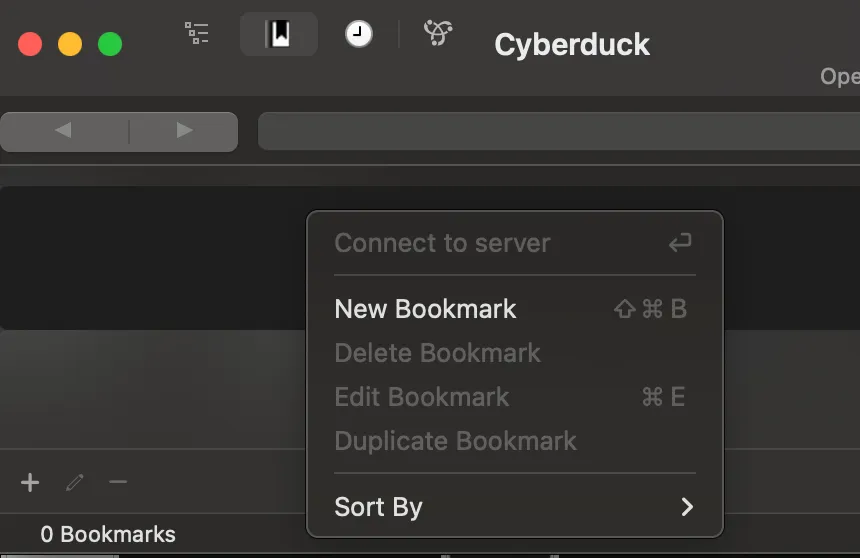
Klicken Sie mit der rechten Maustaste auf die leere Lesezeichenliste und klicken Sie auf Neues Lesezeichen.
-
Ein neues Fenster öffnet sich. Ändern Sie im oberen Dropdown-Menü den Standardwert von
FTPaufAmazon S3.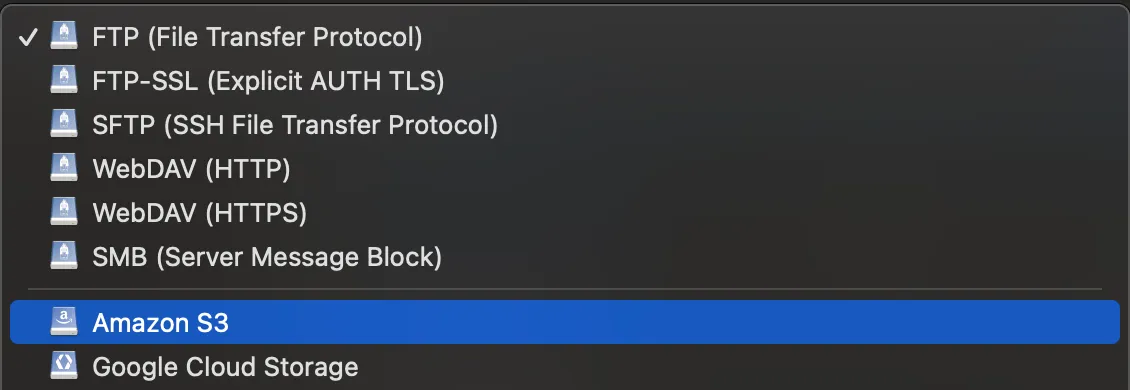
-
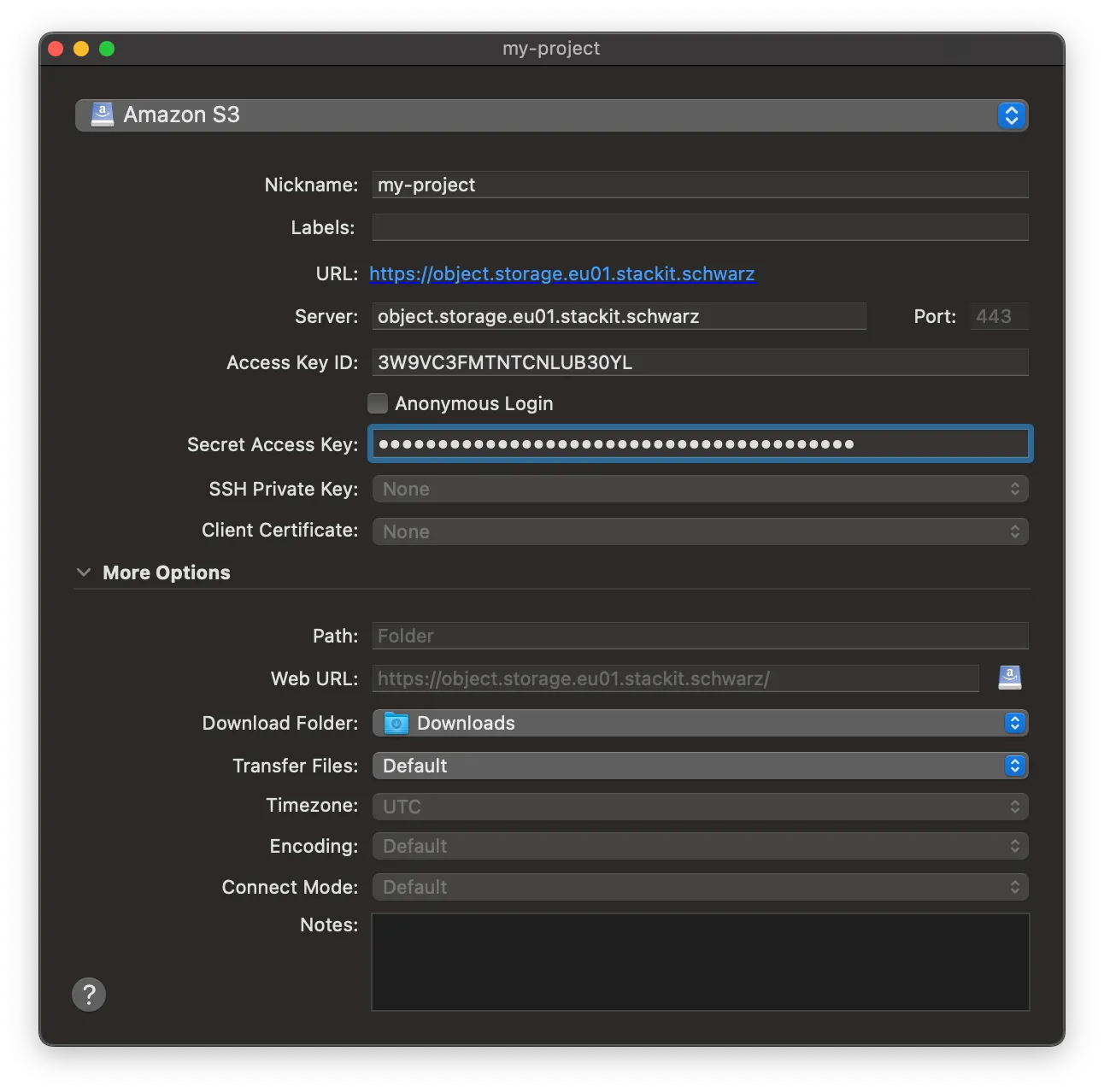
Konfigurieren Sie die Lesezeichendetails:
- Nickname: Geben Sie einen wiedererkennbaren Namen für das Lesezeichen ein.
- Server: Geben Sie
object.storage.eu01.stackit.schwarzein. Passen Sie den Werteu01an, wenn sich Ihr Bucket in einer anderen Region befindet. - Access Key ID: Fügen Sie Ihre
Access Key IDaus Ihren Object Storage-Zugangsdaten ein. - Secret Access Key: Fügen Sie Ihren
Secret Access Keyein.
-
Schließen Sie das Fenster, um das Lesezeichen zu speichern (Cyberduck speichert automatisch).
-
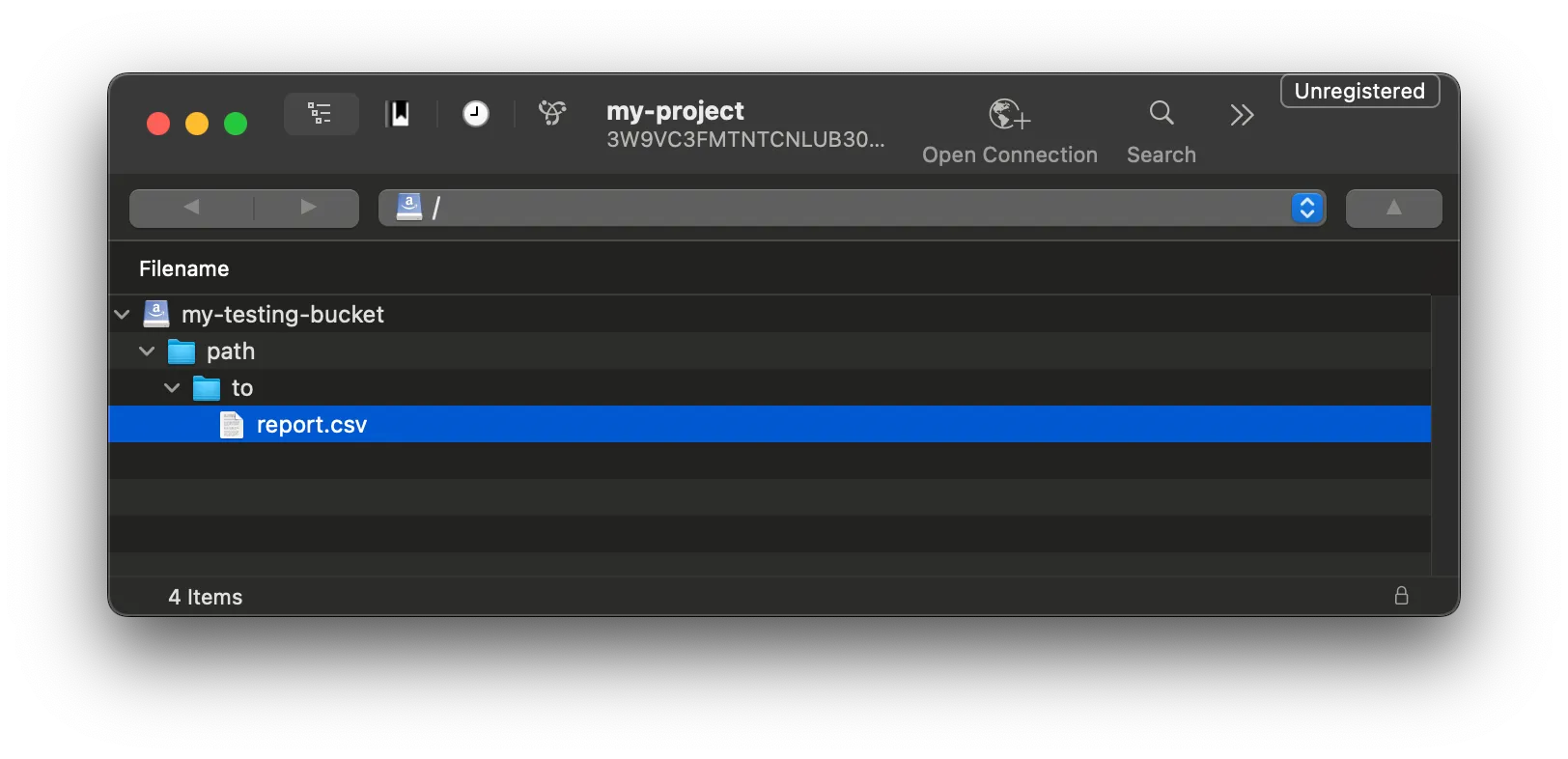
Doppelklicken Sie auf Ihr neues Lesezeichen, um eine Verbindung herzustellen. Cyberduck zeigt alle Buckets an, auf die Ihre Zugangsdaten zugreifen können.
-
Wählen Sie den konfigurierten Bucket aus, um Ihre FOCUS-Berichte zu finden und herunterzuladen.