Alte Versionen eines Images finden
Zuletzt aktualisiert am
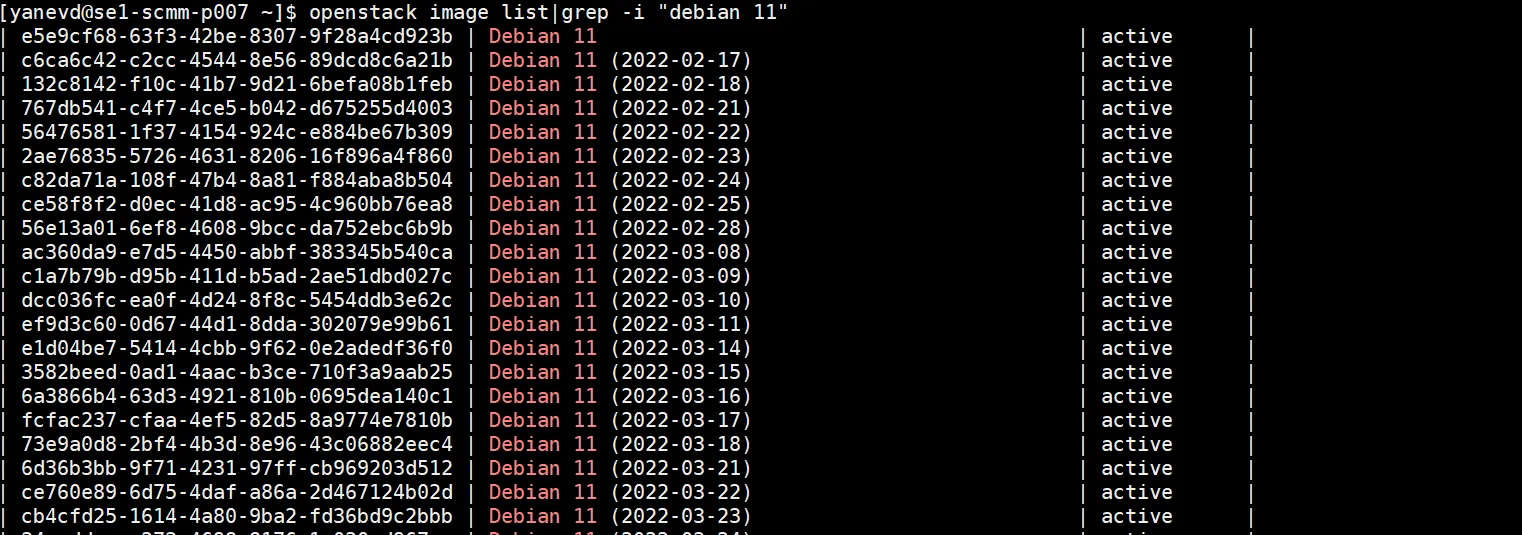
Es ist Best Practice, die neuesten Versionen der Images zu verwenden, da diese Sicherheitspatches und Paketaktualisierungen enthalten, aber falls Sie aus irgendeinem Grund eine alte Version des Images verwenden möchten, können Sie dies über das CLI und die API tun. CLI and API.
Suchen Sie nach dem Namen der Basis-Distribution in Kombination mit der erforderlichen Release-Nummer, zum Beispiel “Ubuntu 22.04”, und finden Sie die Image-ID und das Veröffentlichungsdatum, damit Sie später die vom Anbieter bereitgestellten Release Notes für dieses Image prüfen können. Einige Beispiele: