Connect to an AWS S3 Bucket
Zuletzt aktualisiert am
Overview
Section titled “Overview”By default, buckets that use the s3:// URI scheme, will be redirected to the STACKIT Object Storage service. This guide explains how to configure a Dremio S3 source to point at a custom HTTP endpoint (including AWS’ native endpoints).
Prerequisites
Section titled “Prerequisites”- You have a STACKIT Dremio instance
- You have an AWS S3 Bucket with a dataset
- You have valid credentials for the AWS S3 buckets
- You know the AWS region where the S3 bucket has been created
Step-by-Step configuration
Section titled “Step-by-Step configuration”-
Log into Dremio and head over to the Datasets menu
Section titled “Log into Dremio and head over to the Datasets menu”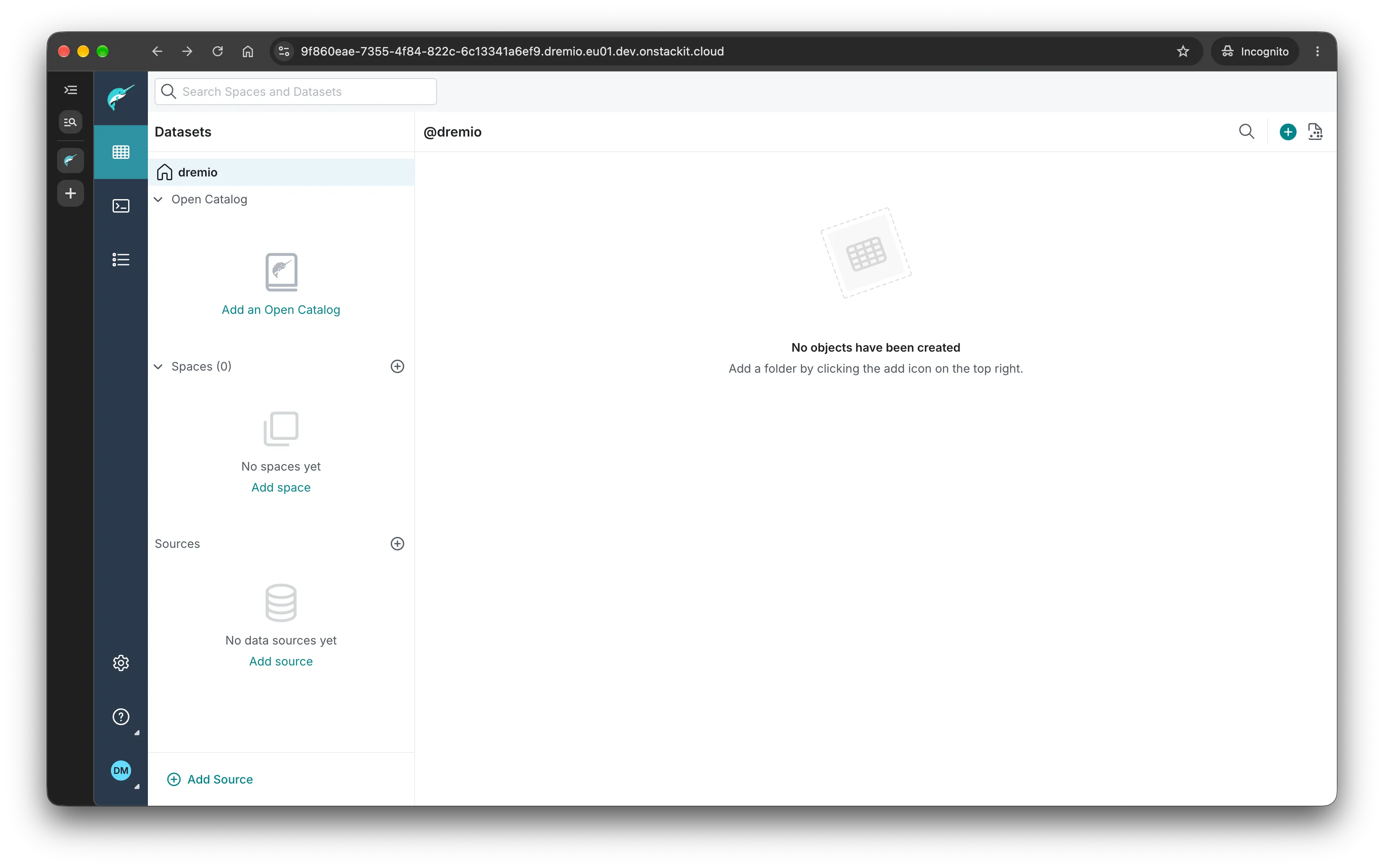
-
Click “Add Source”
Section titled “Click “Add Source”” -
Scroll down and choose “S3”
Section titled “Scroll down and choose “S3””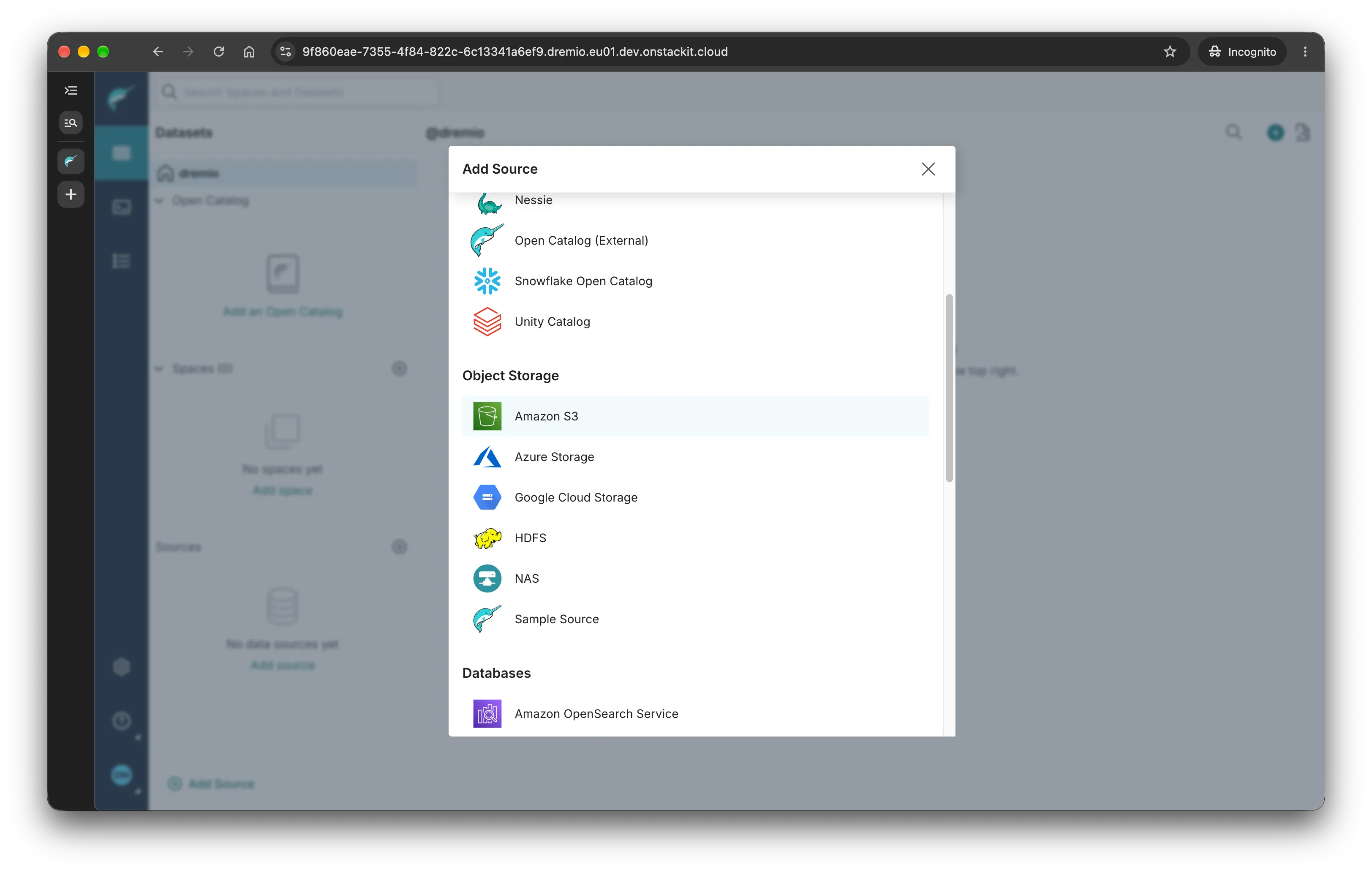
-
In “General”, configure the following
Section titled “In “General”, configure the following”- Name: choose an arbitrary you can use to refer to this source later
- Authentication: choose the adequate Authentication type, depending on your use case
- Add Bucket: Click and add the name of the bucket you want Dremio to connect to
-
In “Advanced Options”:
Section titled “In “Advanced Options”:”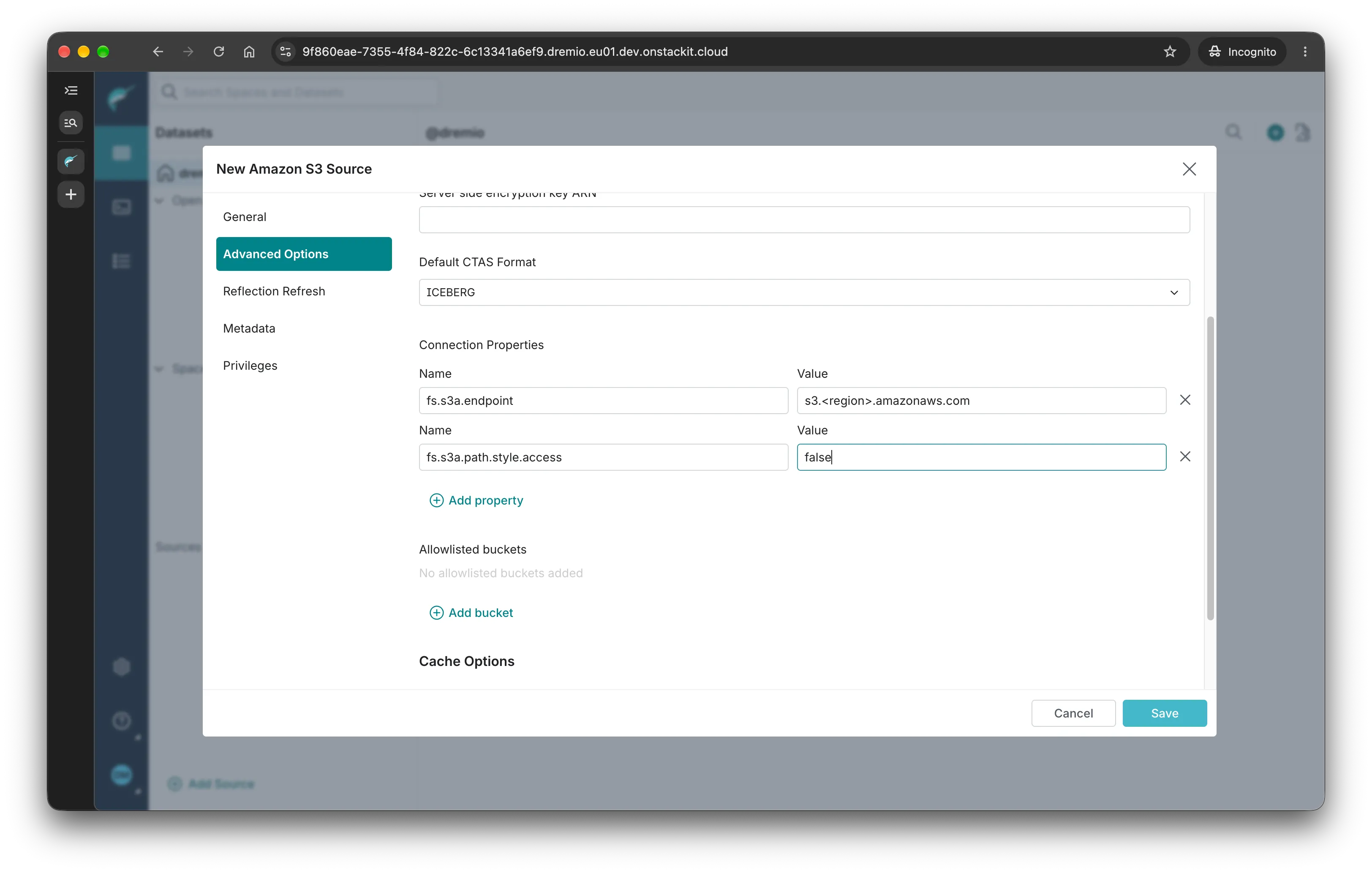
fs.s3a.endpointwith the values3.<aws-region>.amazonaws.comwhereaws-regioncorresponds to the AWS Region where the bucket has been created. -
Click save. The source is now available for querying.
Section titled “Click save. The source is now available for querying.”