Benutzer zu Ihrem Repository oder Ihrer Git-Instanz einladen
Zuletzt aktualisiert am
Diese Anleitung erklärt, wie Sie andere Benutzer zu Ihren Repositories in STACKIT Git einladen.
So laden Sie Benutzer ein:
-
Die STACKIT Git-Instanz-URL teilen: Geben Sie die URL Ihrer STACKIT Git-Instanz an die Benutzer weiter, die Sie einladen möchten.
-
Erstellung des Benutzerkontos: Wenn Benutzer über die URL der Instanz darauf zugreifen und sich über den STACKIT IDP anmelden, wird automatisch ein neues Benutzerkonto für sie erstellt.
-
Benutzer zu Repositories einladen: Sobald Benutzer ihr Konto mit einem Klick erstellt haben, können Sie diese zu Ihren Repositories einladen:
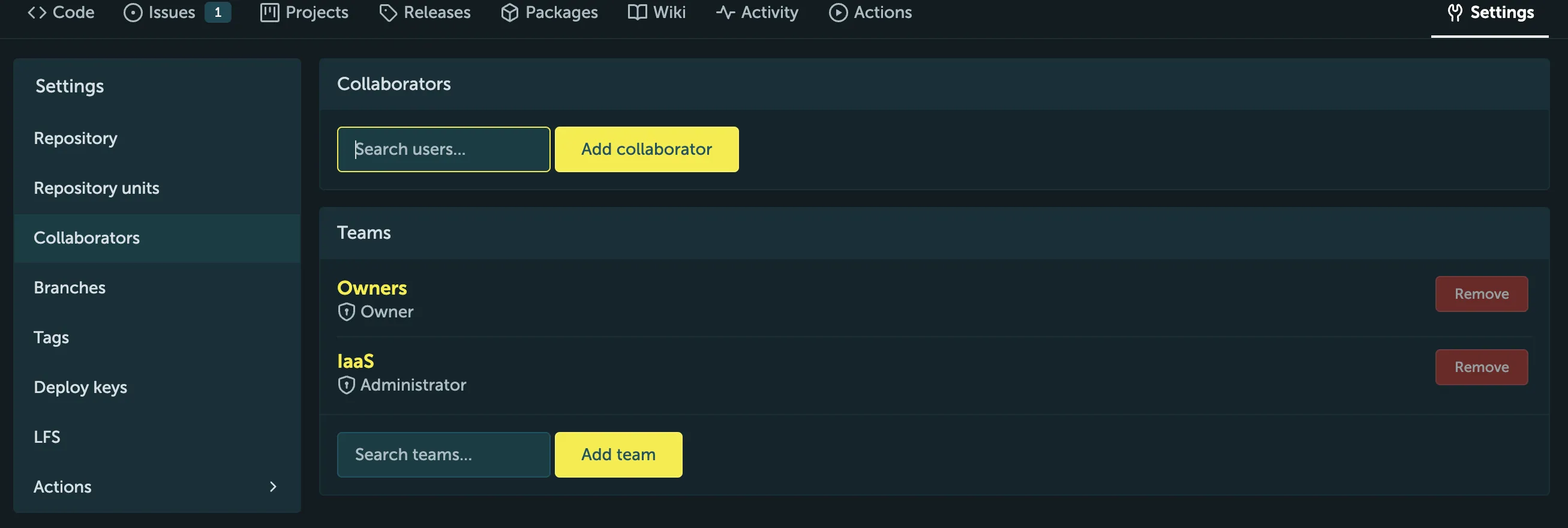
- Zu den Repository-Einstellungen navigieren: Gehen Sie zu dem Repository, zu dem Sie Benutzer einladen möchten, und klicken Sie auf den Tab „Settings“ (Einstellungen).
- Den Namen des Collaborators eingeben: Dieser sollte dem ersten Teil ihrer Email-Adresse entsprechen.
- Collaborator hinzufügen: Klicken Sie auf die Schaltfläche „Add collaborator“
(Collaborator hinzufügen) und geben Sie den Benutzernamen des Benutzers ein, den
Sie einladen möchten.
Für weitere Unterstützung wenden Sie sich bitte an das STACKIT Git Support-Team.