Datenquelle für Metriken/Logs/Traces aus einer anderen Observability-Instanz anbinden
Zuletzt aktualisiert am
Das folgende Tutorial erläutert, wie Sie eine Datenquelle für
- Metriken (Thanos)
- Logs (Loki)
- Traces (Tempo)
aus einer Observability-Instanz mit einer anderen verbinden.
URL der Datenquelle ermitteln
Abschnitt betitelt „URL der Datenquelle ermitteln“- Melden Sie sich im STACKIT Portal an.
- Wählen Sie die Observability-Instanz aus, aus der Sie die Datenquelle beziehen möchten.
- Öffnen Sie das Service Dashboard und wählen Sie den Tab API aus.
- Kopieren Sie die entsprechende URL, z. B. für Thanos:
https://storage.api.stackit....
Zugangsdaten erstellen
Abschnitt betitelt „Zugangsdaten erstellen“Im nächsten Schritt erstellen Sie Zugangsdaten für den Zugriff auf Ihre Datenquelle.
- Wählen Sie die Observability-Instanz aus, aus der Sie die Datenquelle beziehen möchten.
- Erstellen Sie neue Zugangsdaten.
- Notieren Sie sich Benutzername und Passwort.
Neue Datenquelle in Grafana einrichten
Abschnitt betitelt „Neue Datenquelle in Grafana einrichten“- Wählen Sie die Observability-Instanz aus, in der Sie die neue Datenquelle einrichten möchten.
- Melden Sie sich in Grafana an und wählen Sie im Umschaltmenü Connections aus.
- Wählen Sie Data sources und klicken Sie anschließend auf Add new data source.
- Wählen Sie den korrekten Datenquellentyp aus:
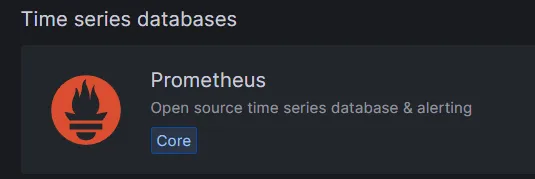
- Für Thanos wählen Sie Prometheus
- Für Loki wählen Sie Loki
- Für Tempo wählen Sie Tempo
- Für Thanos wählen Sie Prometheus
- Legen Sie den Namen Ihrer Datenquelle fest. Im Abschnitt HTTP müssen Sie nun die URL eintragen.
- Klicken Sie auf Save and test.
Wenn alles korrekt eingerichtet ist, erhalten Sie nun die Meldung „Data source is working“.