Connect to PostgreSQL Flex with SSL
Last updated on
Overview
Section titled “Overview”This guide explains how to configure STACKIT PostgresSQL Flex as a source in Dremio with SSL encryption that validates both the certificate and the hostname (equivalent to PostgreSQL settings sslmode=verify-full).
STACKIT PostgreSQL Flex uses a known Certificate Authority (CA). The required configuration (below) instructs Dremio to use an SSL factory to know where to look for the known Certificate Authorities in the environment where it runs, using a PostgreSQL connection property.
Prerequisites
Section titled “Prerequisites”- You have a STACKIT Dremio instance
- You have a STACKIT PostgreSQL Flex
- You have valid credentials for PostgreSQL Flex instance with access to a Database inside said instance
- You have a Dremio
ADMINrole or a role withCREATE SOURCEprivileges
Step-by-Step configuration
Section titled “Step-by-Step configuration”-
Log into Dremio and head over to the Datasets menu
Section titled “Log into Dremio and head over to the Datasets menu”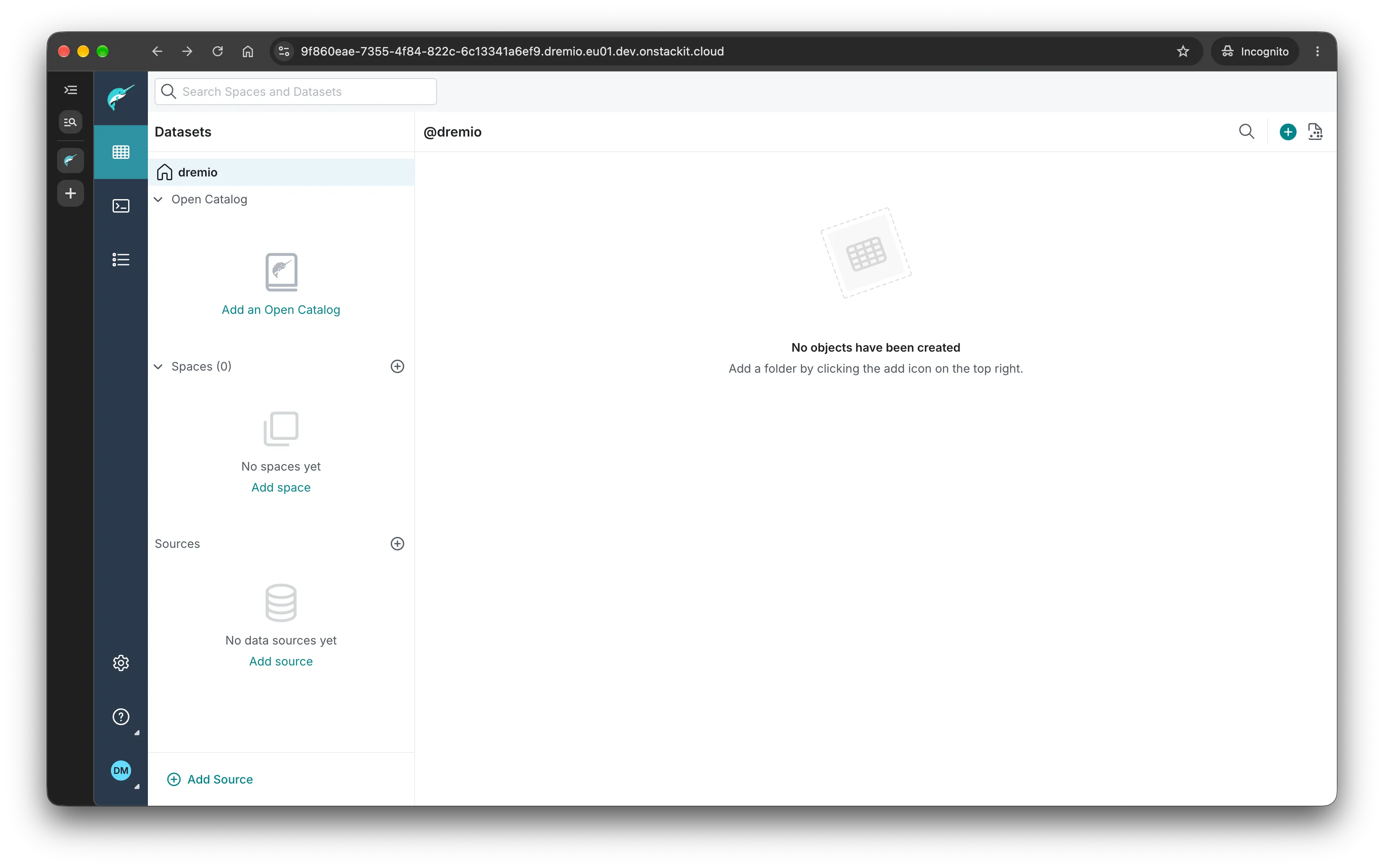
-
Click “Add Source”
Section titled “Click “Add Source”” -
Scroll down and choose “PostgreSQL”
Section titled “Scroll down and choose “PostgreSQL””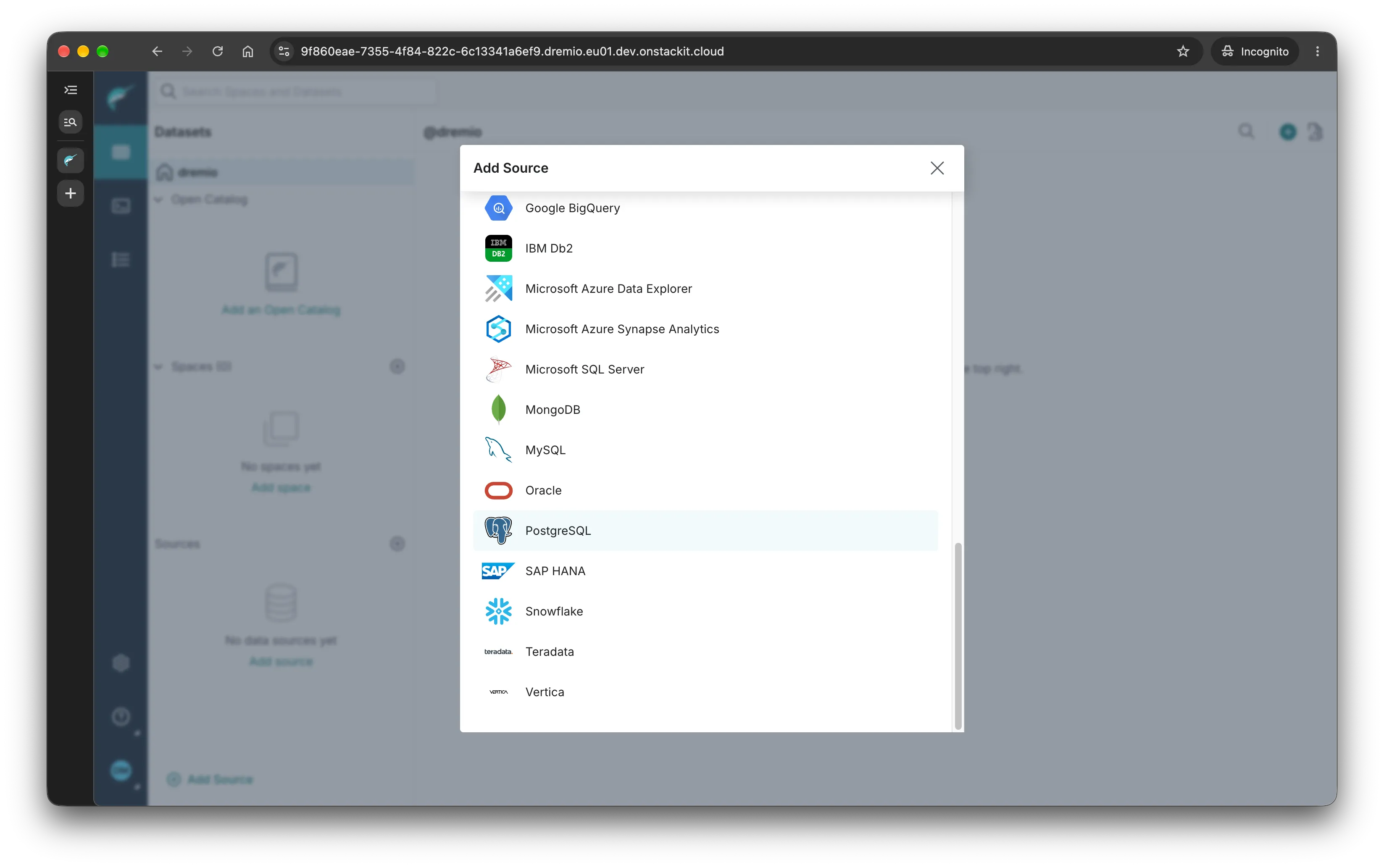
-
In “General”, configure the following
Section titled “In “General”, configure the following”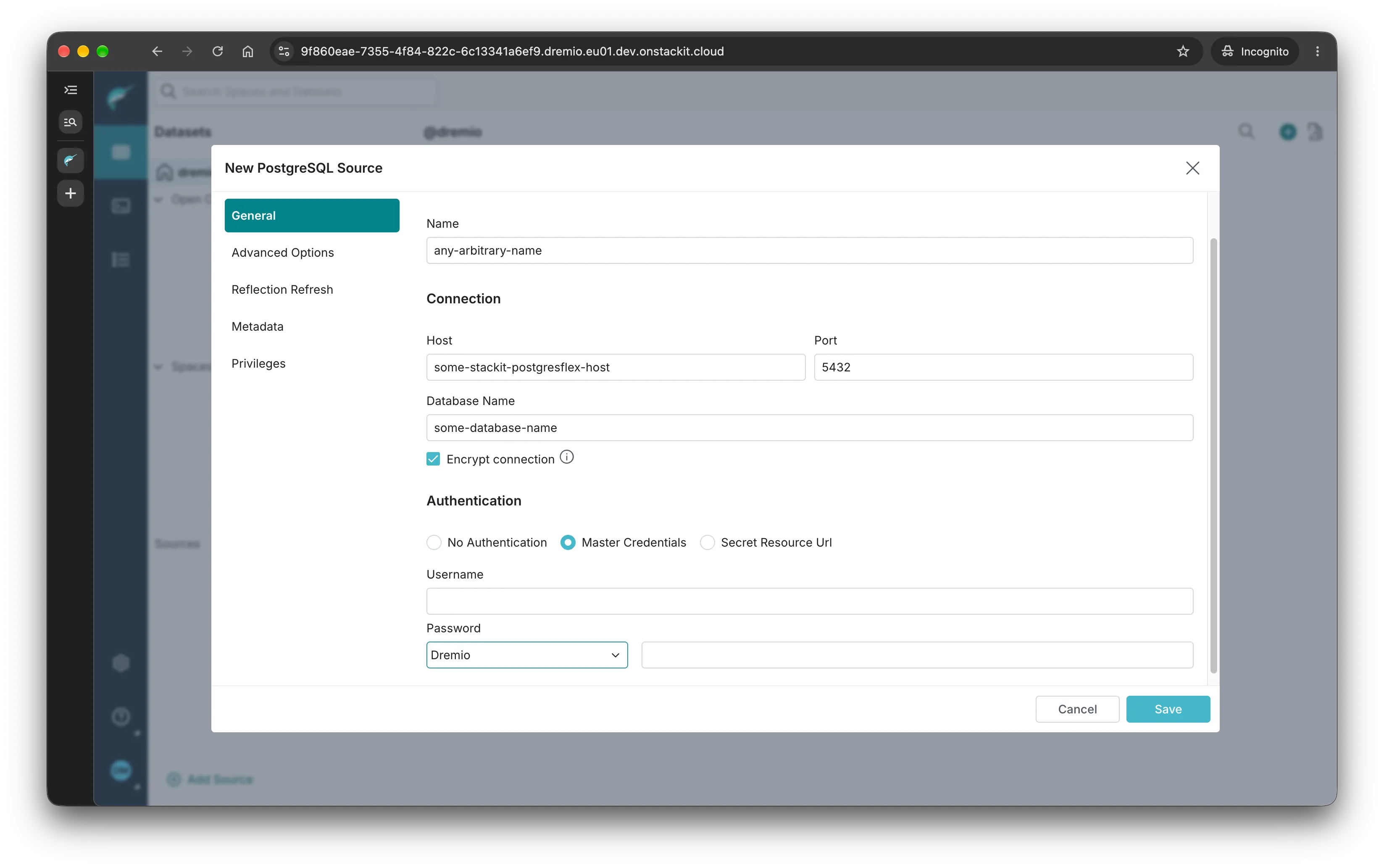
- Name: choose an arbitrary you can use to refer to this source later
- Host: can be found in your STACKIT PostgreSQL Flex instance information menu (STACKIT Portal)
- Database Name: name of an existing database
- Encrypt Connection: this box should be checked for the connection to be encrypted
- Authentication: choose the appropriate option
-
In “Advanced Options”:
Section titled “In “Advanced Options”:”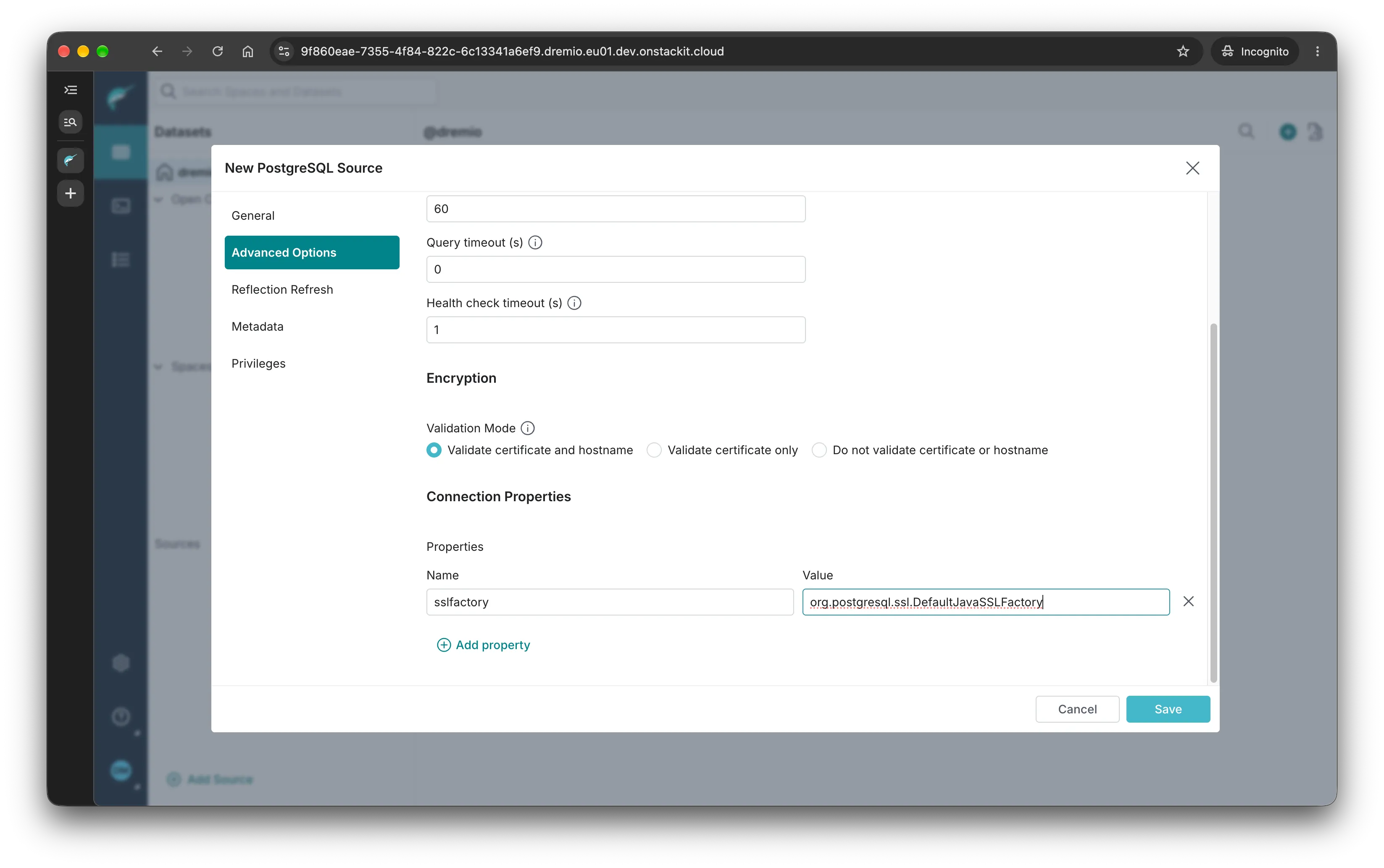
- Ensure “Validation Mode” has the choice “Validate certificate and hostname” selected 2. Click
- “Add property” and add the following:
sslfactory:org.postgresql.ssl.DefaultJavaSSLFactory
-
Click save. The source is now available for querying.
Section titled “Click save. The source is now available for querying.”