Versioning in Secrets Manager
Last updated on
Create a new version
Section titled “Create a new version”-
In the STACKIT Portal navigate to Security > Secrets Manager. Select a Secrets Manager from the list.
-
In the sidebar menu on the left select Secrets. Now you see the list of secrets.
-
Create a new version.
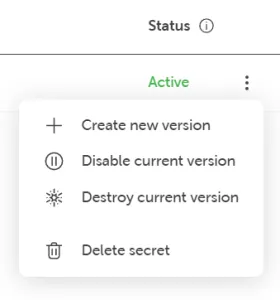
Click on the context menu of the secret you want to create a new version for. Select Create new version:
-
Perform changes (change values, add or remove key/value pair).
-
View the terms and conditions and click the button Order fee-based.
Restore a specific secret version
Section titled “Restore a specific secret version”-
In the STACKIT Portal navigate to Security > Secrets Manager. Select a Secrets Manager from the list.
-
In the sidebar menu on the left select Secrets to see the list of secrets.
-
Select the secret you want to roll back by clicking on it in the secrets list.
-
In the sidebar menu on the left select Version.
-
Restore a version.
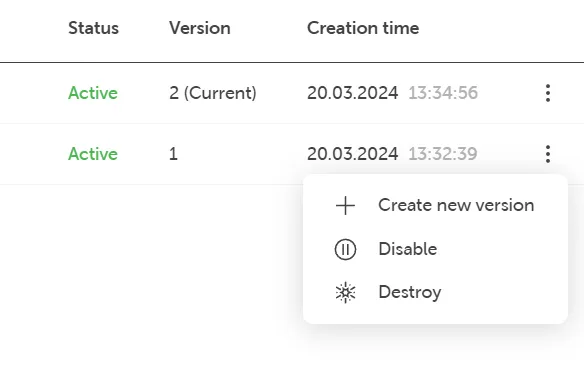
Each version has a context menu on the right. Choose the version you want to restore and click on the version’s context menu. Select Create new version:
-
Click the button Order fee-based to restore to the desired version. This creates a new version based on your chosen version.