Server aktualisieren
Zuletzt aktualisiert am
Diese Seite beschreibt den Patch-Management-Prozess von verwalteten STACKIT Servern. Sie erfahren, wie Sie die Updates für Ihre VM verwalten, wie Sie diese individuell via API konfigurieren und erhalten Details zum internen monatlichen Image-Release-Zyklus.
Automatische Installation von Updates
Abschnitt betitelt „Automatische Installation von Updates“Wenn die Standard-Management-Einstellungen auf Ihren Server angewendet werden, werden die neuesten Updates automatisch zu zufälligen Startzeiten an den Wochenenden durch einen Standard-Update-Zeitplan heruntergeladen und installiert. Diese Management-Einstellungen werden Ihnen als Teil der Standardkonfiguration für jeden verwalteten Server in STACKIT zur Verfügung gestellt.
Bitte beachten Sie, dass für unverwaltete Server diese Funktion der wiederkehrenden automatischen Update-Installationen nicht verfügbar ist! In diesem Fall ist der Kunde dafür verantwortlich, das Patch-Management seines unverwalteten Servers durchzuführen, um das Betriebssystem aktuell und sicher zu halten!
Updates im STACKIT Portal verwalten
Abschnitt betitelt „Updates im STACKIT Portal verwalten“In der Detailansicht der Server in Ihrem STACKIT Projekt finden Sie die Funktion Updates, die Ihnen derzeit in einer BETA-Phase zur Verfügung steht. Hier können Sie Updates und Update-Zeitpläne für jeden Ihrer verwalteten Server individuell erstellen und konfigurieren, wie unten gezeigt.
Verlauf
Abschnitt betitelt „Verlauf“Im Bereich Verlauf finden Sie alle kürzlich ausgelösten Updates, deren Start- und Endzeit, Status und Ergebnisse:
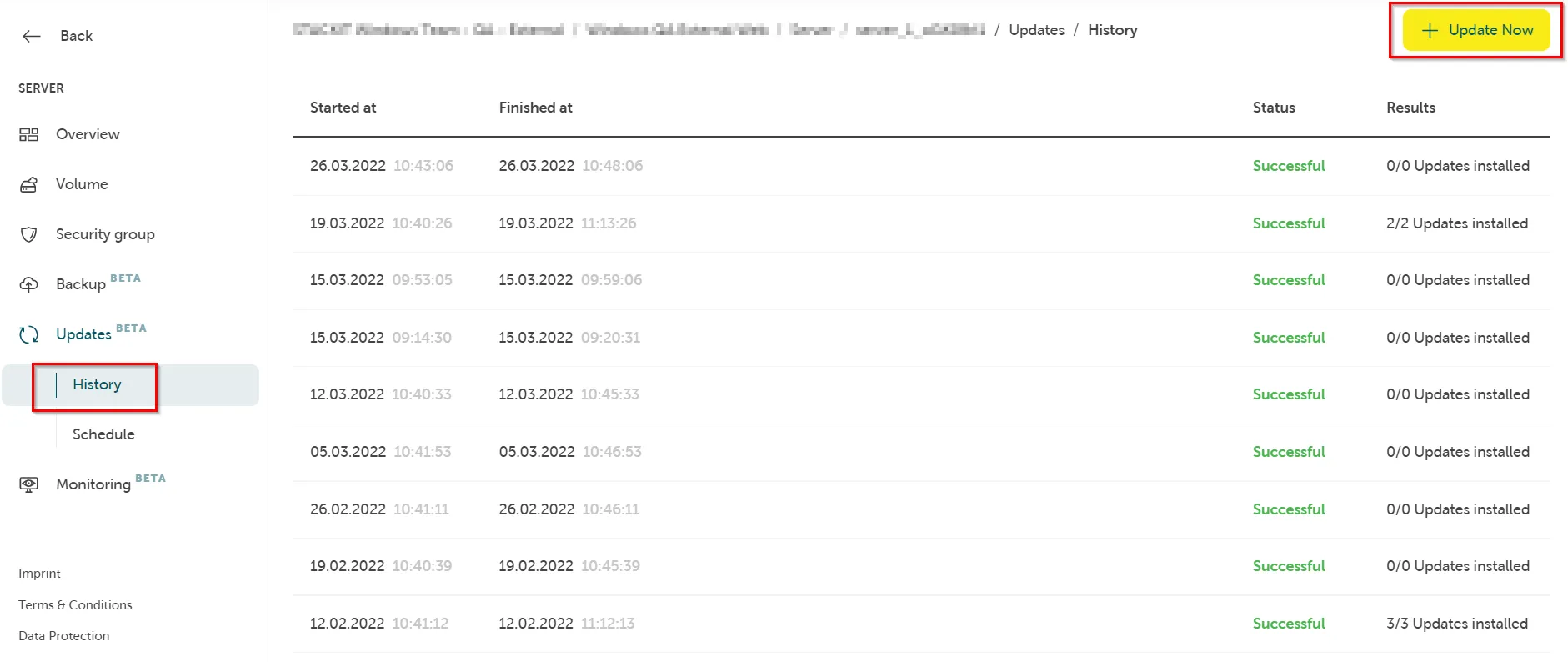
Durch Klicken auf Update können Sie einen neuen Update-Job für Ihren spezifischen Server auslösen:
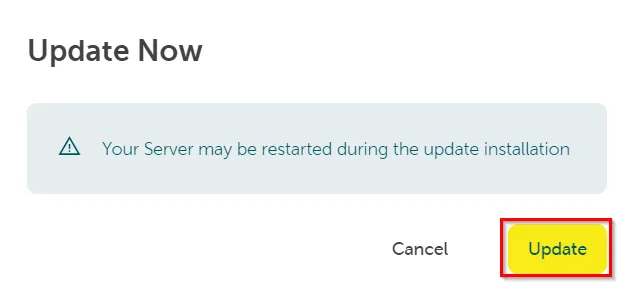
Der Update-Prozess wird gestartet. Dies kann eine Weile dauern, abhängig von der Größe des Flavors des Servers, der Menge der zu installierenden Updates und wie oft die Maschine einen Neustart benötigt:

Update-Zeitplan
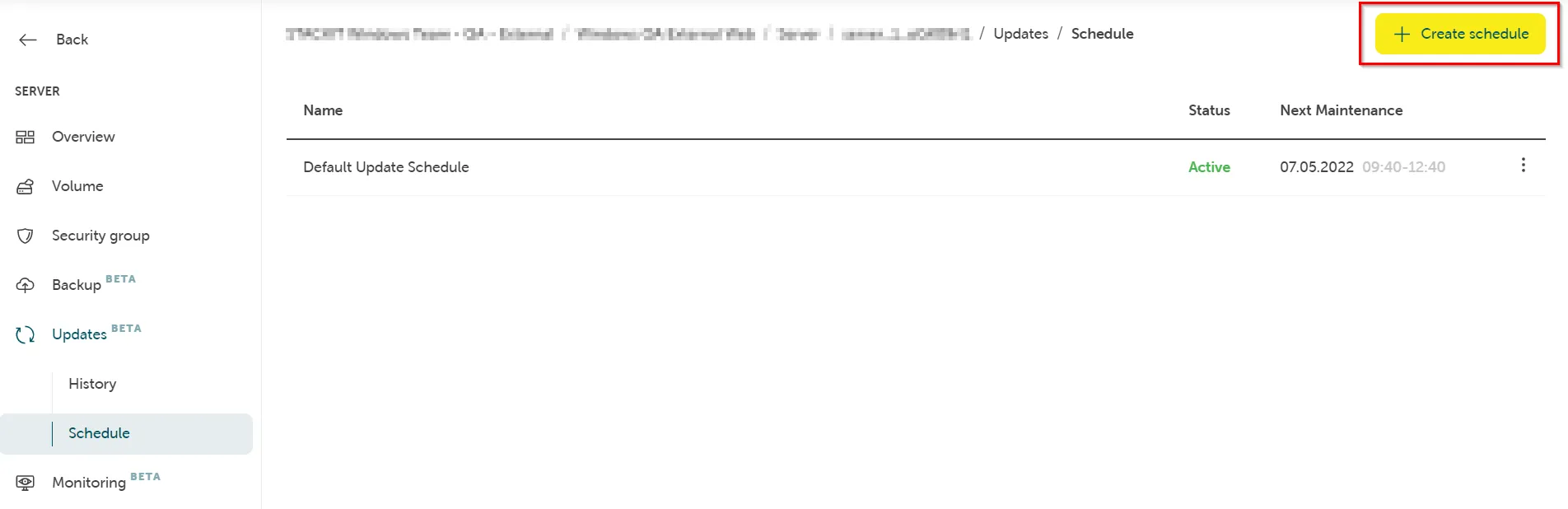
Abschnitt betitelt „Update-Zeitplan“Im Bereich Zeitplan sind alle definierten Update-Zeitpläne auf einen Blick aufgelistet. Auf einem verwalteten Server wird der Standard-Update-Zeitplan immer automatisch für Sie erstellt.
Sie können auf Zeitplan erstellen klicken, um einen neuen Update-Zeitplan nach Ihren Wünschen zu erstellen:
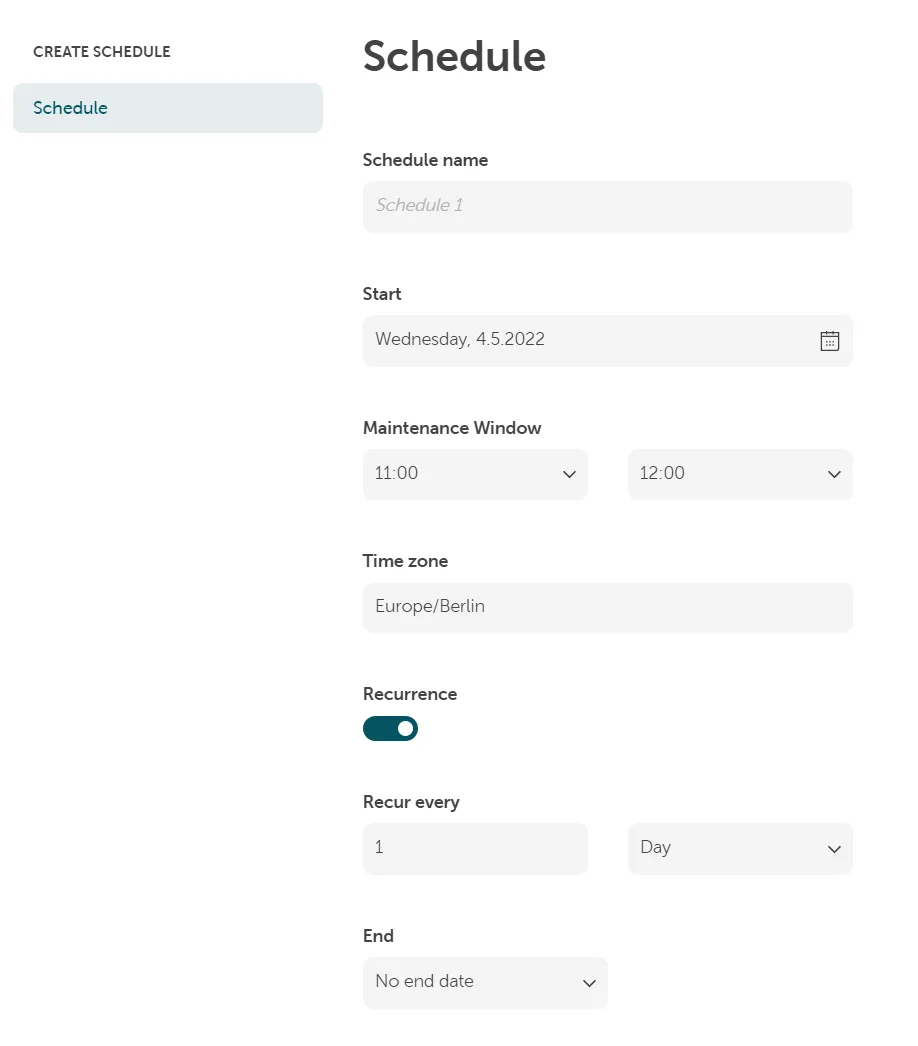
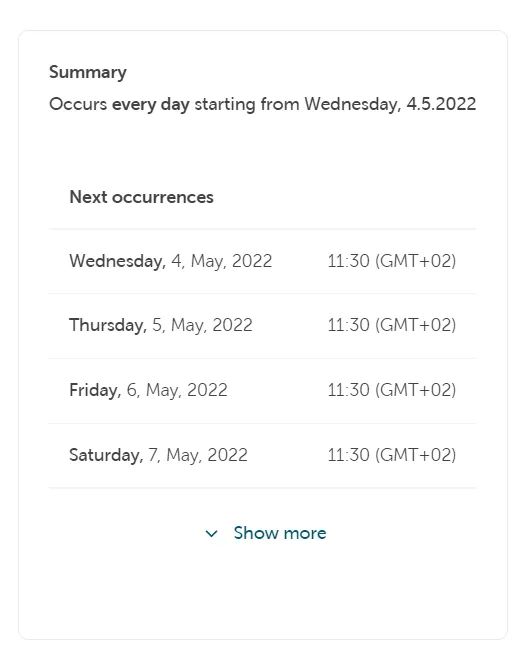
Konfigurieren Sie Ihren Zeitplan und klicken Sie auf Erstellen:
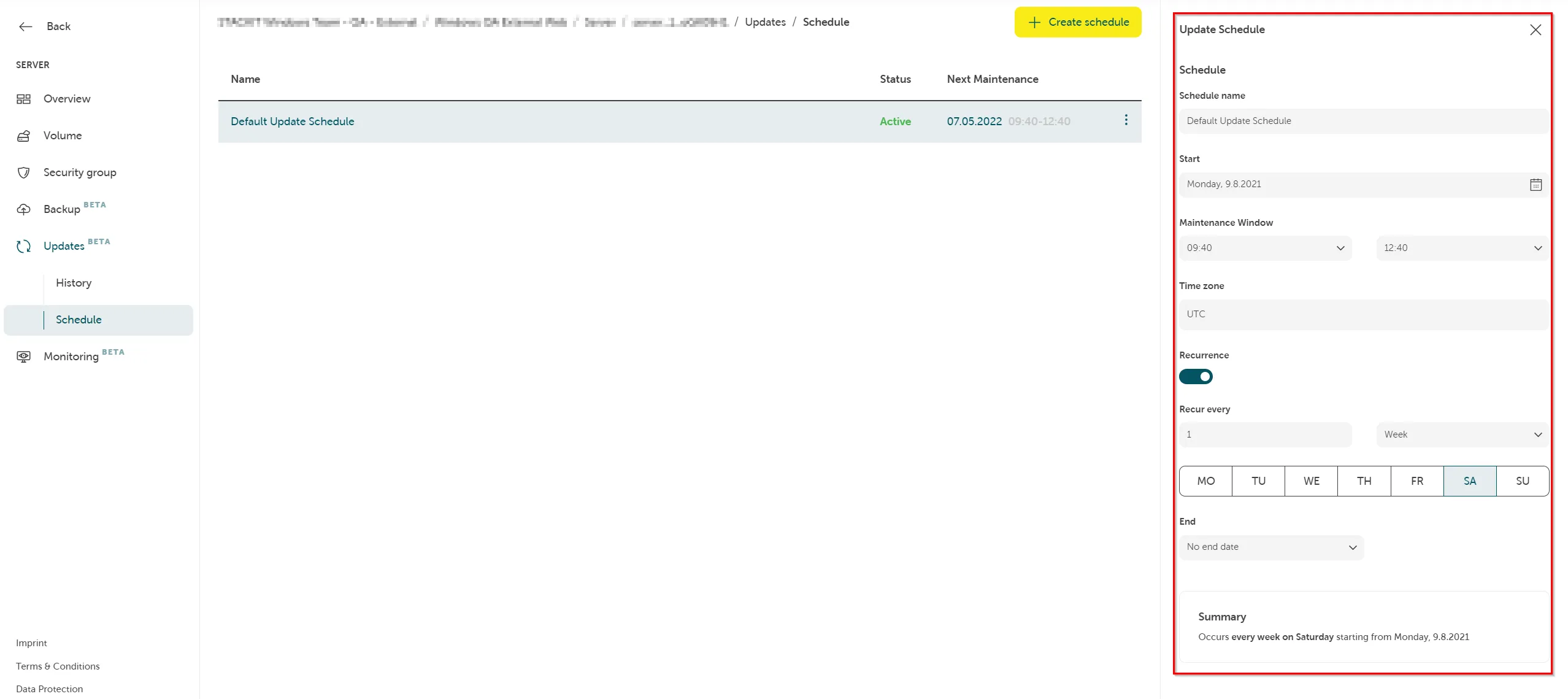
Sie können Ihre Konfiguration bereits existierender Update-Zeitpläne auch schnell im rechten Bereich ändern:
Updates via API verwalten
Abschnitt betitelt „Updates via API verwalten“Wenn Sie die Standardkonfiguration Ihrer Updates ändern möchten, können Sie dies über unsere MOSS API (Managed Operations on STACKIT Servers API) tun.
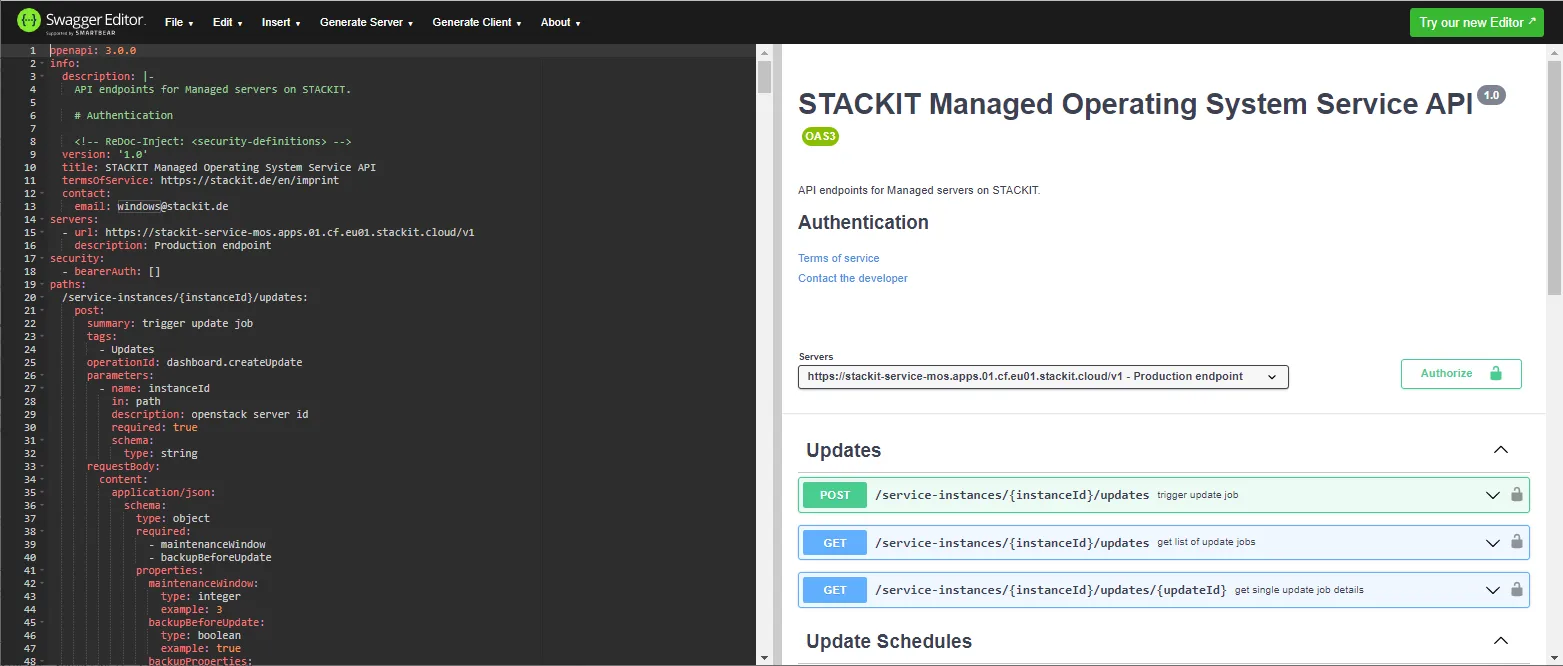
Eine detaillierte Dokumentation aller verfügbaren API-Endpunkte und Anfragen einschließlich Beispielen finden Sie unter Verwendung der swagger.json und eines Tools wie dem Swagger Editor, um die Datei zu lesen.
Beispiele für nützliche API-Anfragen
Abschnitt betitelt „Beispiele für nützliche API-Anfragen“Updates
Abschnitt betitelt „Updates“Einen neuen Update-Job auslösen.
POST [https://stackit-service-mos.apps.01.cf.eu01.stackit.cloud/v1/service-instances/](https://stackit-service-mos.apps.01.cf.eu01.stackit.cloud/v1/service-instances/){instanceId}/updatesBody (im JSON format):
{ "maintenanceWindow": 2 }Die Zahl für das Wartungsfenster definiert die Downtime Ihres Servers in Stunden.
POST https://stackit-service-mos.apps.01.cf.eu01.stackit.cloud/v1/service-instances/{instanceId}/update-schedulesStatus und Ergebnisse des Update-Jobs abrufen.
GET https://stackit-service-mos.apps.01.cf.eu01.stackit.cloud/v1/service-instances/{instanceId}/updates/{updateId}Update-Zeitpläne
Abschnitt betitelt „Update-Zeitpläne“Einen neuen Update-Zeitplan erstellen.
POST https://stackit-service-mos.apps.01.cf.eu01.stackit.cloud/v1/service-instances/{instanceId}/update-schedulesBody (im JSON format):
{ "name": "Default Update Schedule", "rrule": "DTSTART;TZID=Europe/Sofia:20200803T134000 RRULE:FREQ=WEEKLY;INTERVAL=1;BYDAY=SA", "enabled": true, "maintenanceWindow": 2 }Beim Erstellen eines Update-Zeitplans müssen Sie die Einstellungen im RRULE-Format über die API bereitstellen. Weitere Informationen zu diesem Standard finden Sie im RFC5545. Eine Anwendung zum Testen und zur Demonstration ist here verfügbar.
Weitere Beispiele für API-Anfragen finden Sie in der Swagger-Dokumentation.
Wiederkehrender Image-Release-Prozess
Abschnitt betitelt „Wiederkehrender Image-Release-Prozess“Als Kunde stellen Sie bitte immer sicher, dass Sie das neueste aktive Image verwenden, wenn Sie Server über die API erstellen. Siehe Alte Versionen eines Images finden..