Ihren Windows Server einer Domain hinzufügen
Zuletzt aktualisiert am
Einleitung
Abschnitt betitelt „Einleitung“Dieses Tutorial beschreibt die erforderlichen Schritte, um einen bestehenden STACKIT Windows Server über den STACKIT Run Command einer Domain hinzuzufügen.
Voraussetzungen
Abschnitt betitelt „Voraussetzungen“- STACKIT Windows Server VM
- Run Command aktiviert
- Sie verfügen über ein aktives Active Directory (Ihr Domain-Controller sollte sich im selben lokalen Netzwerk befinden wie der Kandidat für den Domain-Join!)
Ihren Windows Server einer Domain hinzufügen mit der Befehlsvorlage JoinDomain
Abschnitt betitelt „Ihren Windows Server einer Domain hinzufügen mit der Befehlsvorlage JoinDomain“Die Befehlsvorlage finden Sie im Bereich Server unter Commands:
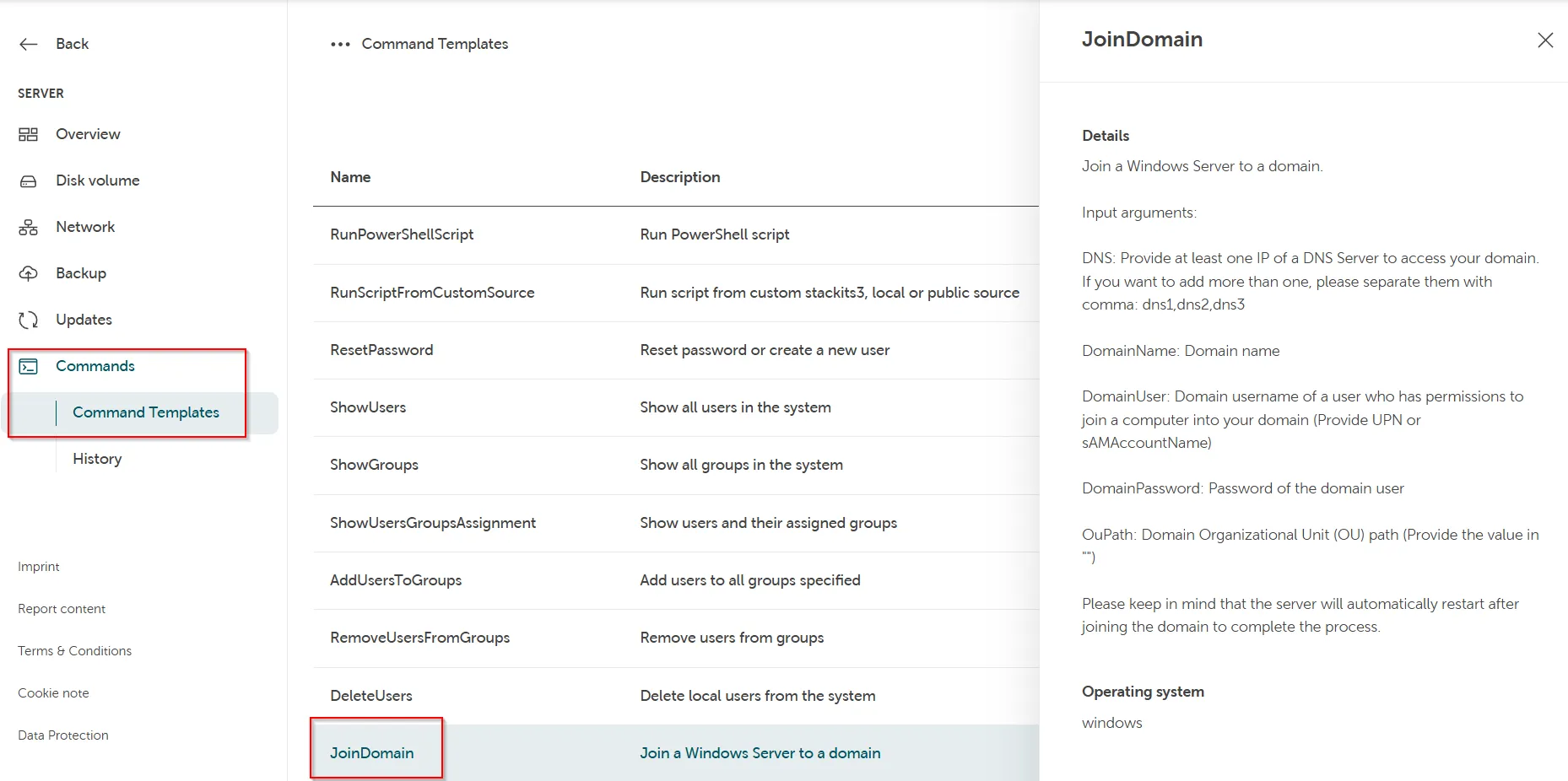
Erforderliche Eingabeargumente der Befehlsvorlage:
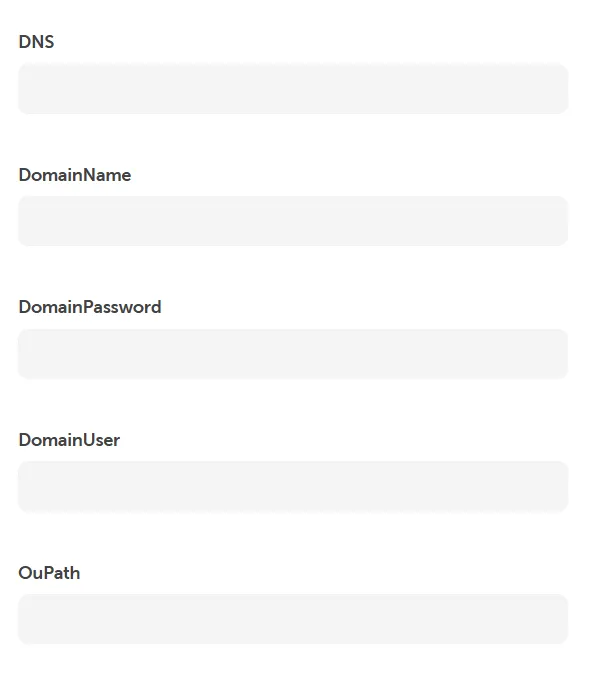
DNS: Geben Sie mindestens eine IP eines DNS-Nameservers an, um auf Ihre Domain zuzugreifen. Wenn Sie mehr als eine IP hinzufügen möchten, trennen Sie diese bitte durch ein Komma: dns1,dns2,dns3.
DomainName: Domainname
DomainPassword: Passwort des Domain-Benutzers
DomainUser: Domain-Benutzername eines Benutzers, der über Berechtigungen zum Hinzufügen eines Computers zu Ihrer Domain verfügt (Geben Sie den UPN oder sAMAccountName an)
OuPath: Pfad der Domain-Organisationseinheit (OU) (Geben Sie den Wert in " an)
Fehlerbehebung
Abschnitt betitelt „Fehlerbehebung“Falls Sie eine Fehlermeldung erhalten, dass der Domain-Join fehlgeschlagen ist, prüfen Sie Folgendes:
Abschnitt betitelt „Falls Sie eine Fehlermeldung erhalten, dass der Domain-Join fehlgeschlagen ist, prüfen Sie Folgendes:“- Dem Benutzer ist die Domain wie im obigen Beispiel vorangestellt und sie ist korrekt.
- Das Passwort ist korrekt.
- Der DNS ist korrekt.
- Der Domainname ist korrekt.
- Der Domain-Controller ist für den Domain-Join-Kandidaten im lokalen Netzwerk erreichbar.
Falls der Domain-Join erfolgreich war, der Computer aber anschließend nicht umbenannt wurde, prüfen Sie bitte Folgendes:
Abschnitt betitelt „Falls der Domain-Join erfolgreich war, der Computer aber anschließend nicht umbenannt wurde, prüfen Sie bitte Folgendes:“- Es existiert noch kein Computerkonto im AD.