API-Voraussetzungen Observability
Zuletzt aktualisiert am
Voraussetzungen
Abschnitt betitelt „Voraussetzungen“Um die auf dieser Seite beschriebenen Schritte ausführen zu können, müssen die folgenden Bedingungen erfüllt sein:
-
Ihre Organisation verfügt über ein Abrechnungskonto.
(Siehe: Abrechnungskonto erstellen) -
Sie haben ein Benutzerkonto mit den erforderlichen Berechtigungen.
(Siehe: Benutzerkonto erstellen) -
Sie haben ein Projekt in Ihrem Abrechnungskonto.
(Siehe: Projekt erstellen) -
Sie sind im STACKIT Portal angemeldet.
-
Sie haben bereits eine Instanz für STACKIT Observability erstellt und Ihr Dienst zeigt den Status Ready an.
(Siehe: Erstellen eines Dienstes Observability)
Zugriff auf Projekt-ID, Instanz-ID und API-URLs für Anfragen
Abschnitt betitelt „Zugriff auf Projekt-ID, Instanz-ID und API-URLs für Anfragen“Die Dokumentation der API finden Sie hier. Um API-Anfragen zu stellen, müssen Sie die beiden folgenden IDs kennen:
- Projekt-ID: Um auf Ihre Projekt-ID zuzugreifen, wählen Sie den Link Dashboard unter Übersicht in der linken Navigation. Die Projekt-ID kann dann aus dem Bereich mit den Projektinformationen kopiert werden.
- Instanz-ID: Um auf Ihre Instanz-ID zuzugreifen, wählen Sie den Link Observability unter Logging & Monitoring in der linken Navigation. Wählen Sie nun die Observability-Instanz aus, deren Instanz-ID Sie benötigen. Wählen Sie die Übersicht in der linken Navigation; die Instanz-ID kann nun im Bereich Allgemeine Informationen abgelesen werden.
Verwendung der Bearer-Token-Authentifizierung
Abschnitt betitelt „Verwendung der Bearer-Token-Authentifizierung“Die Bearer-Token-Authentifizierung ist die empfohlene Art der Authentifizierung.
Um ein Bearer-Token zu erstellen, müssen Sie zunächst einen Dienstkonto erstellen, für das Sie dann ein Zugriffstoken erstellen. Weitere Informationen zu diesem Prozess finden Sie hier: Dienstkonto erstellen.
Authorization: Bearer <Ihr Service Account Zugriffstoken>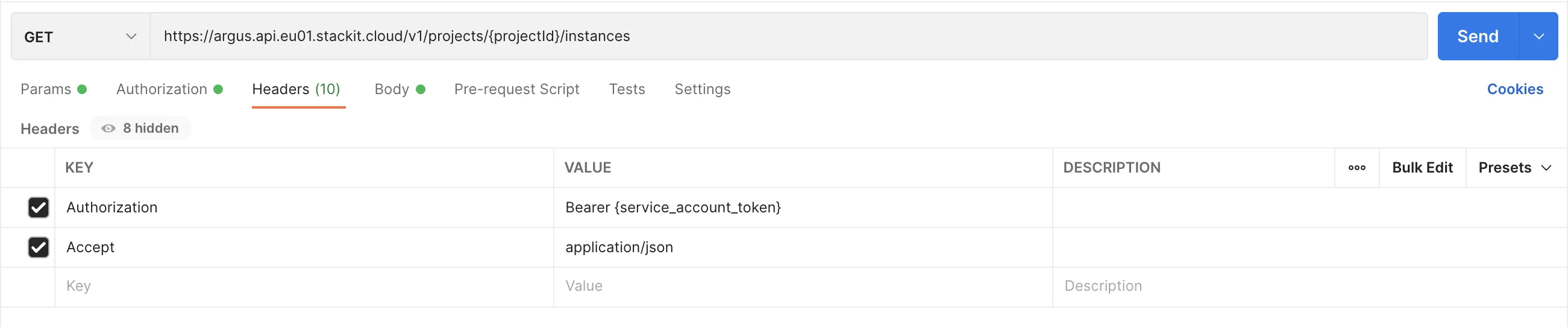
Verwendung der HTTP-Basic-Authentifizierung
Abschnitt betitelt „Verwendung der HTTP-Basic-Authentifizierung“Obwohl die Basic-Authentifizierung weiterhin unterstützt wird, sollte sie nur für die folgenden Aufgaben verwendet werden:
- Remote-Writing von Metriken
- Übertragen von Logs
- Übertragen von Traces
- Zugriff auf Produkt-Frontends (z. B. Prometheus)
Beachten Sie, dass sich die Basis-URLs unterscheiden, je nachdem, ob die Basic-Authentifizierung oder die Bearer-Authentifizierung verwendet wird:
- Basic-Auth: Verwenden Sie
https://api.argus.eu01.stackit.cloud- Bearer-Auth: Verwenden Sie
https://argus.api.eu01.stackit.cloudAPI-Benutzer erstellen
Abschnitt betitelt „API-Benutzer erstellen“Um mit der API zu arbeiten, müssen Sie einen API-Benutzer erstellen.
- Wählen Sie Ihr STACKIT-Projekt und den Dienst Observability aus, für den Sie einen neuen API-Benutzer erstellen möchten.
- Öffnen Sie im Dashboard von Observability den Tab API und wählen Sie den Bereich Zugangsdaten.
- Klicken Sie auf Zugangsdaten erstellen, um einen neuen API-Benutzer zu erstellen.
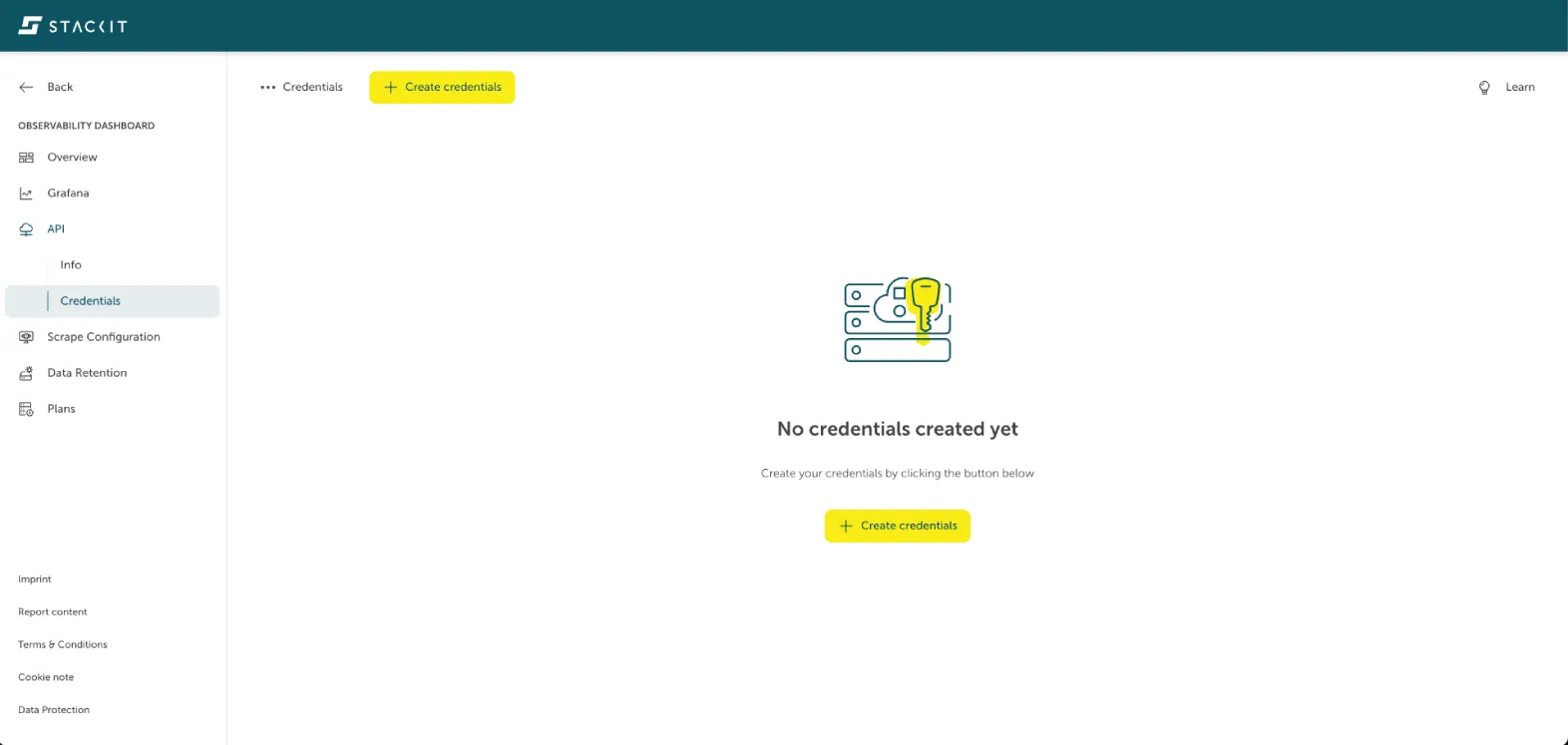
→ Sie erhalten einen neuen zufälligen Namen und ein Passwort.
HTTP-Authorization-Header
Abschnitt betitelt „HTTP-Authorization-Header“Sie müssen den Authorization-Header bei jeder Anfrage mit Ihren Zugangsdaten setzen.
Erstellen Sie den Authorization-Header-String wie folgt:
| “Basic” | Leerzeichen | Ihre Zugangsdaten in der Form Benutzername:Passwort in base64 kodiert |
|---|---|---|
| Basic | dXNlcm5hbWU6cGFzc3dvcmQ= |
Beispiel:
| Basic Umlja0FzdGxleTpOZXZlckdvbm5hR2l2ZVlvdVVw |
|---|
