Overview
Diese Seite ist noch nicht in deiner Sprache verfügbar. Englische Seite aufrufen
You can use the STACKIT Network Load Balancer API to create, delete and change a STACKIT Network Load Balancer via your favorite command line or GUI tool like curl or Postman. Have a look at the API documentation.
Before you can use the STACKIT Network Load Balancer API, make the preparations listed on this page.
Prerequisites
Section titled “Prerequisites”In order to follow the steps described on this page, the following conditions need to be met:
-
Your organization has a customer account.
(See: Create a customer account) -
You have a User Account with the necessary permissions.
(See: Create a user account, Identity and Access Management) -
You have a Project in your customer account.
(See: Create a Project) -
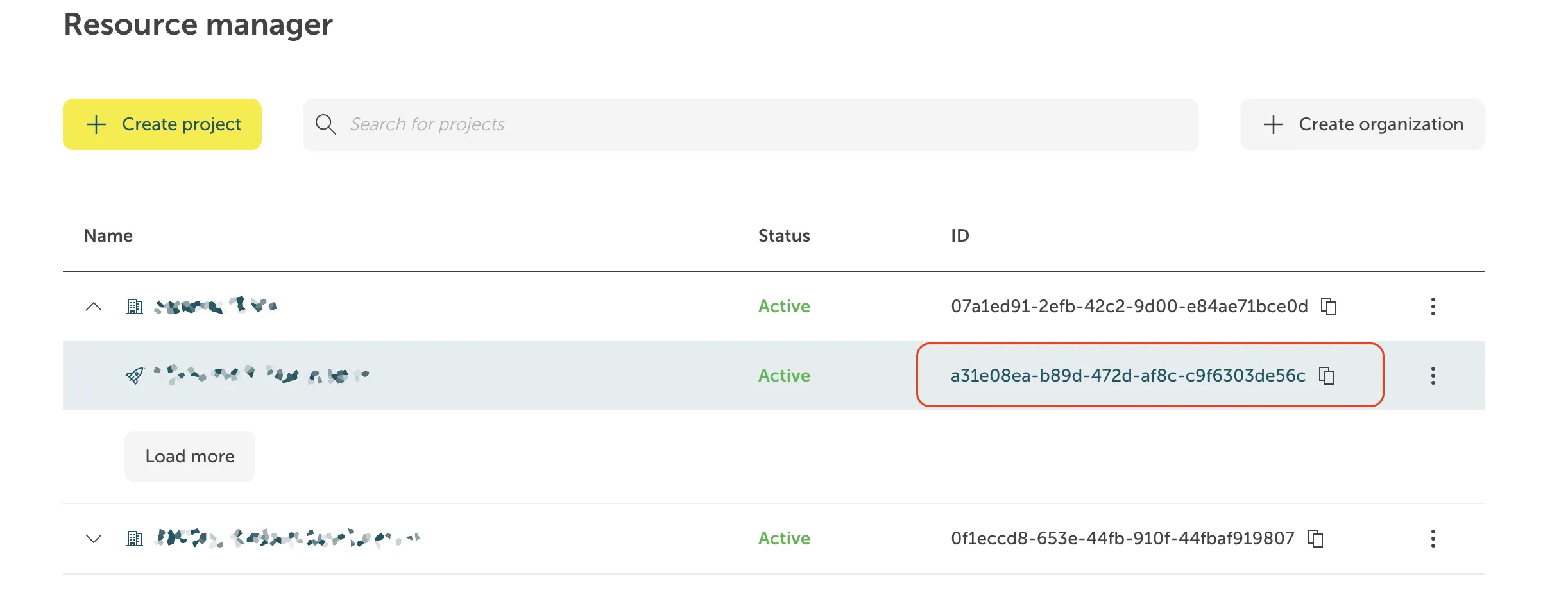
You know the Project ID.
Where do I find the Project ID?
The project ID is displayed in the projects list of the Resource manager:
- You have created a Service Account.
(See: Create a Service account) - You have assigned the required project permissions to this service account.
(See: Assign permissions to a service account) - You have created an Access Token for this service account.
(See: Assign authentication token to a service account)
To be set up beforehand
Section titled “To be set up beforehand”If you haven’t done so already, prepare the following:
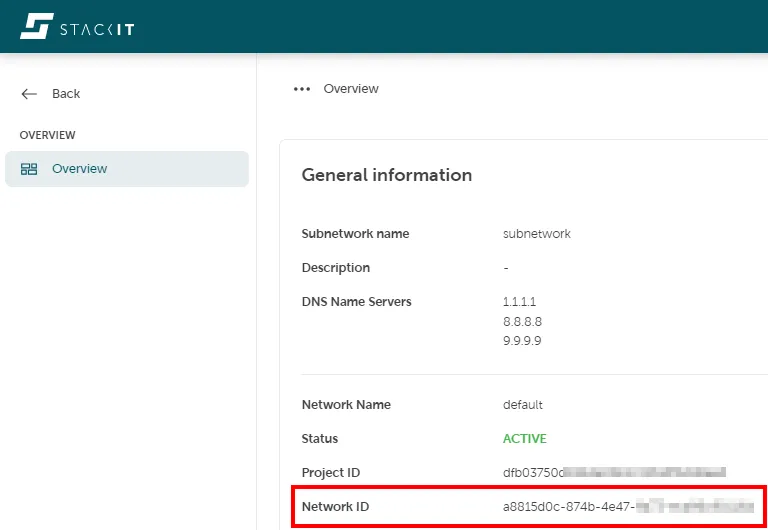
- Set up a STACKIT Network with a router/internet access and DNS that is able to resolve public domain names, where the STACKIT Network Load Balancer VM will be deployed to, and note down the Network ID.
Where do I find the Network ID?
The Network ID is displayed in the Overview tab of your network instance.
- If your service is accessible from the internet, create a Public IP Address.
See: Creation of a public IP-Address. - Set up a target, which is the service (server) where the STACKIT Network Load Balancer sends the incoming traffic to.
Note down the IP address of this target and the network port on which the service is running.
To show the port, you may use thenetstatcommand (Windows/Linux) orlsoforss(Linux).
Parameters to define
Section titled “Parameters to define”- Define the network port and the protocol (TCP or UDP) your STACKIT Network Load Balancer should listen to.
- Define names for your network load balancer, network, target pool and targets.
A DNS-like naming convention is in place, so only lower case letters, numbers and hyphens (not at start/end of the name) are allowed.