Boot customization
Zuletzt aktualisiert am
About boot customization
Section titled “About boot customization”The boot behavior of an image can be customized to configure essential settings—such as network interfaces, proxy settings, or kernel flags—before a node joins a cluster.
How you customize the boot behavior depends on the Talos version you are using:
For v1.13.10-stackit.v1.8.5 and newer, configure boot customization using embedded machine configuration directly inside the image schematic.
Using embedded machine configuration (CLI)
Section titled “Using embedded machine configuration (CLI)”Prerequisites:
- Successfully authenticated with a STEC instance.
- The
kubeconfigfor the STEC instance is exported in your terminal session. - Tools: a generic Linux bash terminal and
kubectl.
Steps:
-
Follow the generic image creation steps as described in the getting started guide.
-
In the
EdgeImagemanifest, define the configuration document insidespec.schematic.customization.embeddedMachineConfiguration. To configure low-level kernel parameters (such as enabling the console or dashboard), defineextraKernelArgs:Terminal window cat <<EOF | kubectl apply -f -apiVersion: edge.stackit.cloud/v1alpha1kind: EdgeImagemetadata:name: custom-boot-imagenamespace: defaultspec:talosVersion: v1.13.10-stackit.v1.8.5schematic: |customization:extraKernelArgs:- talos.dashboard.disabled=0systemExtensions:officialExtensions: []embeddedMachineConfiguration: |apiVersion: v1alpha1kind: EnvironmentConfigenv:http_proxy: http://proxy.example.local:8080https_proxy: http://proxy.example.local:8080no_proxy: localhost,127.0.0.1,10.0.0.0/8,172.16.0.0/12,192.168.0.0/16,.cluster.local.,.cluster.local,.svc,.svc.overlay: {}EOF -
Confirm that the image resource exists:
Terminal window kubectl get edgeimage custom-boot-image -
Download and flash the boot medium as described in the image creation procedure. When the host boots, it automatically applies the embedded configuration.
Verifying embedded machine configuration
Section titled “Verifying embedded machine configuration”You can check whether your nodes have applied the embedded configuration using talosctl.
Prerequisites:
- You have installed
talosctl. - You have acquired your talosconfig.
Steps:
-
Set your
TALOSCONFIGenvironment variable:Terminal window export TALOSCONFIG=your-edge-cluster.talosconfig.yaml -
Query the environment configuration from a node:
Terminal window talosctl -n $NODE_IP -e $NODE_IP get environments -o yamlThe output reflects the embedded proxy settings:
node: 192.168.1.50metadata:namespace: configtype: EnvironmentConfigs.config.talos.devid: environmentversion: 1spec:env:http_proxy: http://proxy.example.local:8080https_proxy: http://proxy.example.local:8080no_proxy: localhost,127.0.0.1,10.0.0.0/8,172.16.0.0/12,192.168.0.0/16,.cluster.local.,.cluster.local,.svc,.svc.
For Talos versions prior to v1.13.10-stackit.v1.8.5, configure boot customization with kernel parameters (extraKernelArgs).
Using the UI
Section titled “Using the UI”Prerequisites:
- Successfully authenticated in the UI of a STEC instance.
Steps:
-
Follow the generic image creation steps as described in the getting started guide.
-
In the Kernel Parameters step, enter one or more supported parameters. The generic syntax is
key=value, separated by spaces. Click Next when done.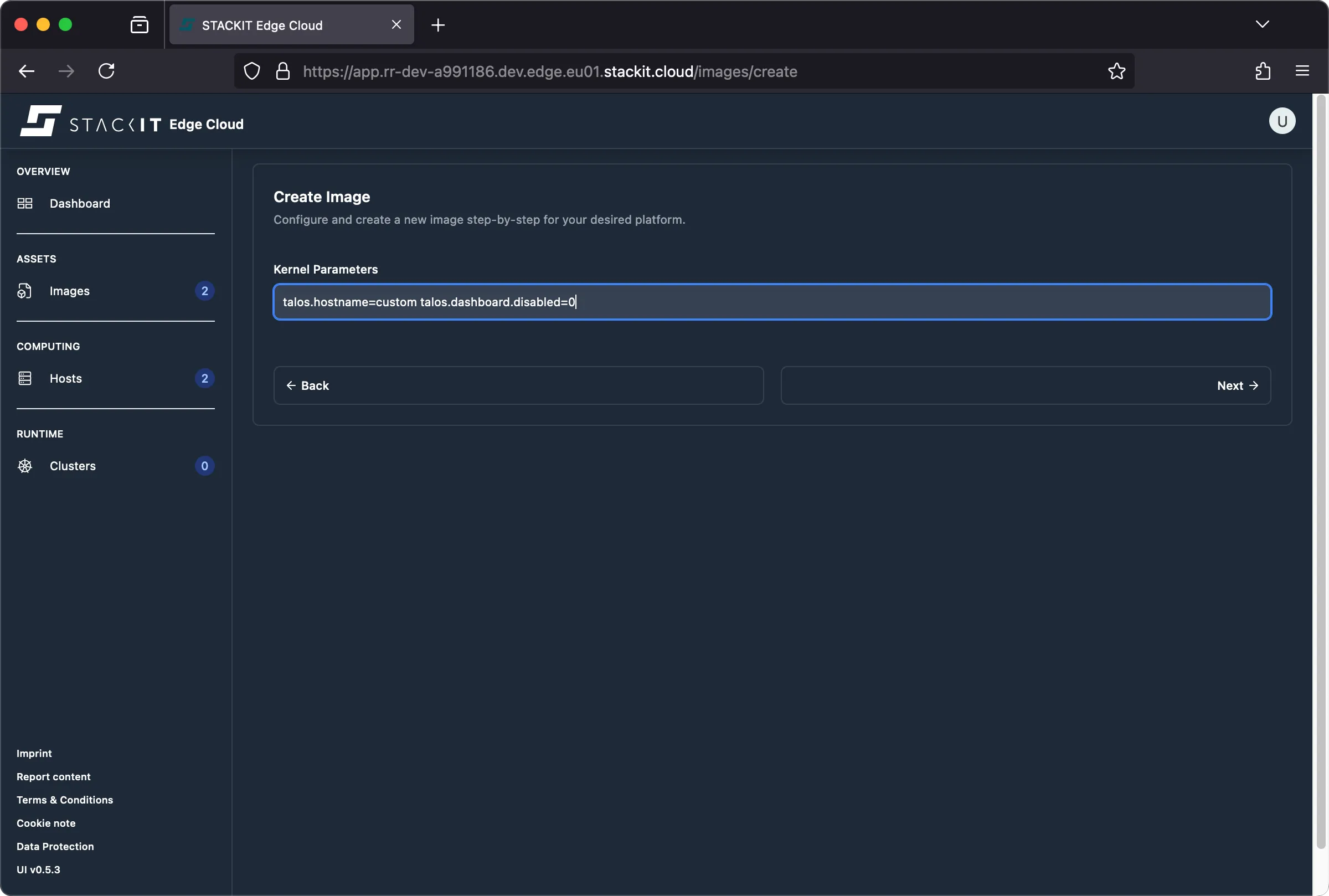
-
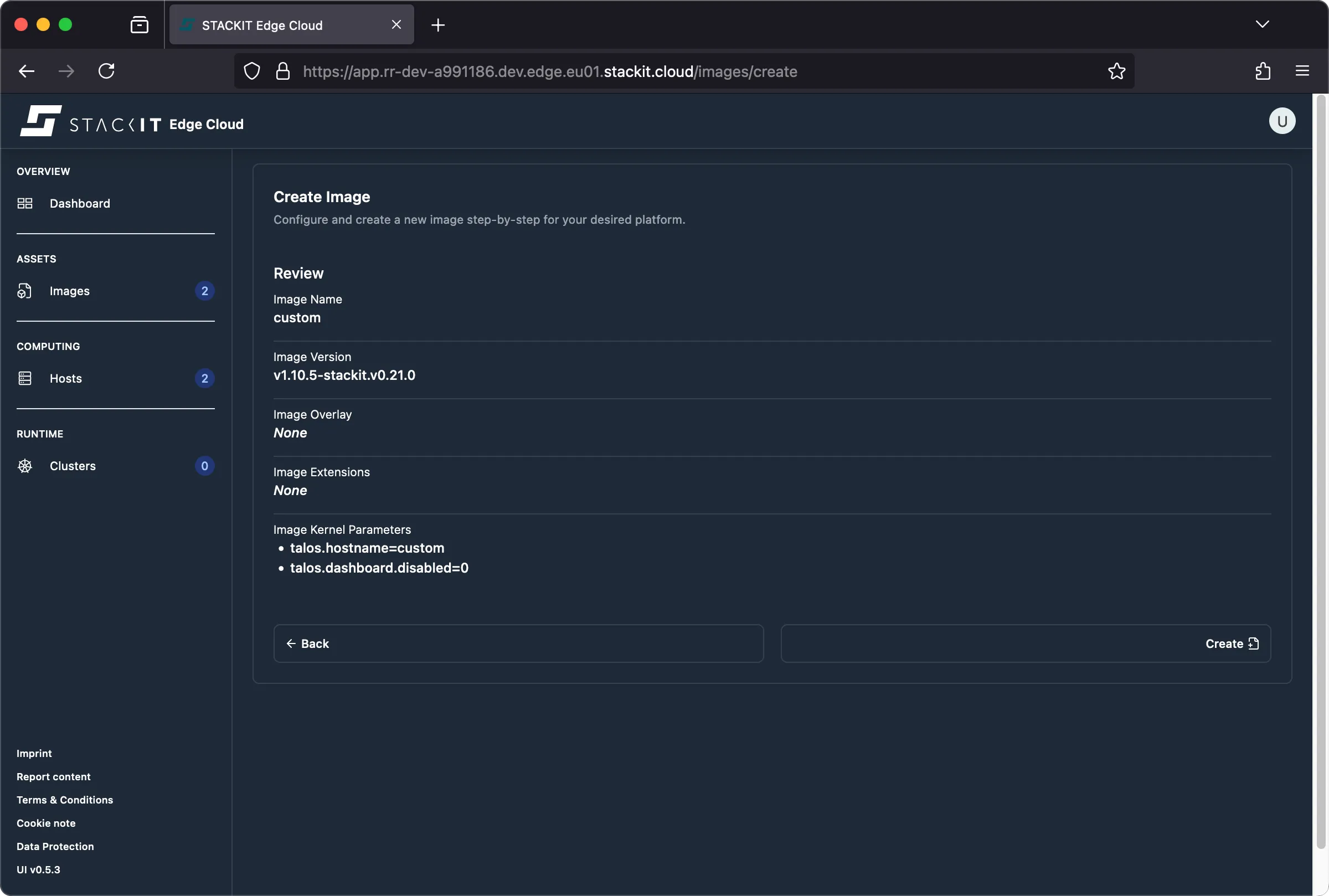
Review the image parameters to confirm your options are included, then click Create.
-
Complete the remaining steps in the regular image creation procedure.
Using the CLI
Section titled “Using the CLI”Prerequisites:
- Successfully authenticated with a STEC instance.
- Kubeconfig for the STEC instance is exported in your terminal session.
- Tools: a generic Linux bash terminal,
kubectl.
Steps:
-
Follow the generic image creation steps as described in the getting started guide.
-
In the
EdgeImagemanifest, populateextraKernelArgswith supported kernel parameters:Terminal window cat <<EOF | kubectl apply -f -apiVersion: edge.stackit.cloud/v1alpha1kind: EdgeImagemetadata:name: bootfoonamespace: defaultspec:schematic: |customization:extraKernelArgs:- talos.hostname=custom- talos.dashboard.disabled=0systemExtensions:officialExtensions: []overlay: {}talosVersion: v1.10.5-stackit.v0.21.0EOF -
Confirm that the image was created:
Terminal window kubectl get edgeimage bootfoo -
Complete the remaining steps in the regular image creation procedure.
Common parameters (Before v1.13.10-stackit.v1.8.5)
Section titled “Common parameters (Before v1.13.10-stackit.v1.8.5)”Static network
Section titled “Static network”To configure a static IP address so the STEC node can reach your STEC instance, use the ip kernel parameter.
General syntax:
# kernel argsip=<CLIENT_IP>:<SERVER_IP>:<GATEWAY_IP>:<NETMASK>:<HOSTNAME>:<DEVICE>:<AUTOCONF>:<DNS_SERVER_IP_0>:<DNS_SERVER_IP_1>:<NTP_SERVER_IP>Example usage:
# kernel argsip=172.16.0.11::172.16.0.1:255.255.255.0:foo:eth0:none:1.1.1.1:1.0.0.1:time.cloudflare.comInternet proxy
Section titled “Internet proxy”STACKIT Edge Cloud requires an outbound HTTPS connection for the STEC node to register with your STEC instance hosted on stackit.cloud. To configure a proxy using kernel parameters, use talos.environment.
General syntax:
# kernel argstalos.environment=KEY=VALUEExample usage:
# kernel argstalos.environment=http_proxy=http://proxy.example.net:8080 talos.environment=https_proxy=http://proxy.example.net:8443 talos.environment=no_proxy=localhost,127.0.0.1,10.0.0.0/8,172.16.0.0/12,192.168.0.0/16,.cluster.local.,.cluster.local,.svc,.svc.In the UI, enter the parameters in the Kernel Parameters step: