Update Resource Pools
Last updated on
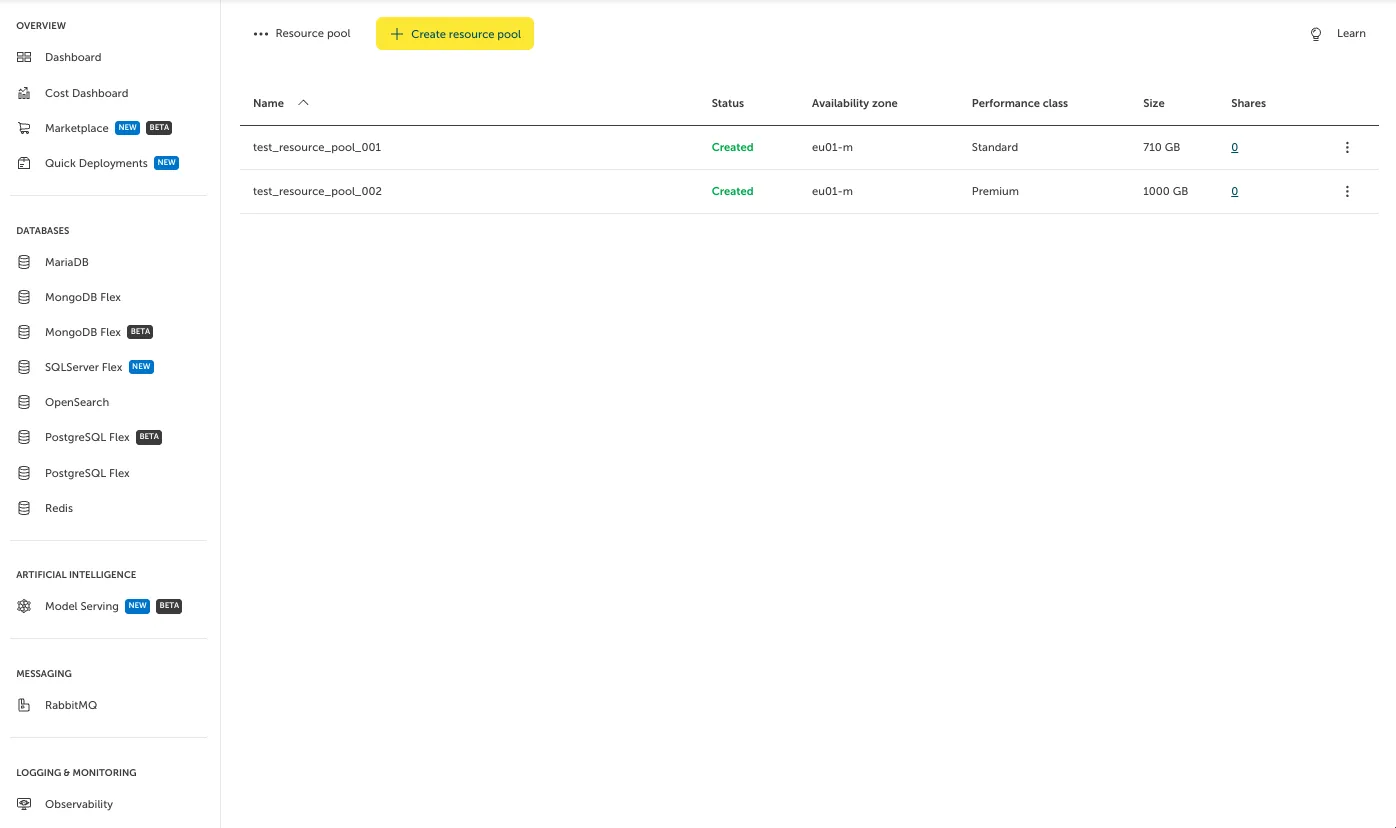
To alter an existing Resource Pool, go to “File Storage > Resource Pools”. Click on the respective Resource Pool in the list, in this case “test_resource_pool_002”.
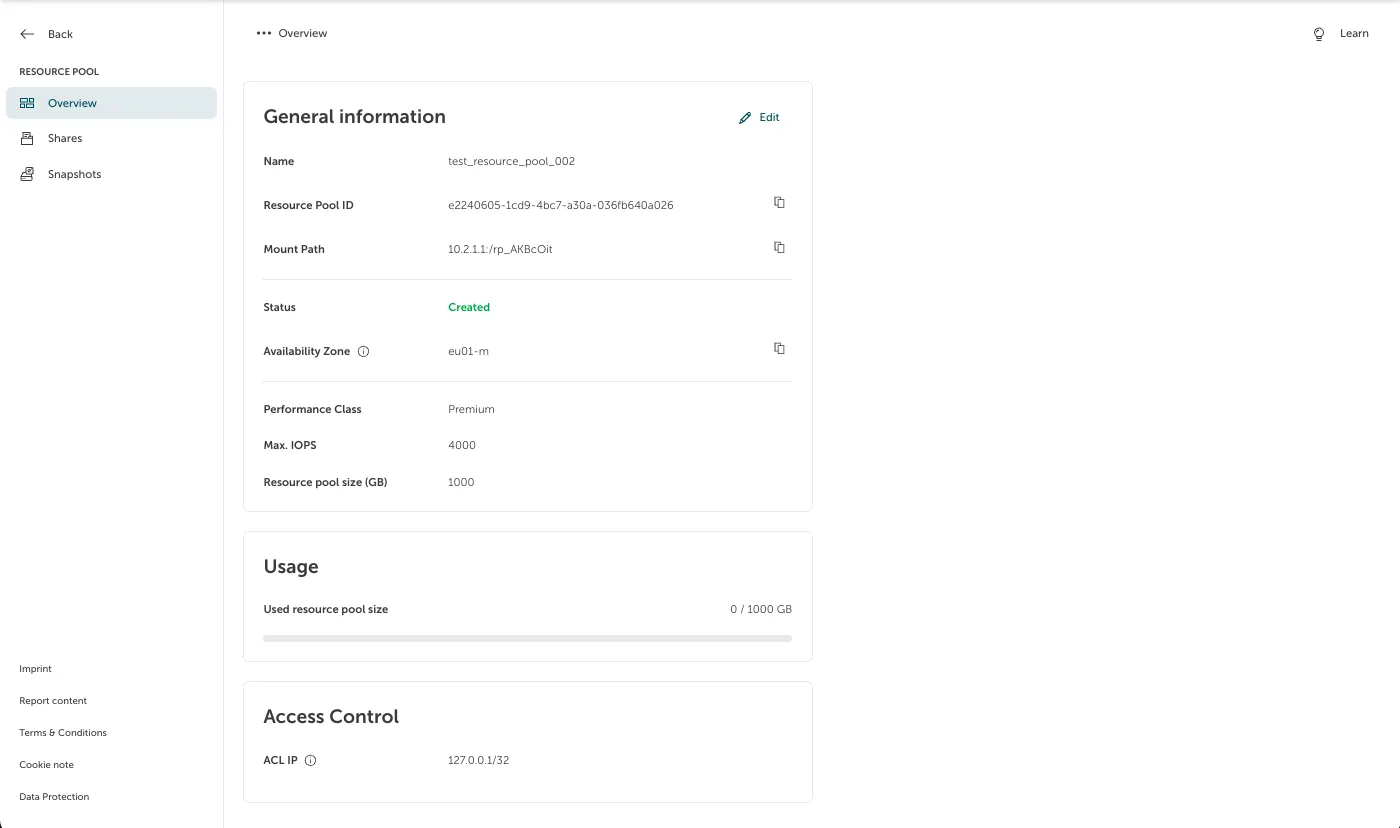
You will be forwarded to a page where information about the selected Resource Pool is presented. This information includes the mount path. In case you want to edit this information, click on the “Edit” button.
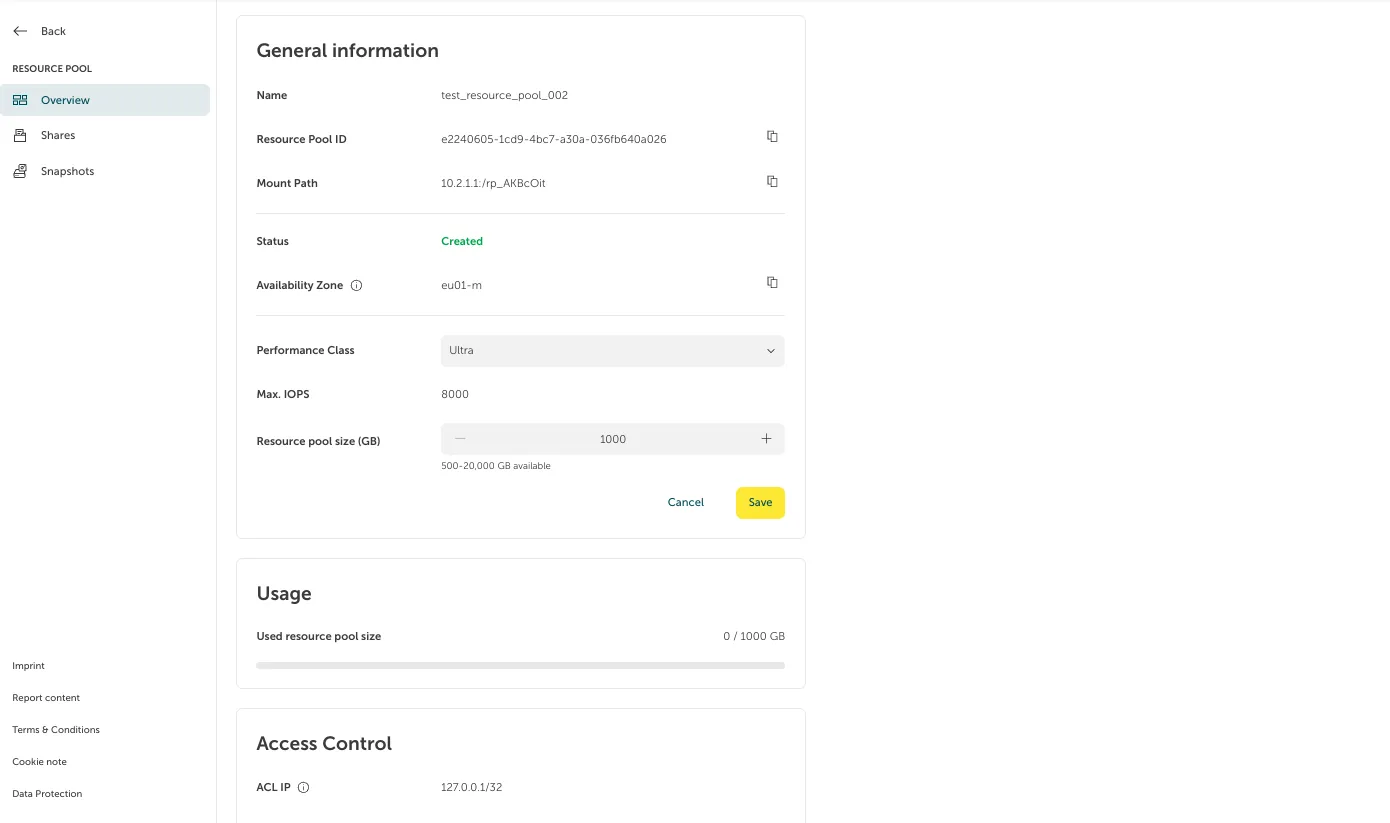
This will allow you to, for example, change the performance class or size. Clicking on “Save” persists the change.