Konfiguration des Secrets Managers
Zuletzt aktualisiert am
Übersicht über den Secrets Manager
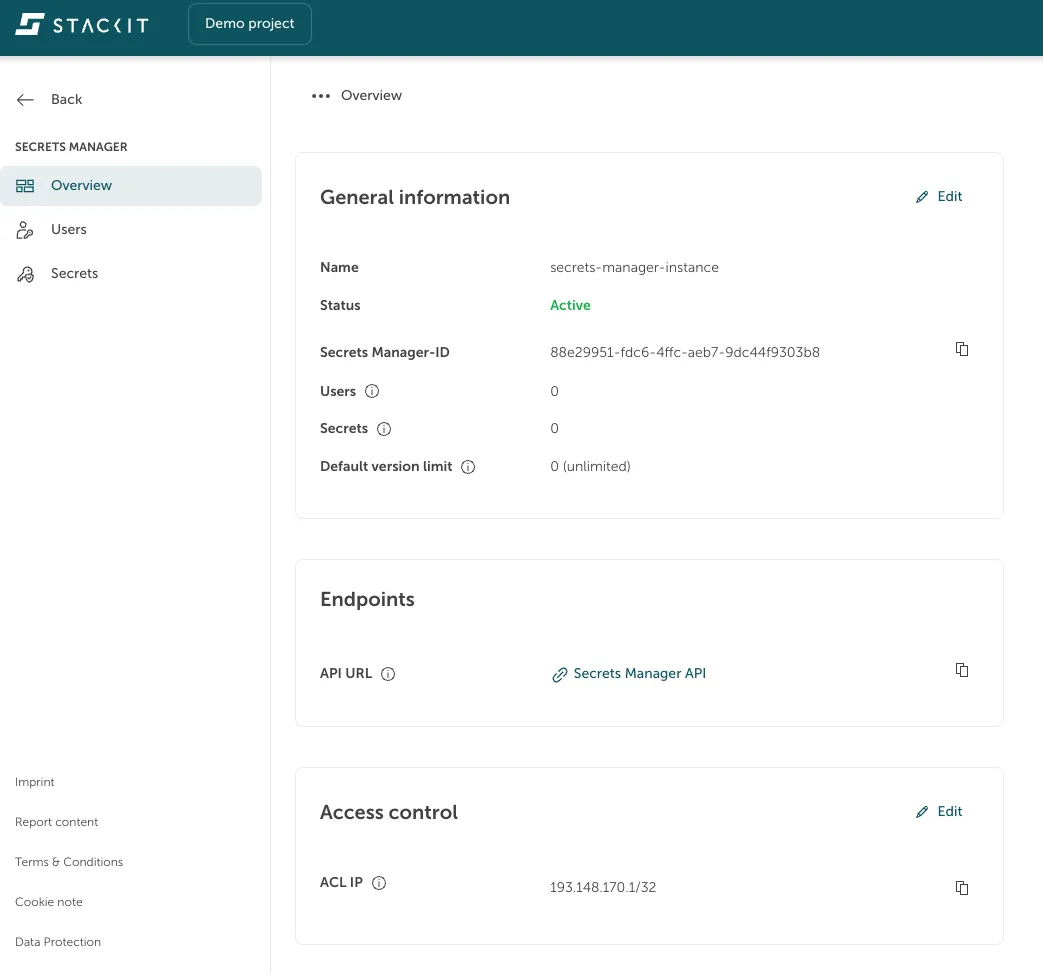
Abschnitt betitelt „Übersicht über den Secrets Manager“Navigieren Sie im STACKIT Portal zu Security > Secrets Manager. Wählen Sie einen Ihrer erstellten STACKIT Secrets Manager in der Liste aus, um eine Übersicht der Informationen über Ihren Service zu erhalten, wie zum Beispiel:
- Name, den Sie Ihrem Service gegeben haben
- Status Ihres Services
- Secrets Manager-ID
- Anzahl der Benutzer und Secrets (stündlich aktualisiert)
- Standard-Versionslimit – dies kann auf Secret-Ebene überschrieben werden
Benutzer erstellen
Abschnitt betitelt „Benutzer erstellen“Navigieren Sie im STACKIT Portal zu Security > Secrets Manager. Wählen Sie einen Ihrer erstellten Secrets Manager in der Liste aus. Wählen Sie in der Seitenleiste links Benutzer, um eine Übersicht der Benutzer zu erhalten.
Erstellen Sie einen neuen Benutzer, der berechtigt ist, auf Ihre Secrets zuzugreifen, indem Sie auf die Schaltfläche Benutzer erstellen klicken.
Durch die Auswahl einer Rolle können Sie “Lesezugriff” oder “Lese- und Schreibzugriff” gewähren.
Da der Benutzername und das Passwort automatisch generiert werden, können Sie das Feld Beschreibung ausfüllen, um zwischen Benutzern zu unterscheiden und zu sehen, aus welchem Grund Sie den Benutzer erstellt haben.
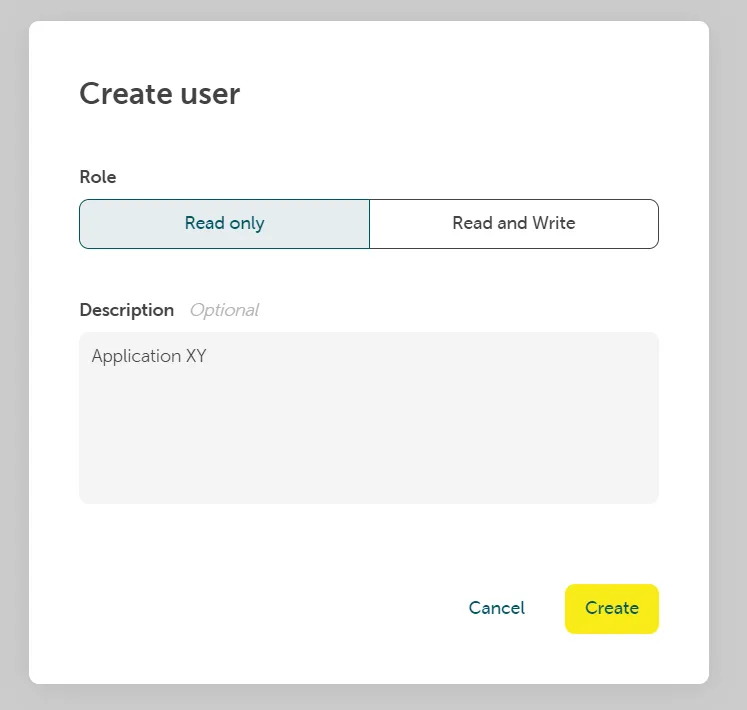
Klicken Sie auf Erstellen. Kopieren und speichern Sie das erstellte Passwort. Das Passwort kann später nicht erneut eingesehen werden.
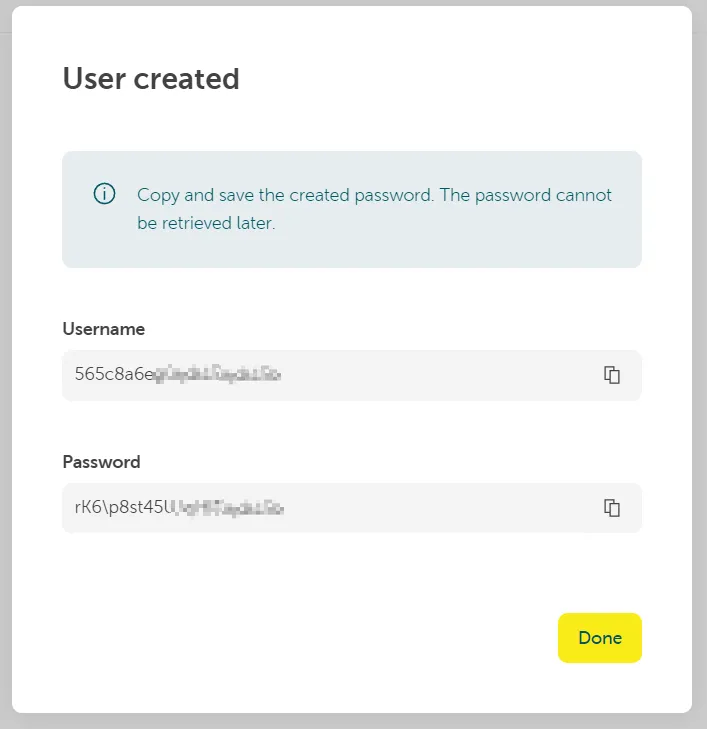
Mit diesem Benutzer können Sie nun über die API/STACKIT CLI mit Ihrer Secrets Manager-Instanz interagieren.