Defining ACLs
Zuletzt aktualisiert am
The following tutorial shows how to enable Ingress ACLs for your Dremio Instance.
Prerequisites
Section titled “Prerequisites”- You have a STACKIT Dremio Instance
- You have a Dremio
ADMINrole in your STACKIT Project
Step-by-Step configuration
Section titled “Step-by-Step configuration”To add a new ACL entry:
-
Open your project in the STACKIT Portal
Section titled “Open your project in the STACKIT Portal”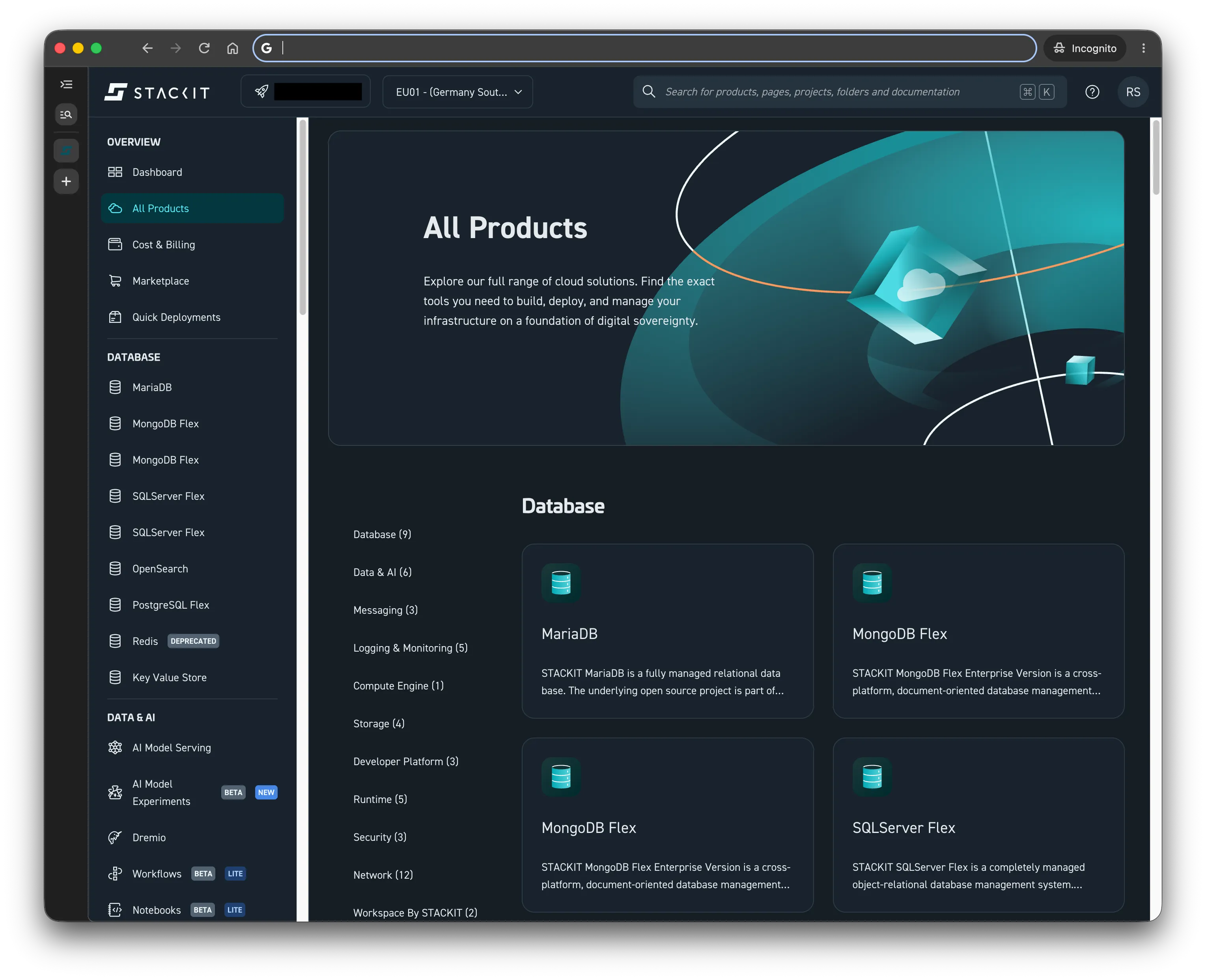
-
Navigate to Dremio
Section titled “Navigate to Dremio”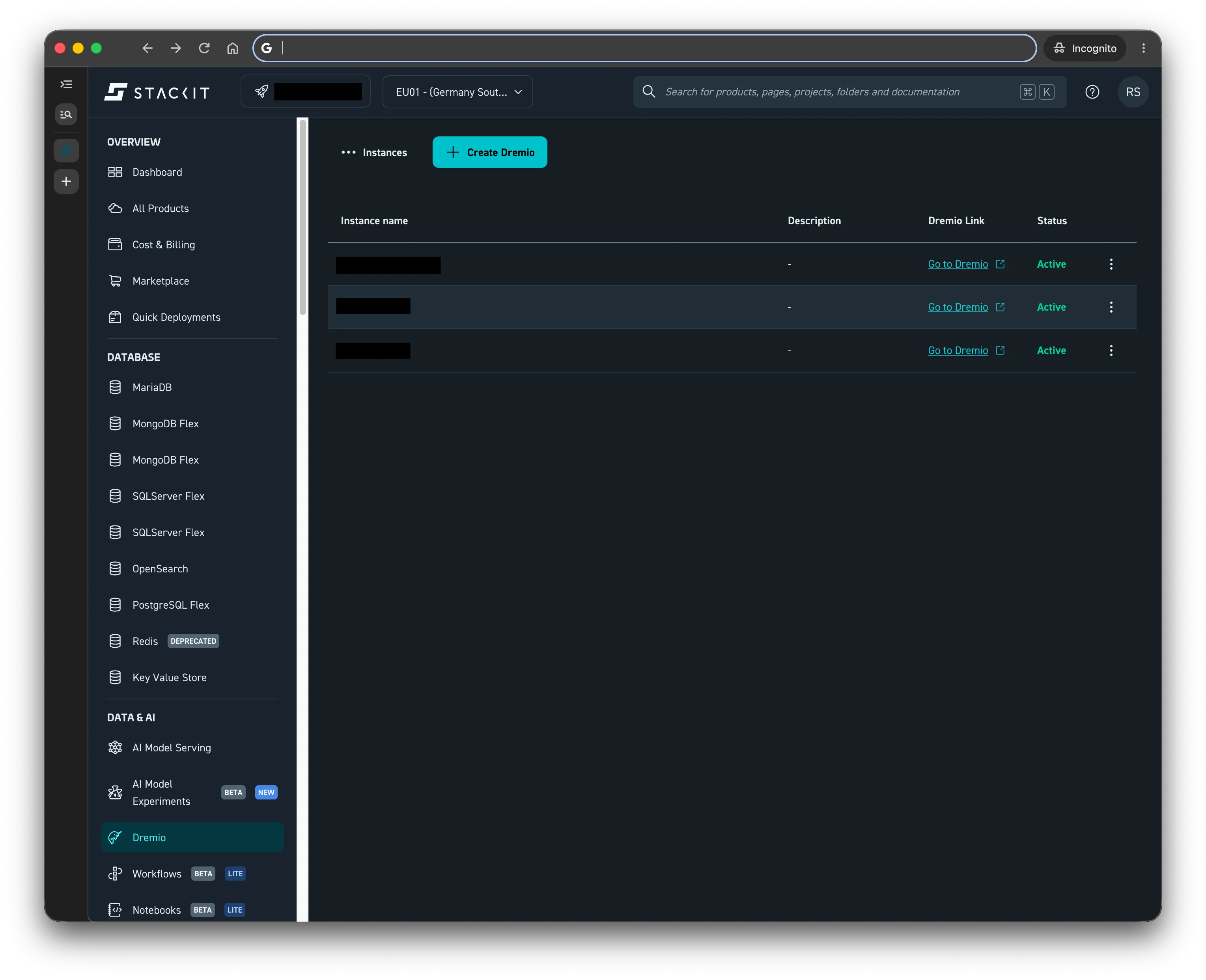
-
Select your Dremio instance and go to the Overview page
Section titled “Select your Dremio instance and go to the Overview page”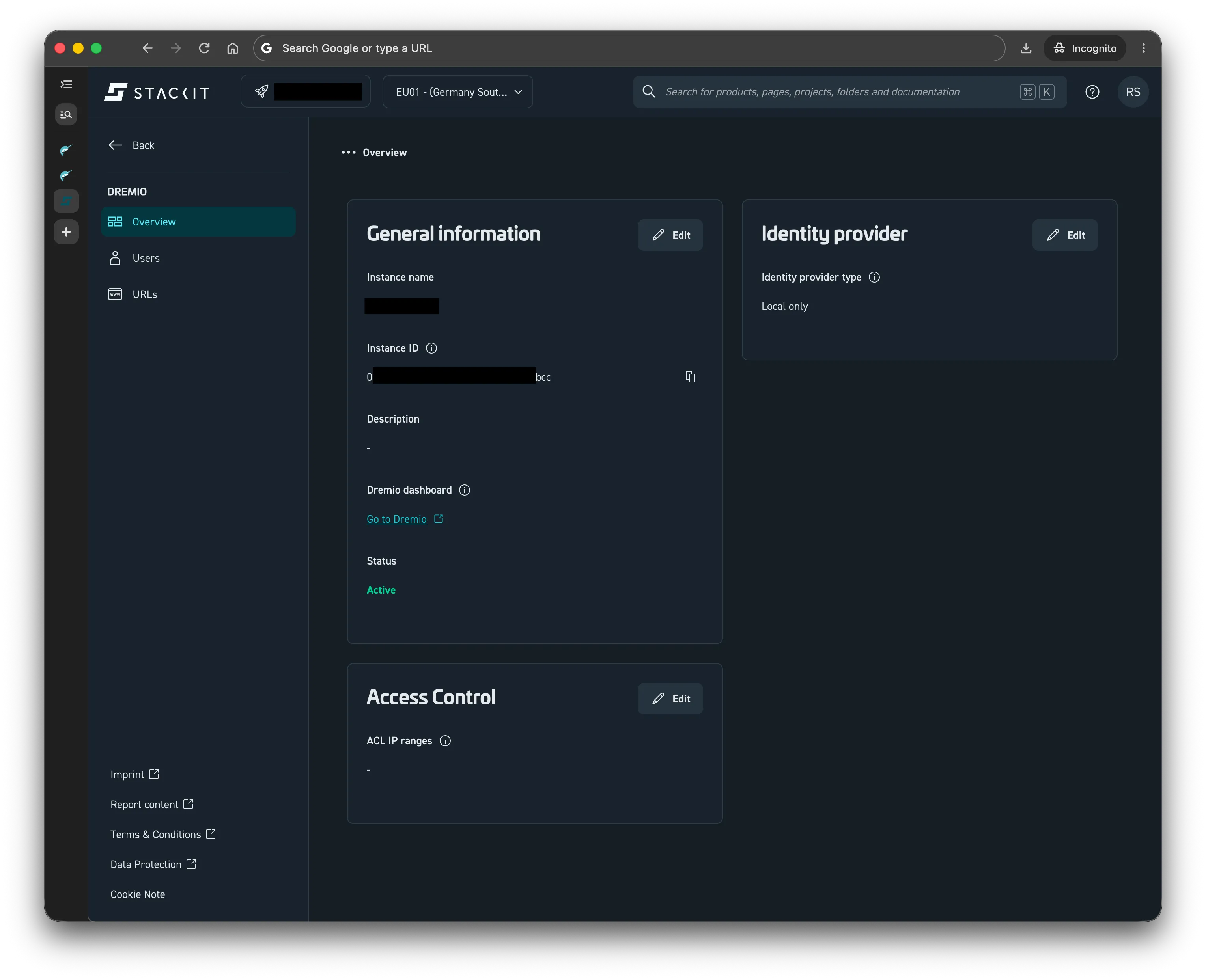
-
Click on Edit in Access Control Tab
Section titled “Click on Edit in Access Control Tab”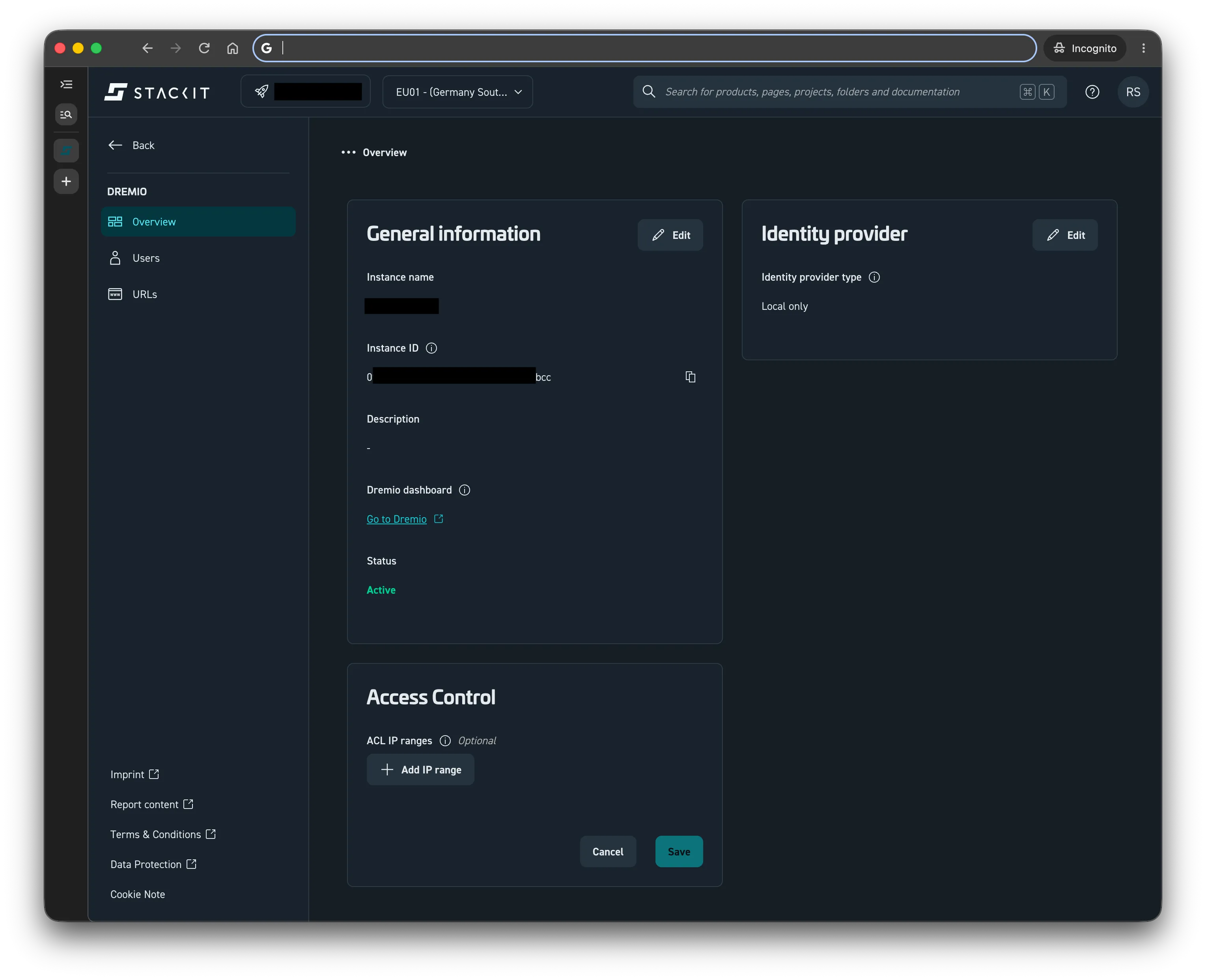
-
Click on Add IP range
Section titled “Click on Add IP range” -
Enter the desired ACL IP address, including the subnet mask (e.g., 192.168.0.0/24)
Section titled “Enter the desired ACL IP address, including the subnet mask (e.g., 192.168.0.0/24)”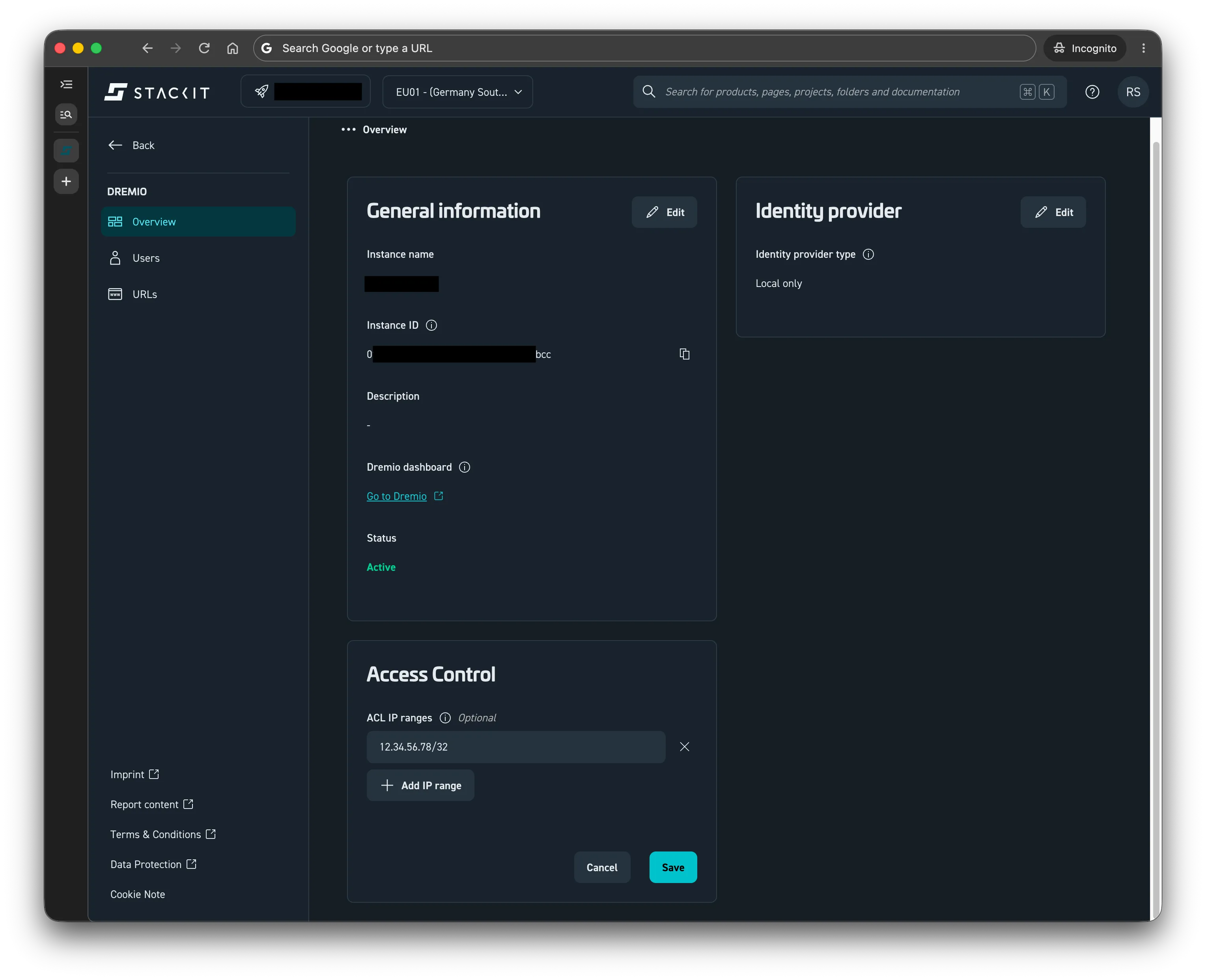
-
Click on Save
Section titled “Click on Save”