Secure Service Users Authentication
Zuletzt aktualisiert am
The following tutorial shows how to create an IAM Service Account and a Dremio Service User and configure the Dremio Service User to use the identity of the STACKIT Service Account.
Prerequisites
Section titled “Prerequisites”- You have a STACKIT Dremio Instance
- You have STACKIT CLI installed
- You have
EDITORpermissions in IAM on the STACKIT Project. - You have a Dremio Service User
- You have permissions to edit Service Users in the Dremio Instance.
Creating a STACKIT Service Account Key Pair
Section titled “Creating a STACKIT Service Account Key Pair”Following these steps you will have:
- a STACKIT Service Account with a unique email address, such as
dremio-tutorial-r33abmi8@sa.stackit.cloud - a STACKIT Service Account Key Pair JSON file, saved at
$HOME/Downloads/tutorial-sa-key.json
The email address and the key file will be used in the next stage with Dremio to configure the Service User External Credentials and execute the JWT Token Exchange for authentication.
-
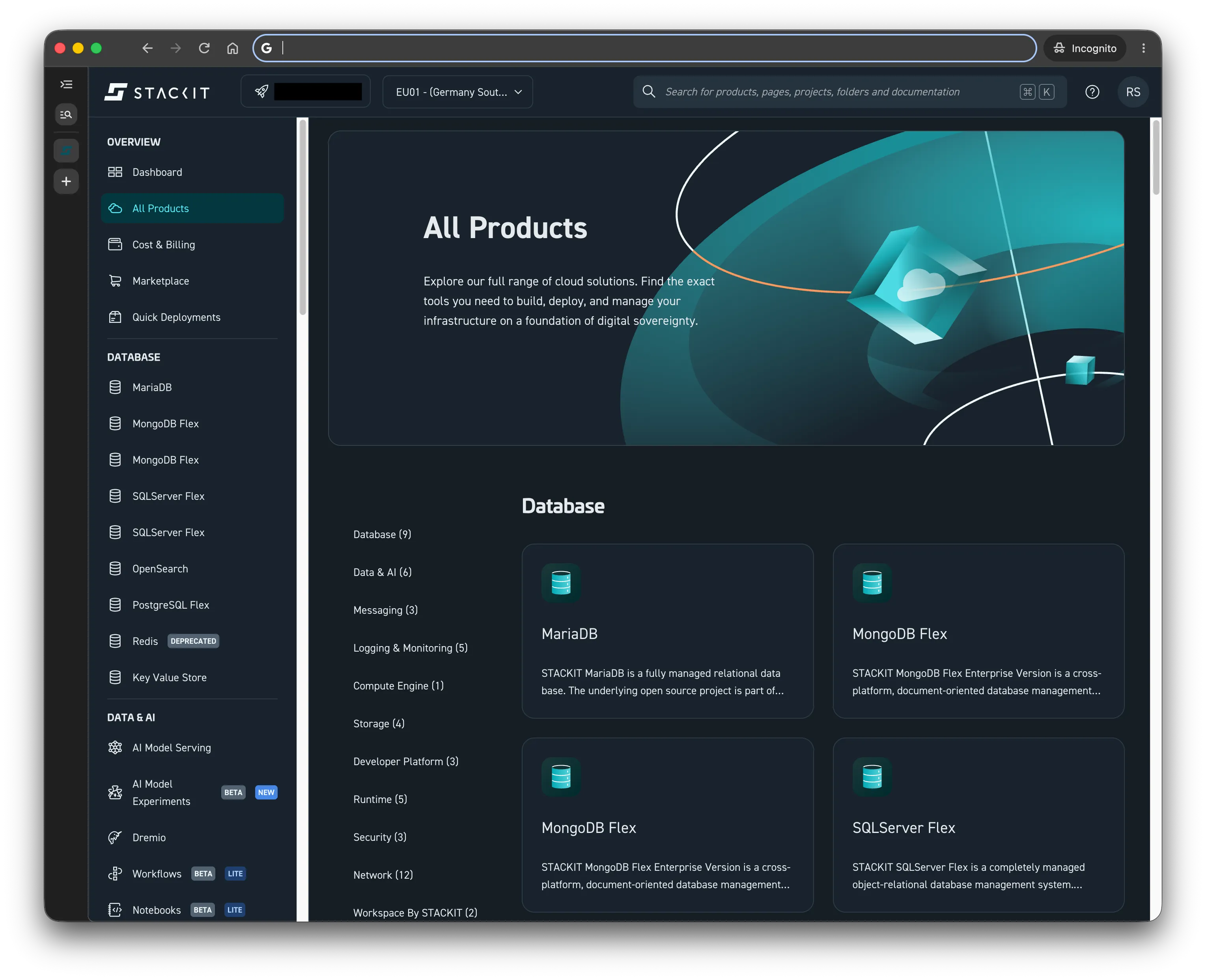
Open your project in the STACKIT Portal
-
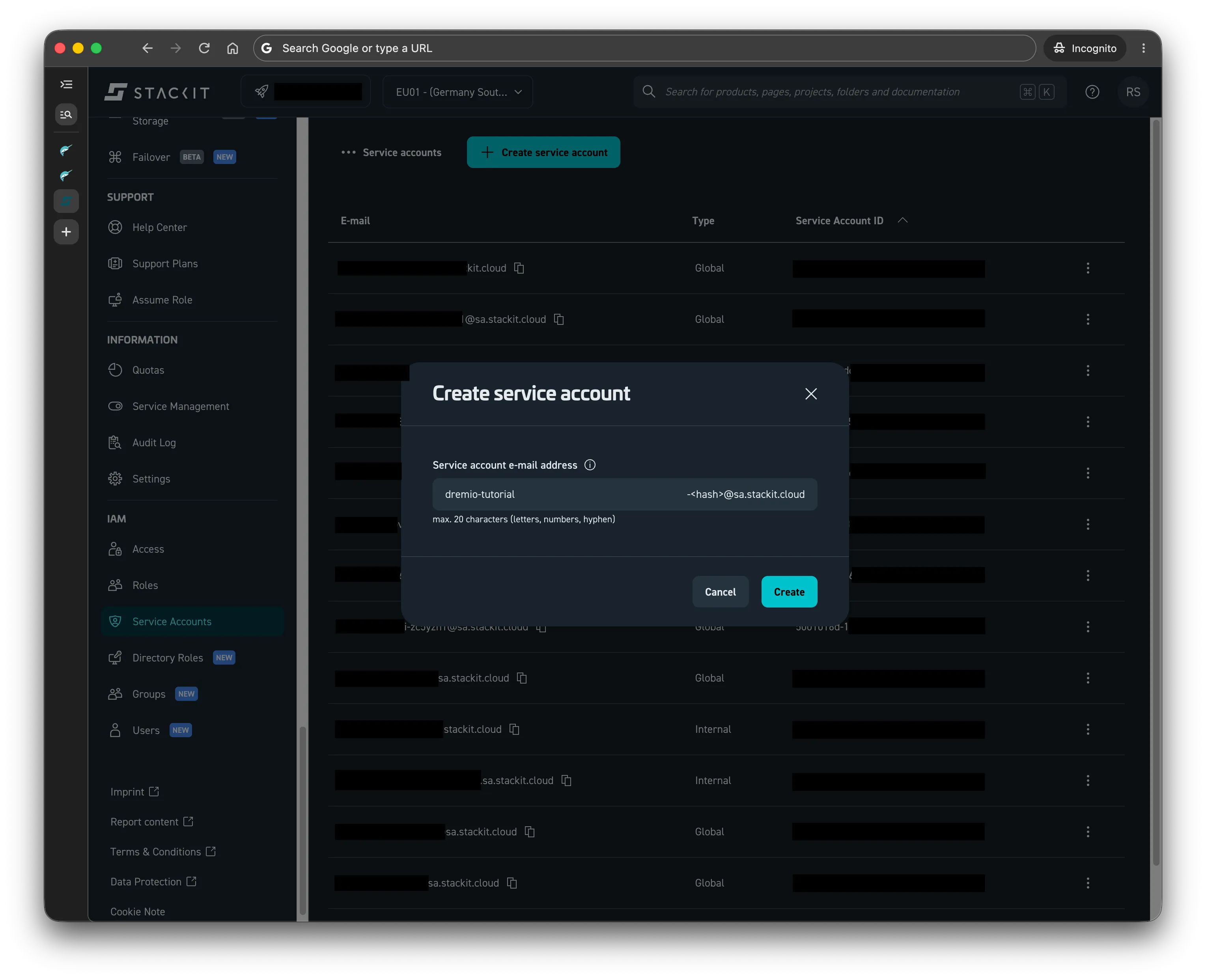
Navigate to IAM Service Accounts from the menu on the left and click the Create service account button.
-
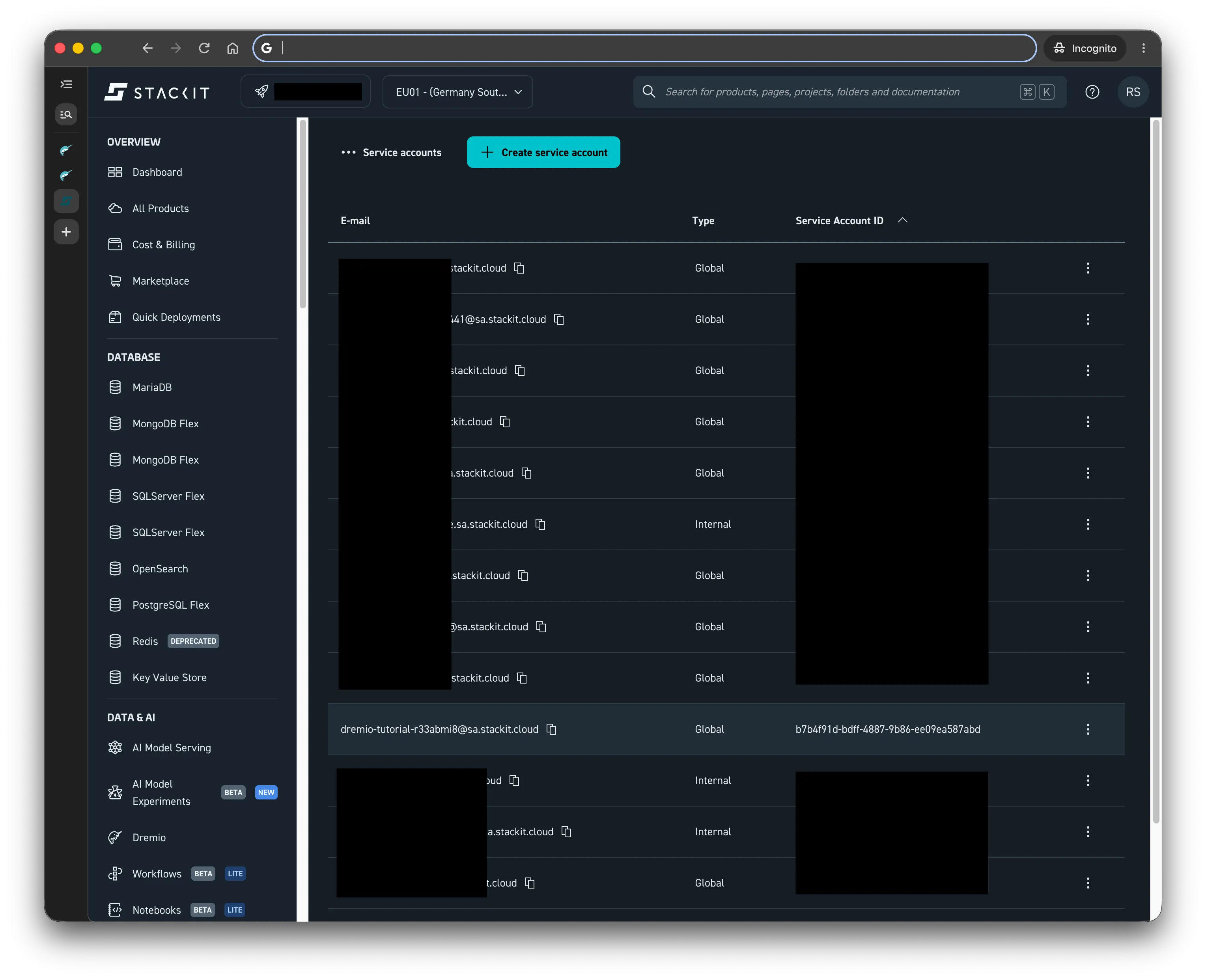
Give it a name and click Create. This will have generated a unique email address for your service account, consisting of the assigned name and a random suffix.
-
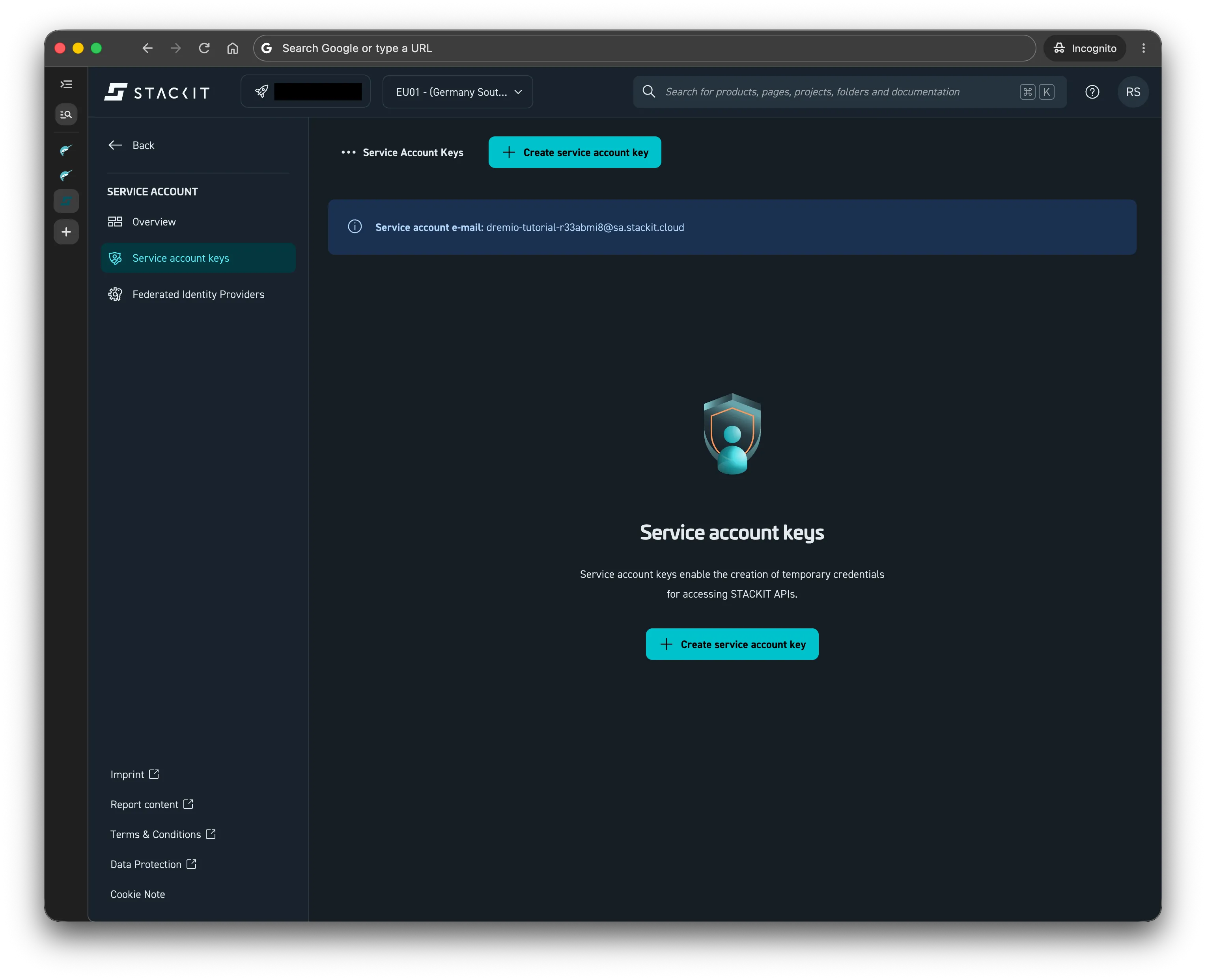
Click on the entry for the newly created service account to go to its Overview page. Then click on the Service account keys entry in the menu on the left.
-
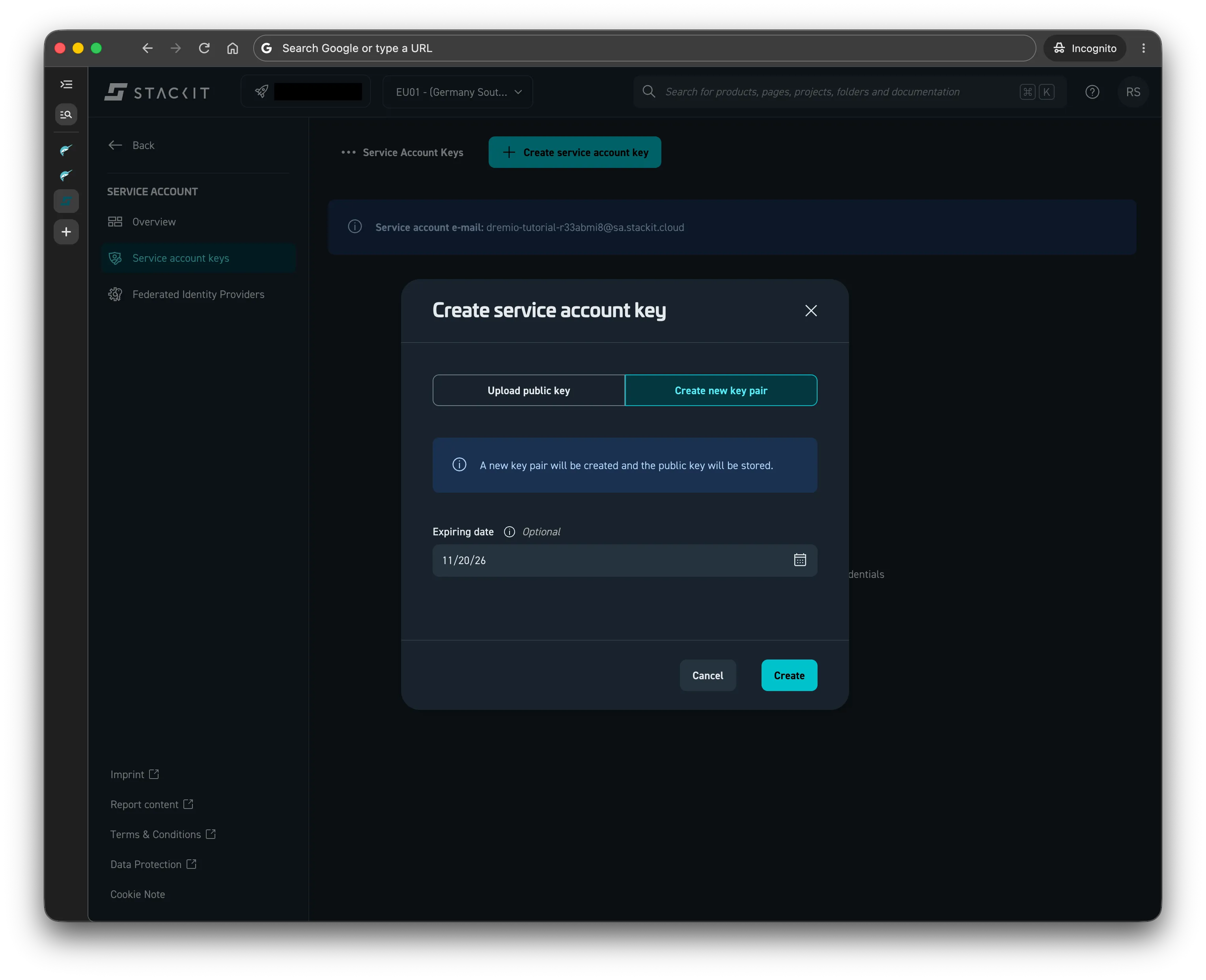
Create a new service account key by clicking on Create service account key. Select Create new key pair, set an expiration date and click Create
-
Once you are presented with a newly generated key, click on the Download drop-down menu and select Download JSON. Save it under a name such as
tutorial-sa-key.json.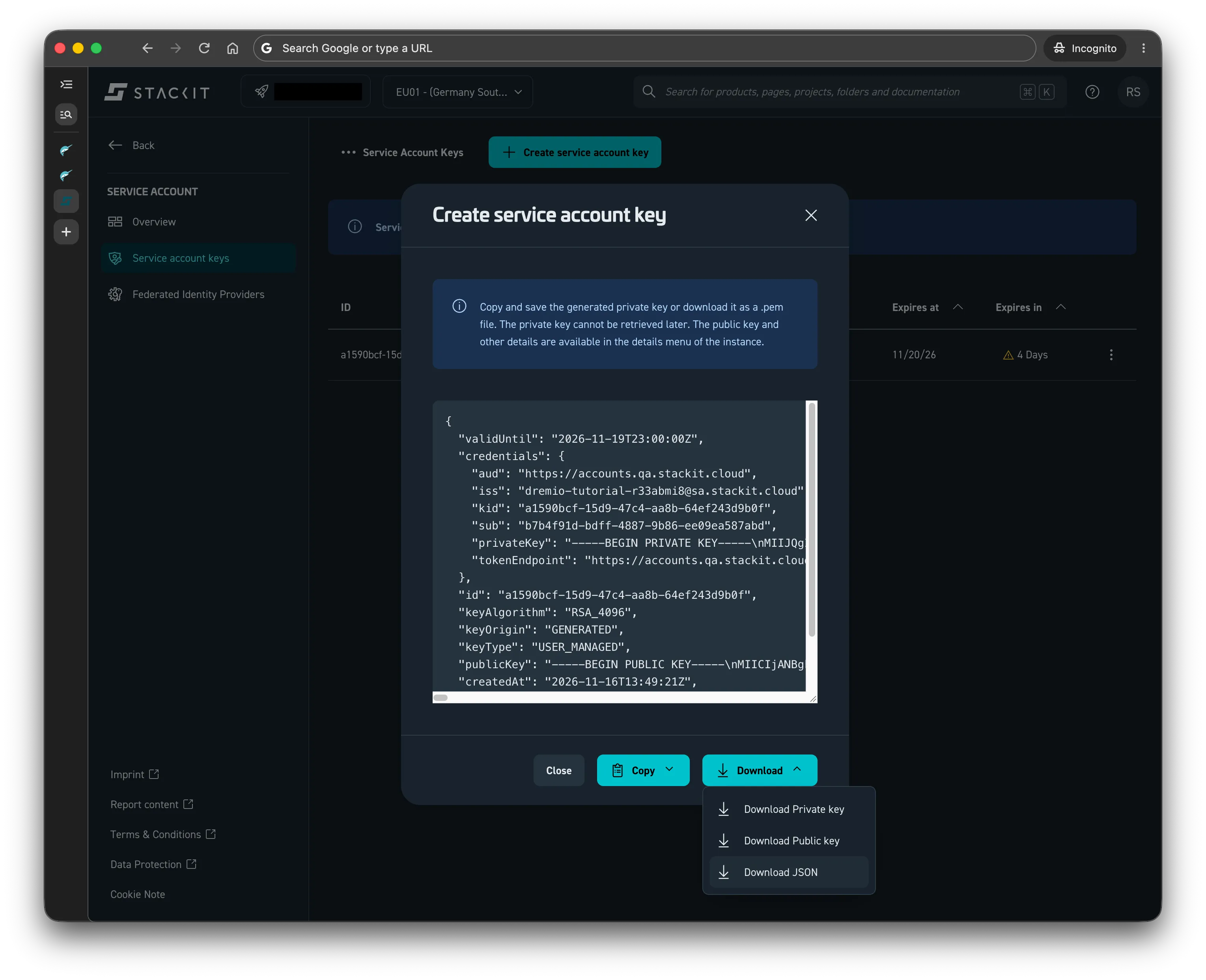
Creating an External Credential for a Dremio Service User
Section titled “Creating an External Credential for a Dremio Service User”Now that we have a STACKIT Service account, we proceed by creating External Credentials on a Dremio Service User to use use Service Account key.
-
In your Dremio Instance, navigate to Settings -> User Management -> Service Users. Follow the tutorial on creating a Service User if you don’t already have one.
When creating a Dremio Service User with the intent to associate with a STACKIT Service Account, we recomment to use the generated email address of the Service Account as the Service User’s name.
-
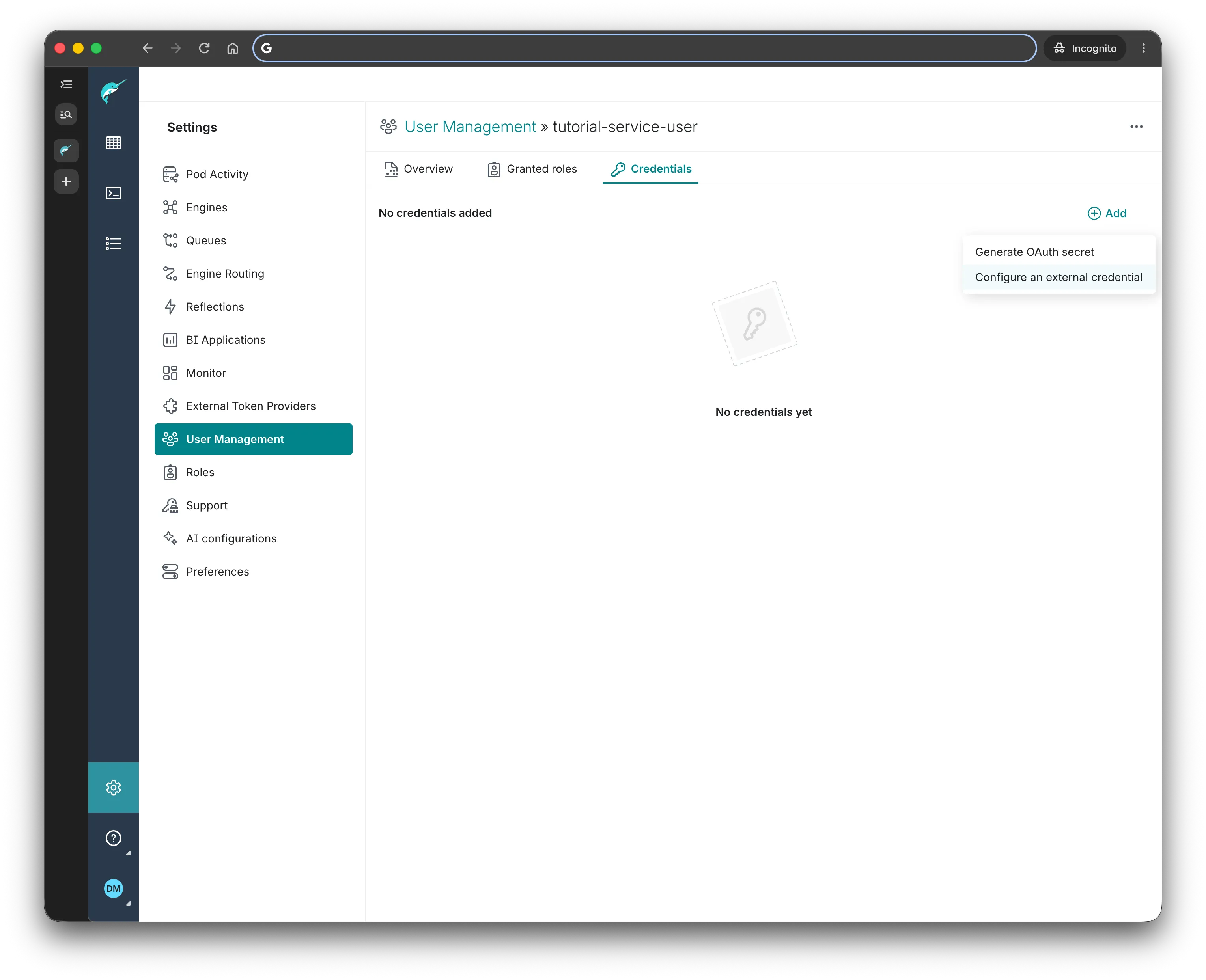
Click on the Username of the Service User and select the Credentials tab. From there click Add and select Configure an external credential.
-
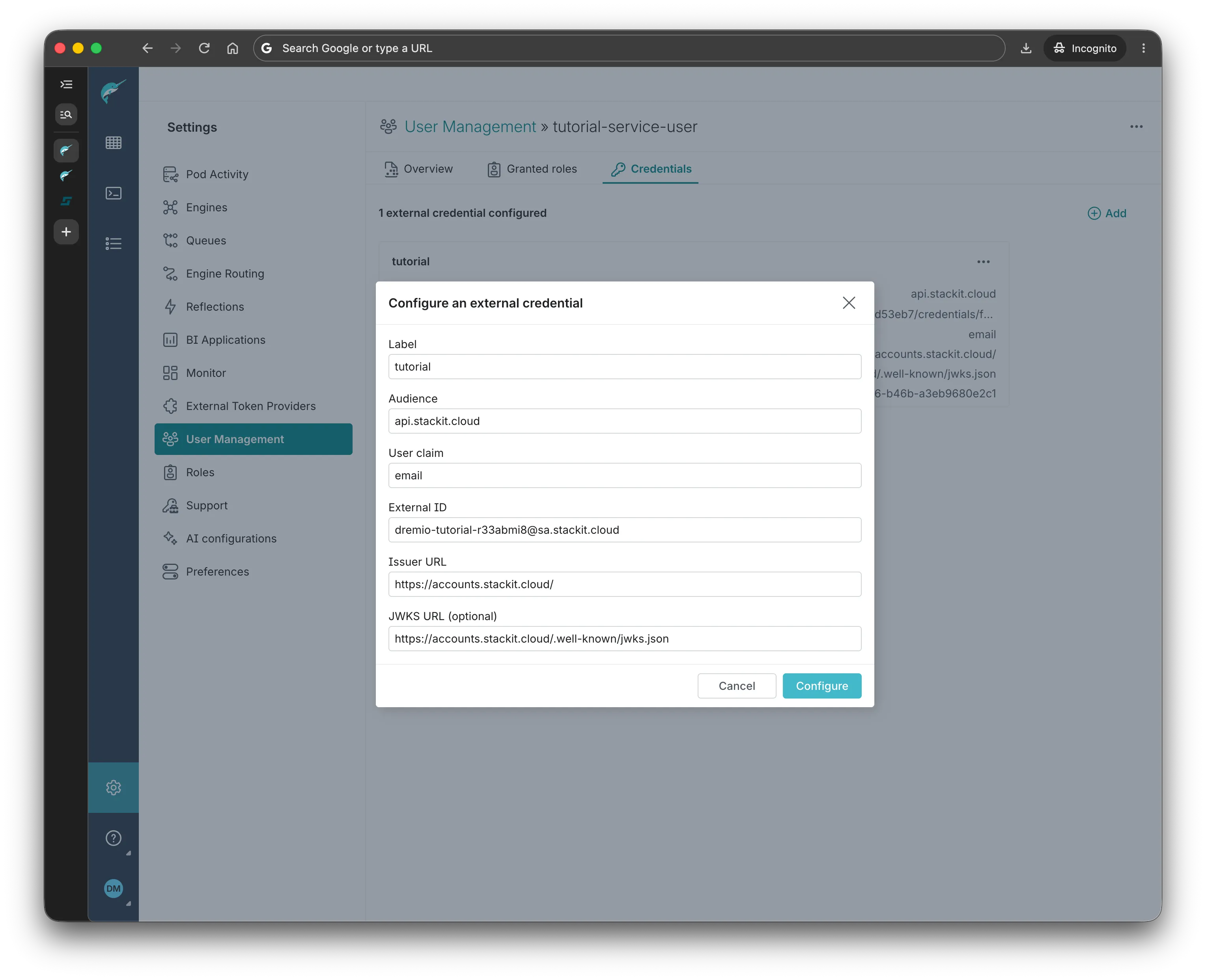
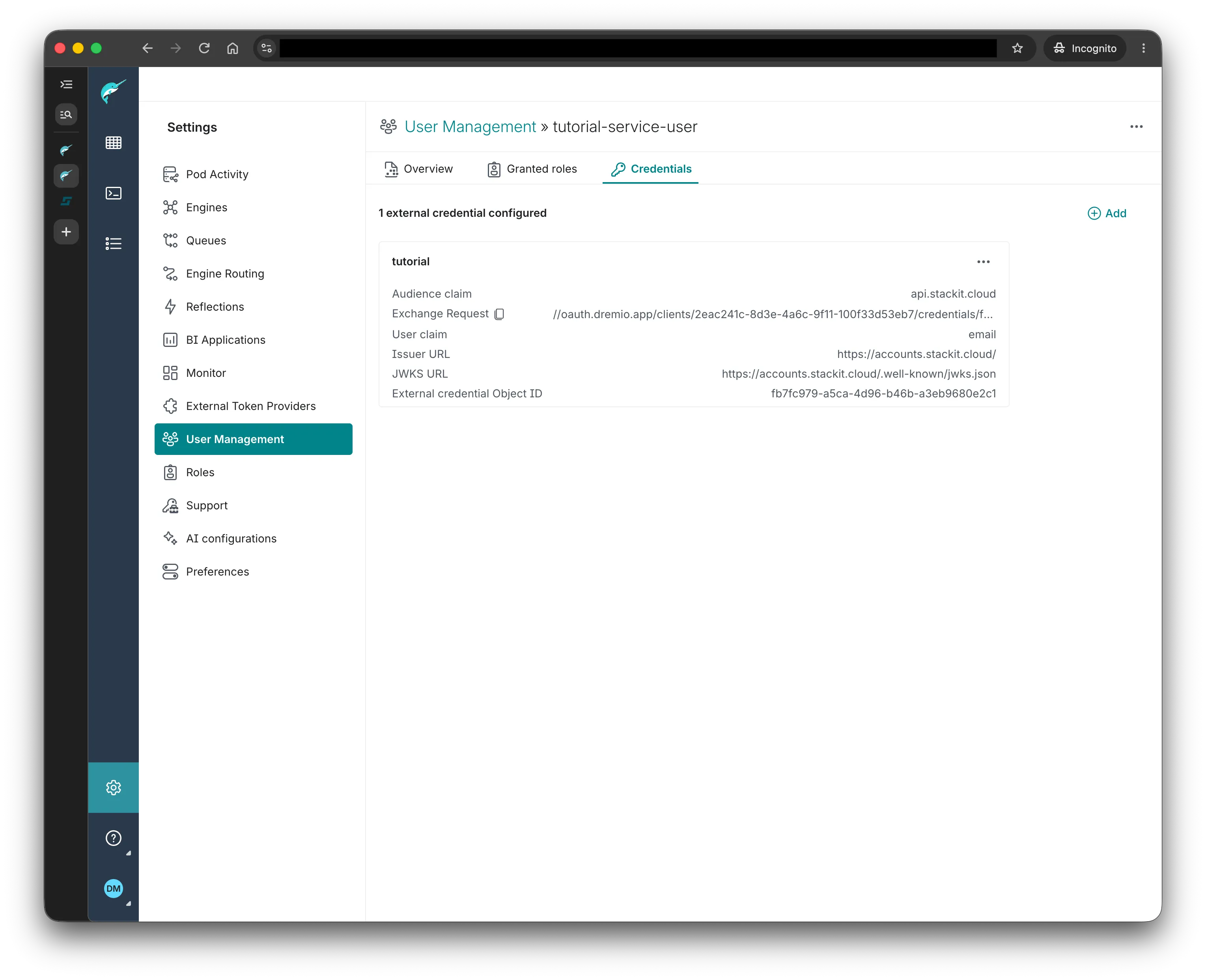
Fill in the form as follows, and click Configure.
- Label: any label of your choice
- Audience:
api.stackit.cloud - User claim:
email - External ID: the email of the STACKIT service account created in the previous steps (e.g.
dremio-tutorial-r33abmi8@sa.stackit.cloud) - Issuer UDL:
https://accounts.stackit.cloud - JWKS URL (optional for the stackit IdP, as it uses the standard URL path):
https://accounts.stackit.cloud/.well-known/jwks.json
-
In the overview of the external credential you will find and Exchange Request URL, with a Copy button next to it. You will need this to authorize the Token Exchange outlined in the following section
Executing a JWT Token Exchange between a STACKIT Service Account and a Dremio Service User
Section titled “Executing a JWT Token Exchange between a STACKIT Service Account and a Dremio Service User”This section demonstrates how a workload can authenticate to Dremio by using a STACKIT Service Account. This is done by executing a JWT token exchange between the STACKIT Service Account and the Dremio Service User.
#!/bin/bash
# ==========================================# 1. Configuration# ==========================================DREMIO_URL="https://<dremio-id>.dremio.eu01.onstackit.cloud"EXCHANGE_REQUEST="//oauth.dremio.app/clients/<client-id>/credentials/<credential-id>"SA_KEY_PATH="tutorial-sa-key.json"
# ==========================================# 2. Get the STACKIT Service Account Token# ==========================================echo "Activating STACKIT Service Account..."stackit auth activate-service-account --service-account-key-path="$SA_KEY_PATH"
SA_TOKEN=$(stackit auth get-access-token)
if [ -z "$SA_TOKEN" ]; then  echo "Failed to retrieve STACKIT Service Account token."  exit 1fi
# ==========================================# 3. Exchange for Dremio Token# ==========================================RESPONSE_BODY_FILE=$(mktemp)
# Use -w to capture the status code into a variable, and -o to save the bodyHTTP_STATUS=$(curl -s -w "%{http_code}" -o "$RESPONSE_BODY_FILE" -X POST "$DREMIO_URL/oauth/token" \  -H "Content-Type: application/x-www-form-urlencoded" \  --data-urlencode "subject_token=$SA_TOKEN" \  --data-urlencode "subject_token_type=urn:ietf:params:oauth:token-type:jwt" \  --data-urlencode "grant_type=urn:ietf:params:oauth:grant-type:token-exchange" \  --data-urlencode "scope=dremio.all" \  --data-urlencode "audience=${EXCHANGE_REQUEST}")
# Read the body and clean up the temp fileDREMIO_RESPONSE=$(cat "$RESPONSE_BODY_FILE")rm "$RESPONSE_BODY_FILE"
# Check if the HTTP status code is not 200 (OK)if [ "$HTTP_STATUS" -ne 200 ]; then  echo "Token exchange failed!"  echo "HTTP Status Code: $HTTP_STATUS"  echo "Response Body: $DREMIO_RESPONSE"  exit 1fi
DREMIO_TOKEN=$(echo "$DREMIO_RESPONSE" | jq -r .access_token)
if [ "$DREMIO_TOKEN" == "null" ] || [ -z "$DREMIO_TOKEN" ]; then  echo "Token exchange failed. Response:"  echo "$DREMIO_RESPONSE"  exit 1fi
# ==========================================# 4. Test Dremio API# ==========================================echo "Fetching Dremio Catalog..."curl -s -X GET "$DREMIO_URL/api/v3/catalog" \  -H "Authorization: Bearer $DREMIO_TOKEN" \  -H "Content-Type: application/json" | jq .
import subprocessimport requestsimport sys
# ==========================================# 1. Configuration# ==========================================DREMIO_URL = "https://<dremio-id>.dremio.eu01.onstackit.cloud"EXCHANGE_REQUEST = "//oauth.dremio.app/clients/<client-id>/credentials/<credential-id>"SA_KEY_PATH = "tutorial-sa-key.json"
# ==========================================# 2. Get the STACKIT Service Account Token# ==========================================print("Activating STACKIT Service Account...")try: # Activate the service account subprocess.run( ["stackit", "auth", "activate-service-account", f"--service-account-key-path={SA_KEY_PATH}"], check=True, capture_output=True, text=True )
# Fetch the token sa_token = subprocess.check_output( ["stackit", "auth", "get-access-token"], text=True ).strip()
if not sa_token: print("Failed to retrieve STACKIT Service Account token (token is empty).") sys.exit(1)
except subprocess.CalledProcessError as e: print(f"STACKIT CLI error: {e.stderr}") sys.exit(1)
# ==========================================# 3. Exchange for Dremio Token# ==========================================print("Exchanging STACKIT token for Dremio token...")token_url = f"{DREMIO_URL}/oauth/token"payload = { "subject_token": sa_token, "subject_token_type": "urn:ietf:params:oauth:token-type:jwt", "grant_type": "urn:ietf:params:oauth:grant-type:token-exchange", "scope": "dremio.all", "audience": EXCHANGE_REQUEST}
token_response = requests.post(token_url, data=payload)
# Catch the exact HTTP response code if it failsif token_response.status_code != 200: print("Token exchange failed!") print(f"HTTP Status Code: {token_response.status_code}") print(f"Response Body: {token_response.text}") sys.exit(1)
dremio_token = token_response.json().get("access_token")
if not dremio_token: print("No access token found in successful response.") sys.exit(1)
# ==========================================# 4. Test Dremio API# ==========================================print("Fetching Dremio Catalog...")catalog_url = f"{DREMIO_URL}/api/v3/catalog"headers = { "Authorization": f"Bearer {dremio_token}", "Content-Type": "application/json"}
catalog_response = requests.get(catalog_url, headers=headers)
if catalog_response.status_code != 200: print(f"Failed to fetch catalog. HTTP {catalog_response.status_code}: {catalog_response.text}") sys.exit(1)
print("Connection successful! Dremio Catalog:")print(catalog_response.json())