Bind a service instance to your app
Zuletzt aktualisiert am
In this document we want to take a look on how you can bind a Service Instance to your application. With those services you can enrich your cloud experience with a persistence layer, a message queue or other useful tools. The Cloud Foundry makes this process especially easy with its service brokers. Here you will learn how to use them.
This is a first steps overview on the topic of services within the Cloud Foundry. You can find more detailed information about managing services in the official Cloud Foundry documentation.
In this tab you will learn how to use the Cloud Foundry CLI to:
Bind a service instance to an app via CLI
Section titled “Bind a service instance to an app via CLI”Binding your data service to your application means, that you automatically inject the connection credentials you need for accessing your data service into the environment variables of your applications space. If an automated process is updating your data service in a way, that the connection credentials change, the Cloud Foundry automations will then directly make sure, that the injected credentials are also updated. This means after creating and binding a service instance, all you have to do is read out the connection credentials from the environment variables and you are ready to use your data service without any further worries.
You can easily bind a data service instance to your application via the following $ cf bind-service command. After the binding is complete, you have to restage your application in order to let the application read out the newly injected environment variables.
cf bind-service APP_NAME SERVICE_INSTANCE_NAME [-c PARAMETERS_AS_JSON] [--binding-name BINDING_NAME]cf restage APP_NAMEAfter the binding is successful you can see a new object in the environment variables of your space called VCAP_SERVICES. In there you can find the list of services bound to your application like in the example below.
{ "VCAP_SERVICES": { "service-name": [ { "name": "postgres-database", "binding_name": "postgres-database", "credentials": { ... } } ] }}You can easily read out the environment variable for your bound data service via the set binding name.
Unbind a service instance via CLI
Section titled “Unbind a service instance via CLI”You can also unbind your service instances again if you no longer need them. You can do an unbind with the following command:
cf unbind-service APP_NAME SERVICE_INSTANCE_NAMEIn this tab you will learn how to use the Stratos UI to:
Bind a service instance to an app via Stratos
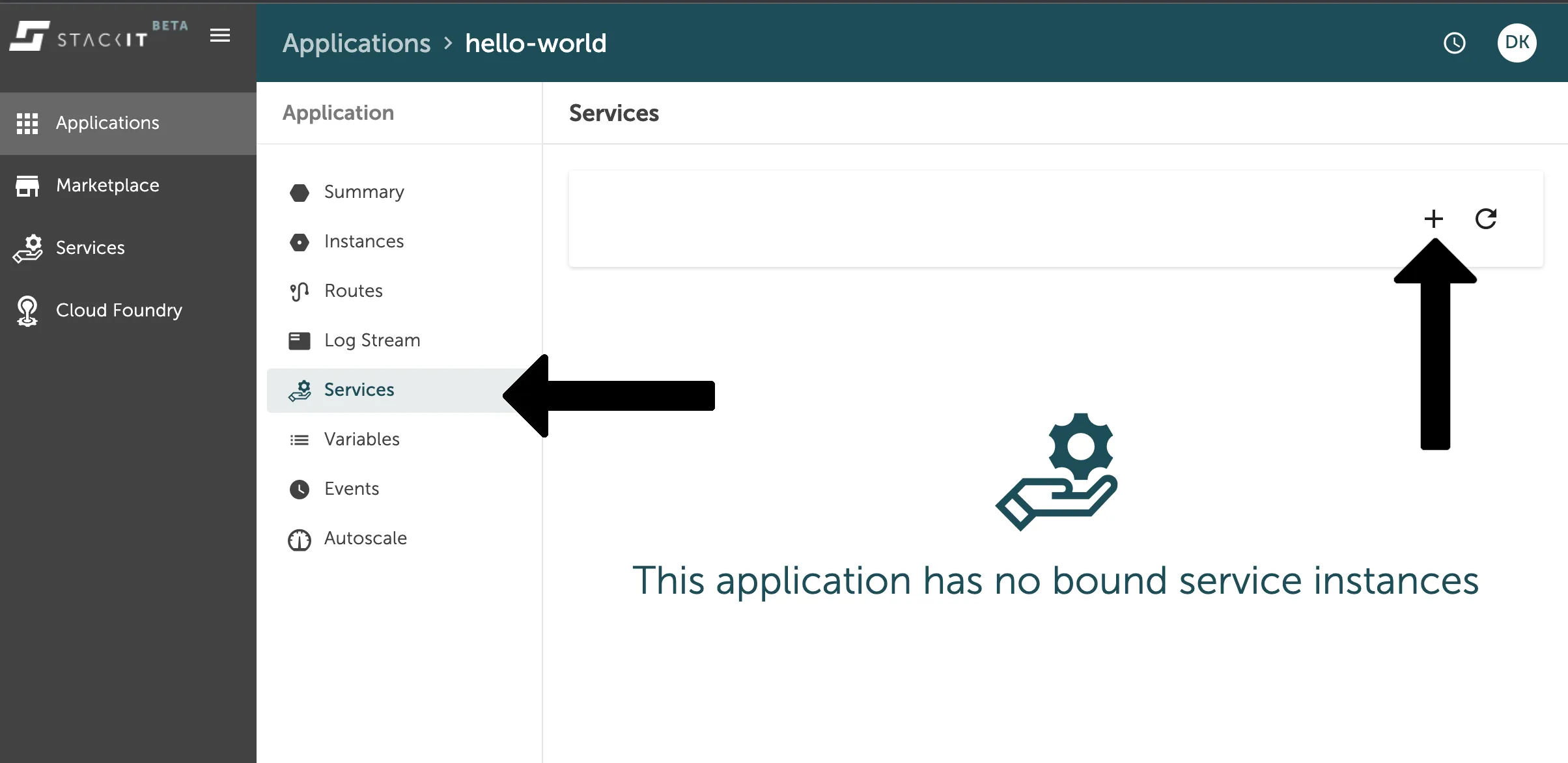
Section titled “Bind a service instance to an app via Stratos”If you want to bind a service instance to your application, you can do so in the service overview of your application space in the left side navigation of the console UI. Navigate to Applications, then to Services and there you will find the + button on the top to add a new service instance binding.
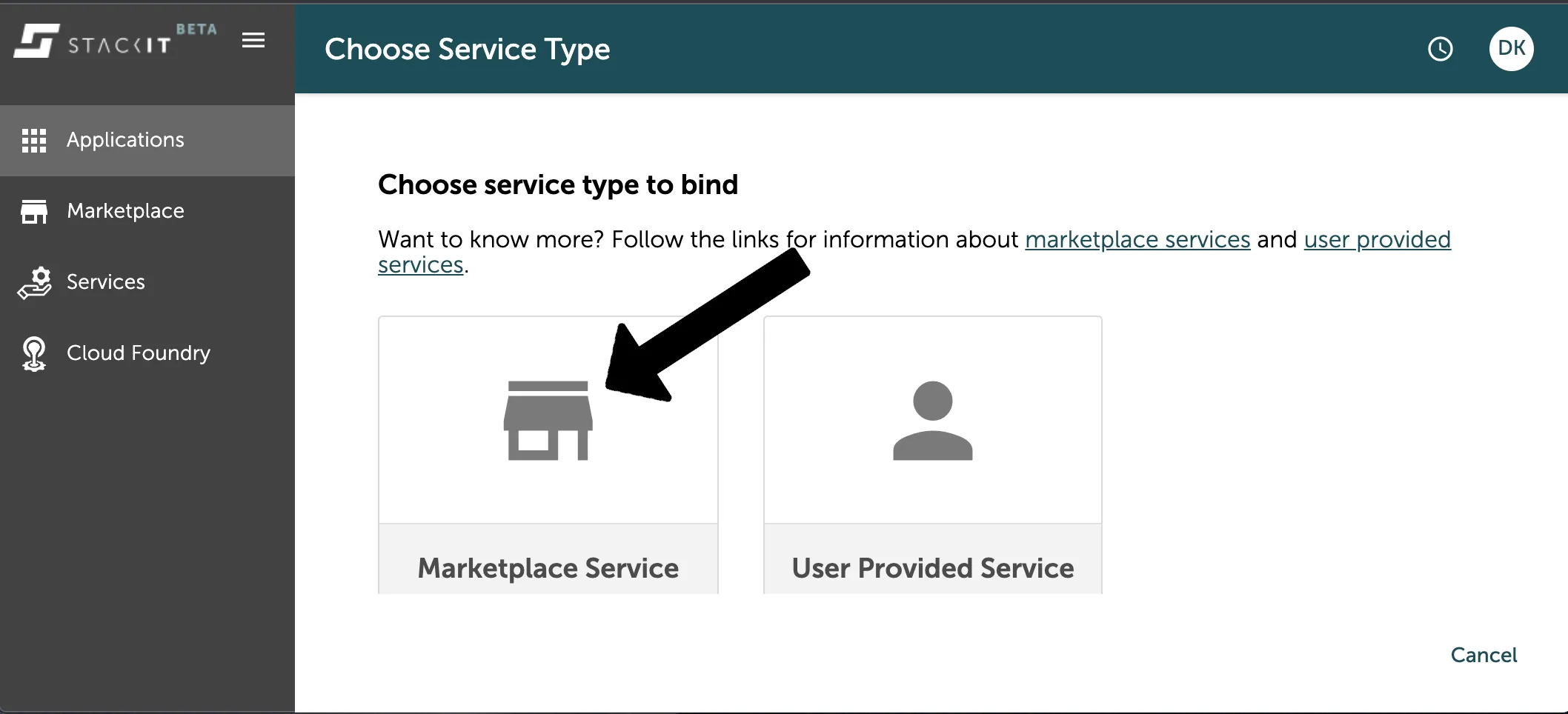
Afterwards you will be asked, if you want to bind an instance of a marketplace service or a user provided service. Marketplace services are all data services you can find in the platforms marketplace, as seen in the first chapter. User Provided Services are services you create and deploy on the Cloud Foundry on your own, like for example a routing service.
Since we want to bind a data service in this example, you have to select the marketplace service by just clicking on the panel.
As a next step you have to select the service type you want to bind. Here you have to select the same service type as the one you created.
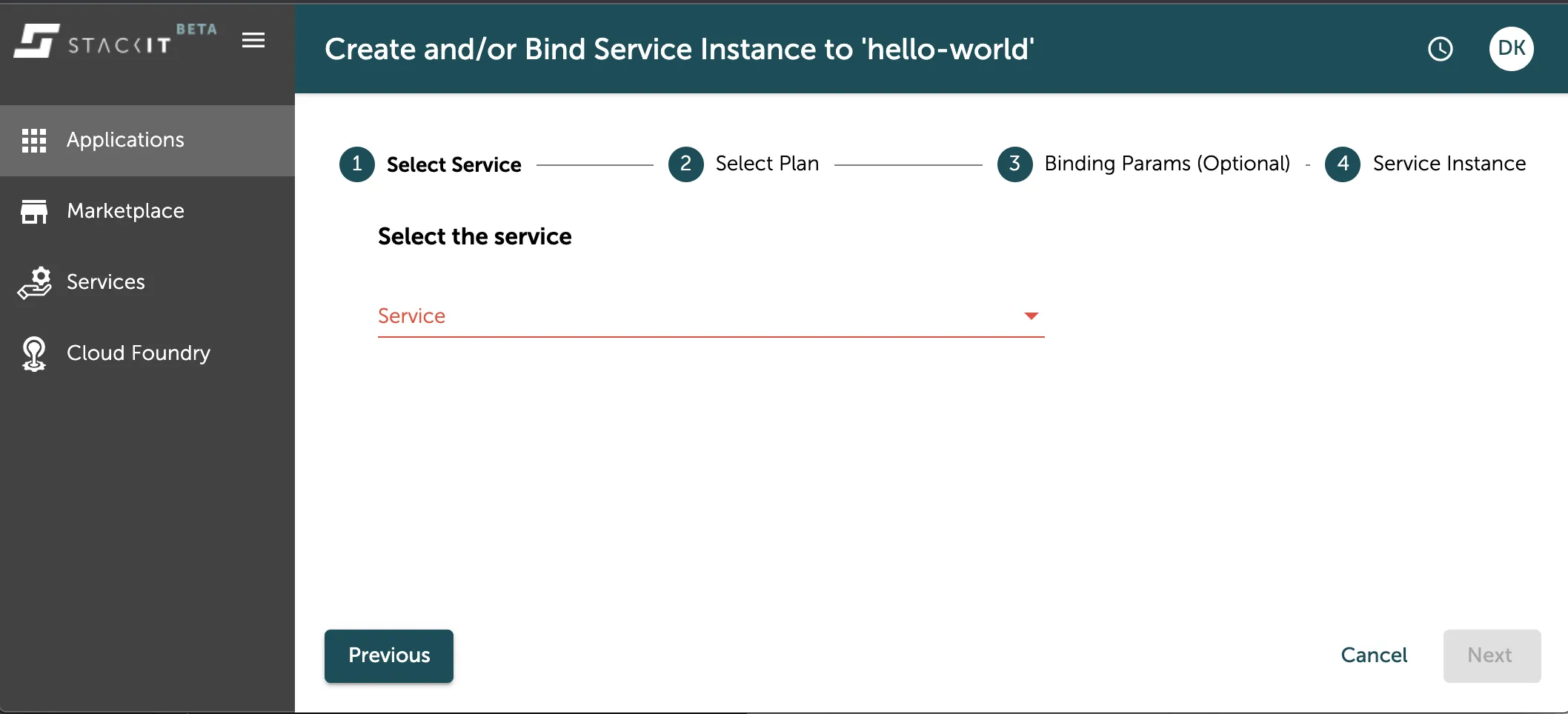
You have to do the same for the next step, selecting exactly the service plan you used for the creation of your service instance. You can find the information which service plan your service instances uses in the general service overview of the console UI.
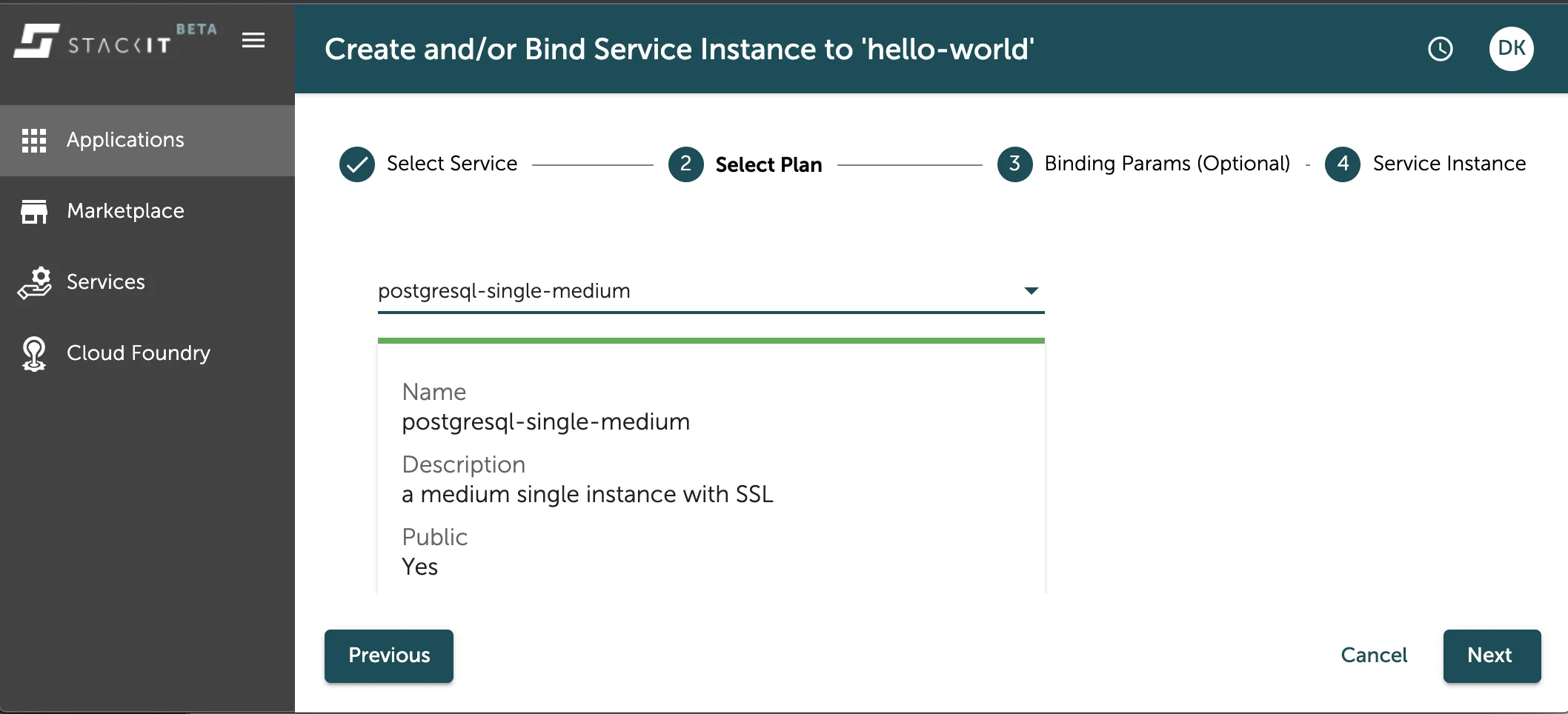
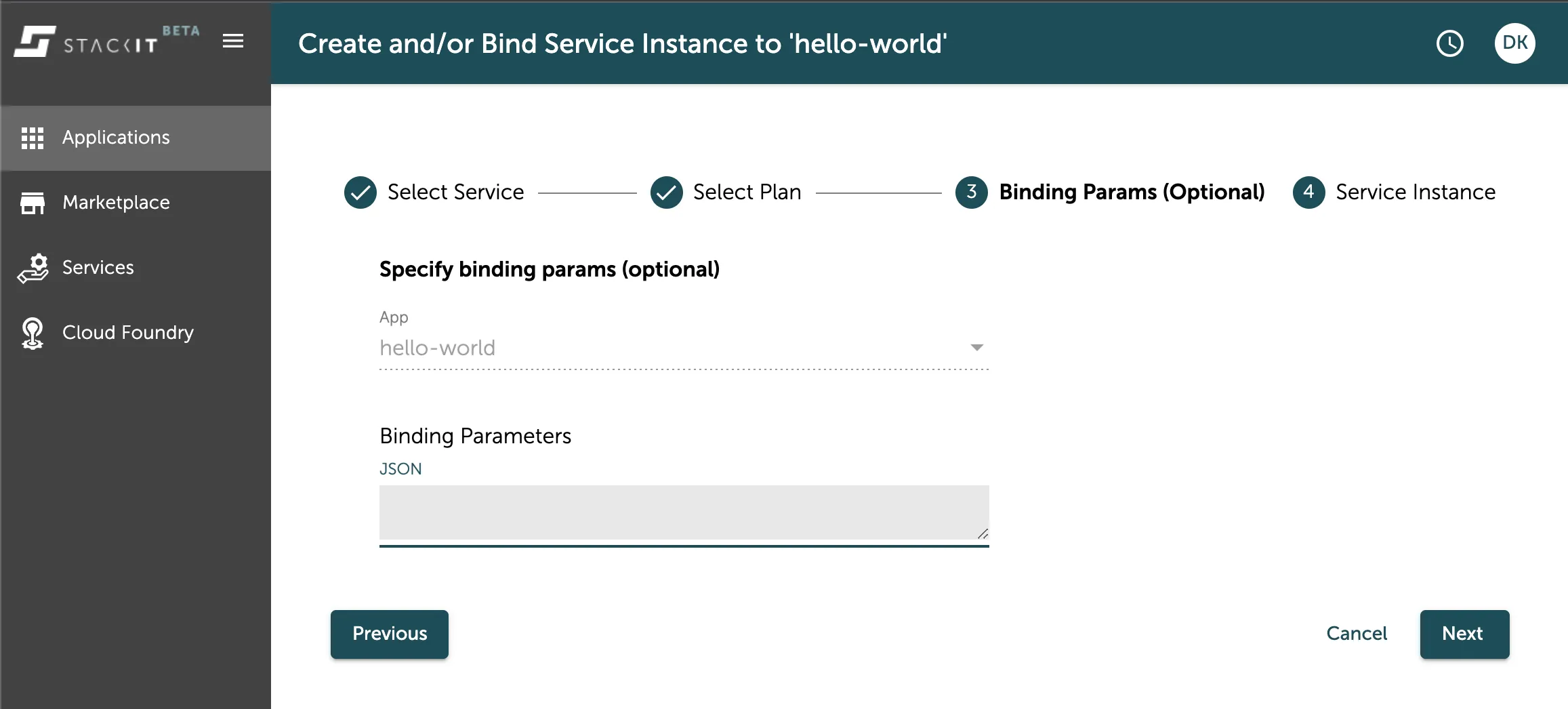
In the following step you can add additional binding parameters to your service instance binding. You should also see the app name you want to bind your service instance to in the App-field above.
In the last step you can finally select the service instance you want to bind to.
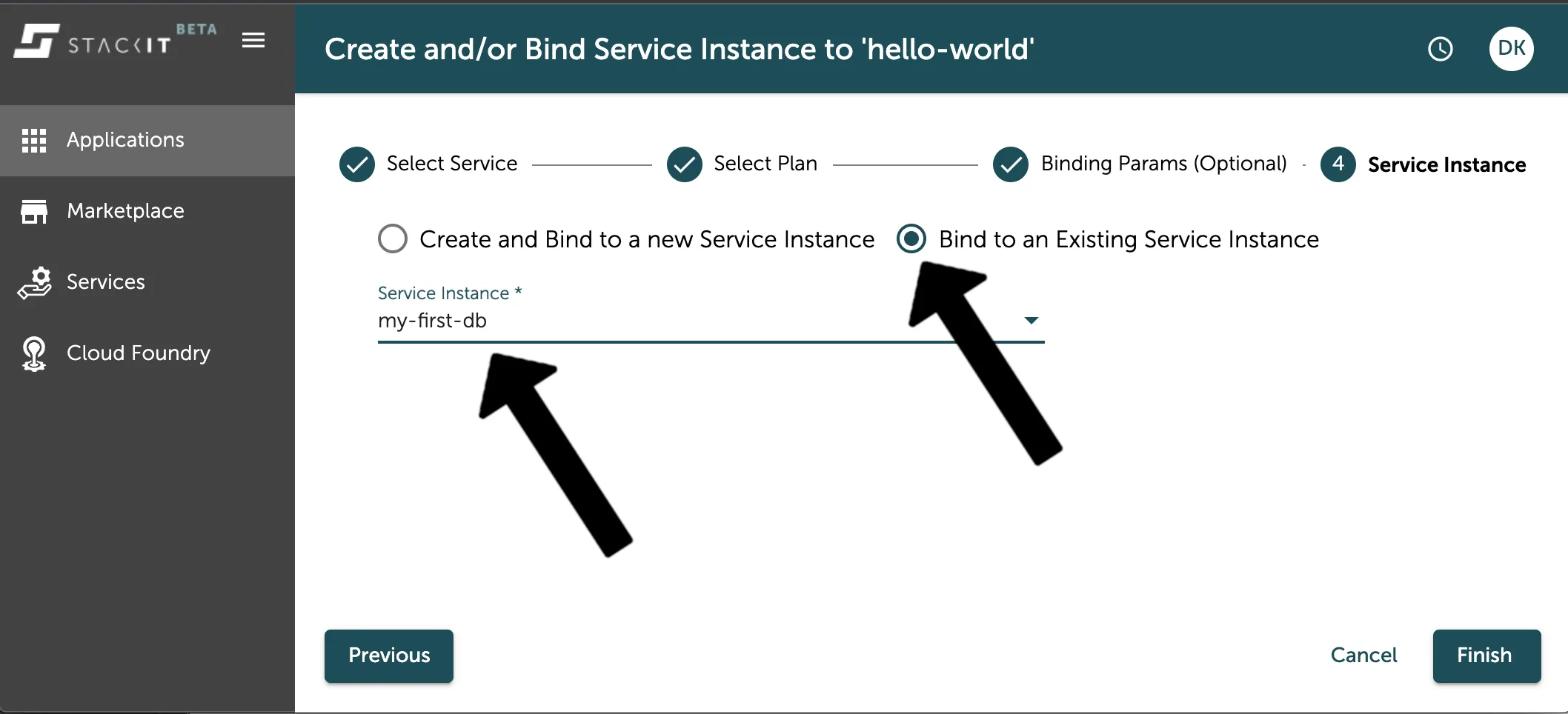
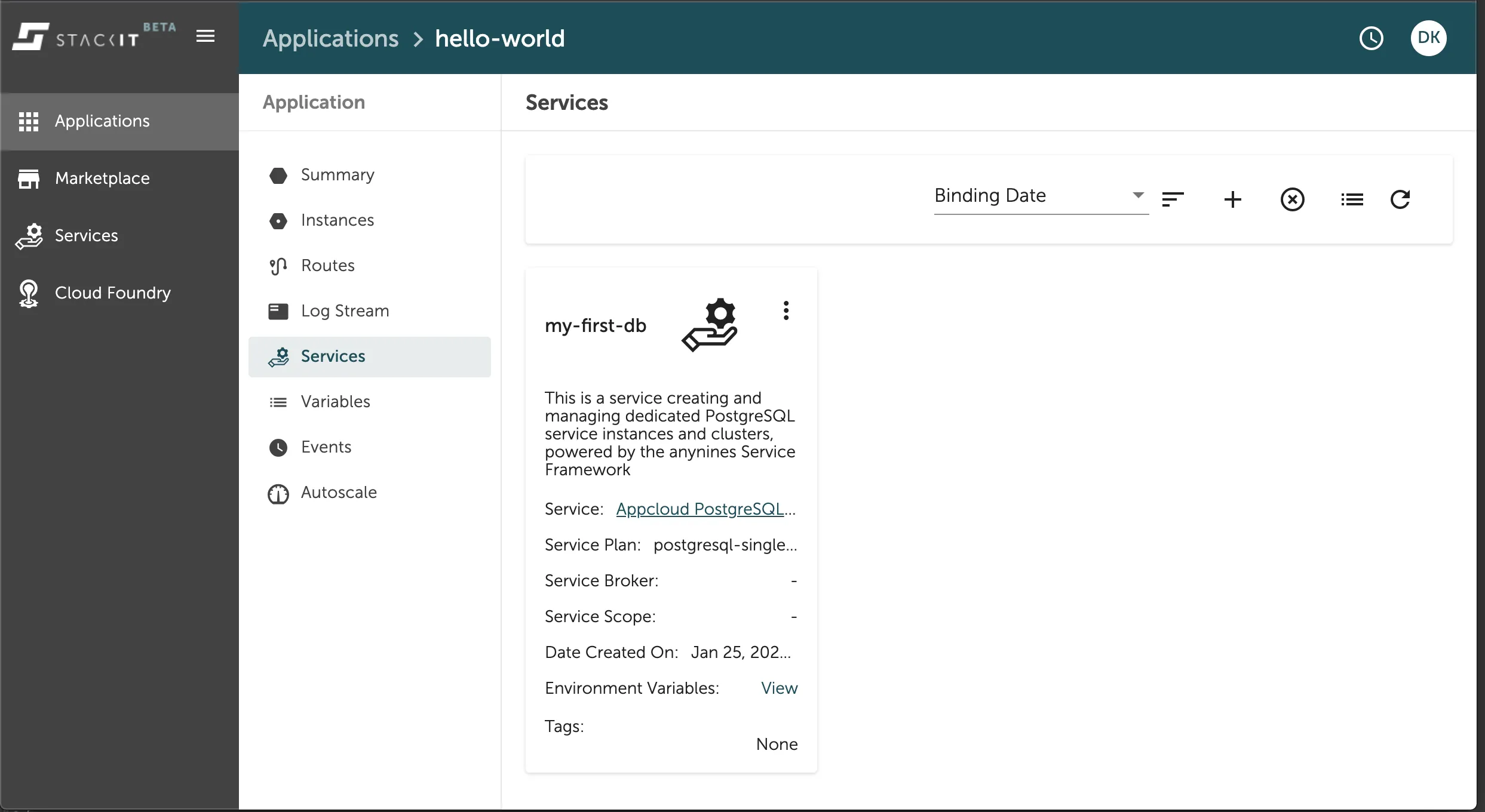
In the dropdown menu, you can select one of the service instances available for binding with the parameters you set in the process before. Apply the binding by clicking the Finish button. Now your service is bound to your application and you can see it in the services overview of your application space in the Console UI as seen in the image below.
Additionally the connection credentials to your data service instance were injected into your applications environment variables via the VCAP_SERVICES object as seen in the image below.
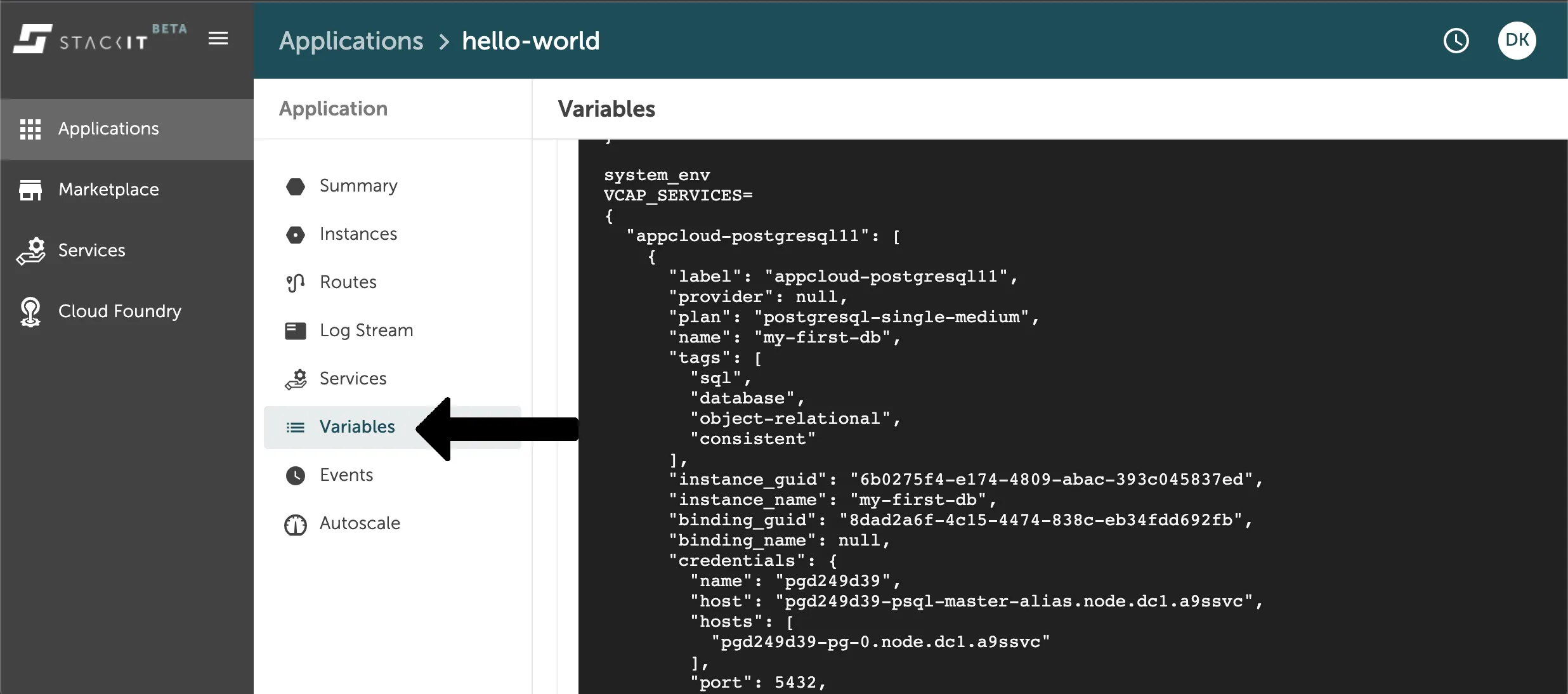
Make sure to restage your application after binding a new data service instance to it, in order for the application to read out the new environment variables.
Unbind a service instance via Stratos
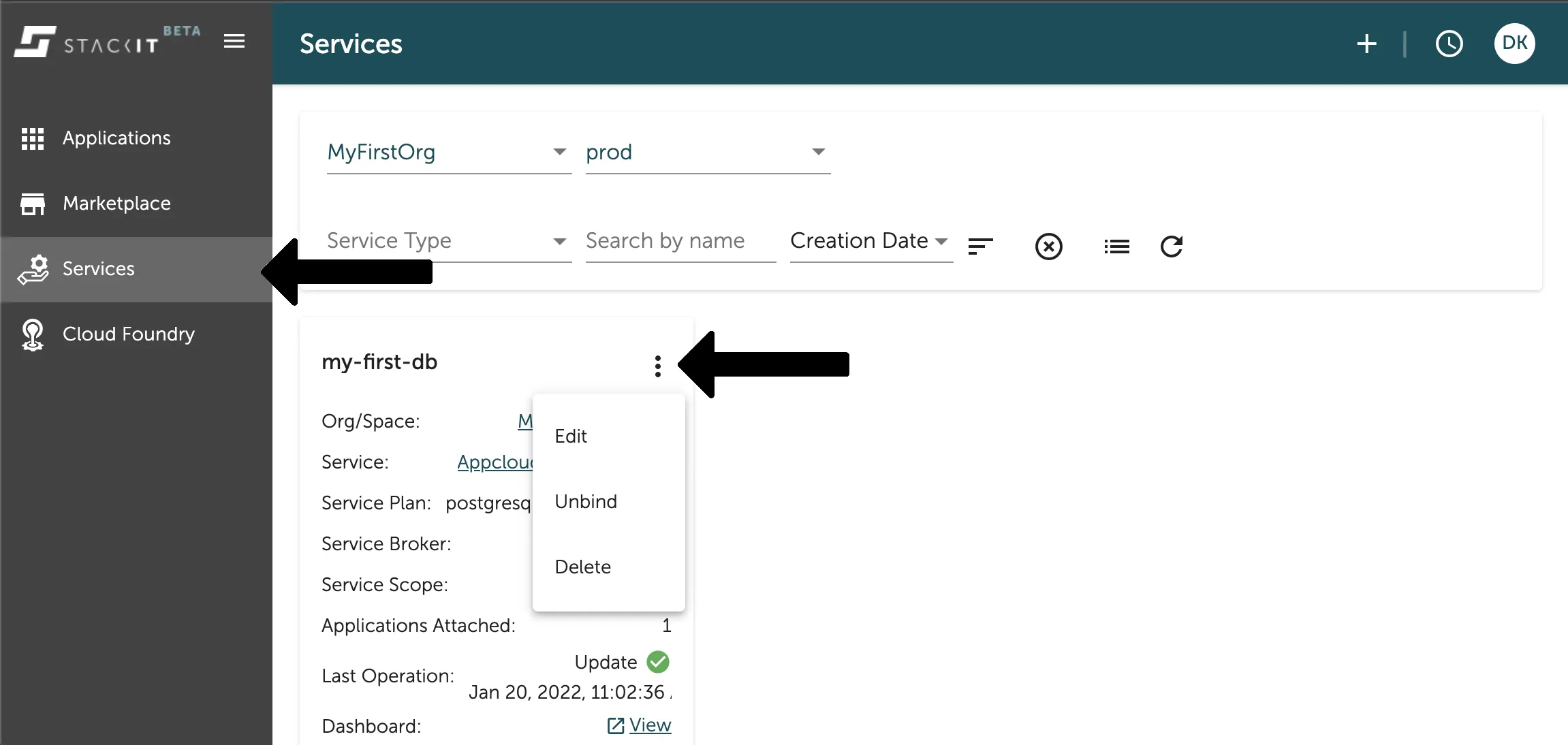
Section titled “Unbind a service instance via Stratos”You can easily unbind your data service instance in the Service Overview of the Console UI. Filter for the space your instance is created in and then select the context menu (three dots) in the panel of the service instance you want to unbind. As seen in the image below.