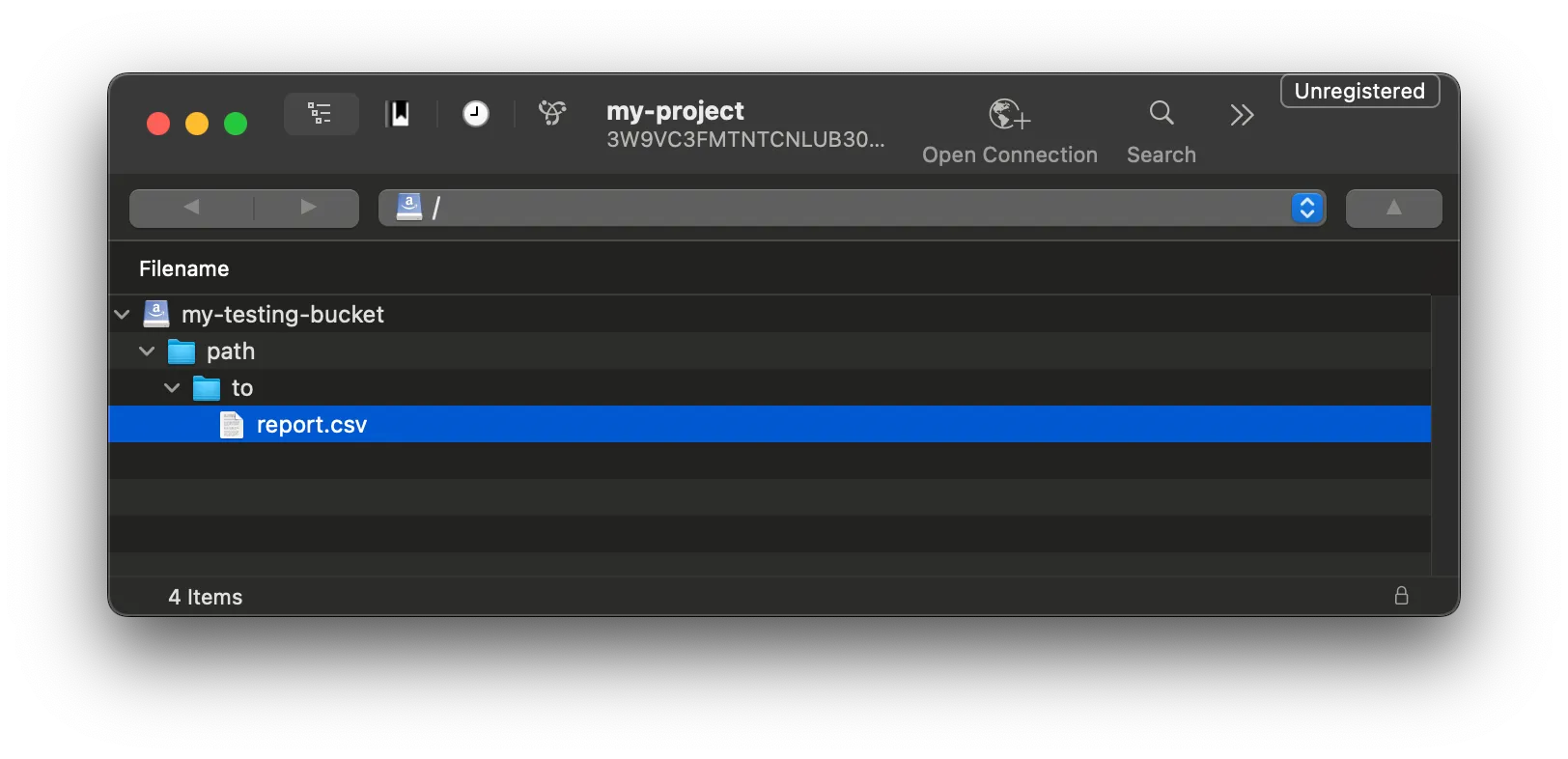
Download FOCUS reports from Object Storage
Last updated on
Assuming you have already set up a STACKIT Object Storage bucket and a FOCUS export schedule, you can now download the reports. The Object Storage offering from STACKIT is S3-compatible, so there is a wide range of options to choose from. In this guide we want to highlight some common ones.
Use Python to access reports programmatically.
Prerequisites
- Python 3 installed.
- Code editor (e.g., Visual Studio Code).
-
Create a directory for your project and navigate into it.
Terminal window mkdir -p "desired/project/folder"cd "desired/project/folder" -
Initialize a virtual environment and install
boto3.Terminal window python3 -m venv .venvsource .venv/bin/activatepip install boto3 -
Set your credentials as environment variables. If you don’t have credentials, see Create and delete Object Storage credentials
Terminal window export ACCESS_KEY_ID="<CHANGE ME>"export SECRET_ACCESS_KEY="<CHANGE ME>" -
Create a script file named
focus-downloader.py. This script downloads the FOCUS report from your bucket (your-bucket) and saves it to a local path (local/path/to/downloaded-report.csv).import boto3import osimport sysaccess_key_id = os.getenv('ACCESS_KEY_ID')secret_access_key = os.getenv('SECRET_ACCESS_KEY')if not access_key_id:print('Environment variable ACCESS_KEY_ID empty!')sys.exit(1)if not secret_access_key:print('Environment variable SECRET_ACCESS_KEY empty!')sys.exit(1)s3 = boto3.client('s3',endpoint_url='https://object.storage.eu01.stackit.schwarz',aws_access_key_id=access_key_id,aws_secret_access_key=secret_access_key,)s3.download_file('your-bucket', 'path/to/report.csv', 'local/path/to/downloaded-report.csv') -
Run the script:
Terminal window python3 focus-downloader.py -
Verify the download. The file appears in the specified local path (e.g.,
local/path/to/downloaded-report.csv)
s3cmd is a mature command-line tool for accessing files in S3-compatible storage like STACKIT Object Storage.
-
Install
s3cmdby following the official installation instructions -
Start the configuration process:
Terminal window s3cmd --configure -
Enter the Access Key ID from your Object Storage credentials.
-
Enter your Secret Access Key.
-
Enter the default region
eu01. Adjust the valueeu01if your bucket resides in another region. -
Enter the endpoint:
object.storage.eu01.stackit.schwarz. Adjust the region, if necessary. -
Enter the DNS-style template:
object.storage.eu01.stackit.schwarz/%(bucket) -
Skip encryption password with
Enter. -
Skip GPG path with
Enter. -
Enter
Yesto use HTTPS. -
Skip proxy with
Enter. -
Enter
yto test the setup. -
Enter
yto save the settings. -
Verify your configuration summary matches the output below:
Terminal window New settings:Access Key: <Your Access Key ID>Secret Key: <Your Secret Access Key>Default Region: eu01S3 Endpoint: object.storage.eu01.stackit.schwarzDNS-style bucket+hostname:port template for accessing a bucket: object.storage.eu01.stackit.cloud/%(bucket)Encryption password:Path to GPG program: NoneUse HTTPS protocol: TrueHTTP Proxy server name:HTTP Proxy server port: 0Test access with supplied credentials? [Y/n] yPlease wait, attempting to list all buckets...Success. Your access key and secret key worked fine :-)Now verifying that encryption works...Not configured. Never mind.Save settings? [y/N] y -
List your buckets to confirm access:
Terminal window s3cmd ls -
Download a report:
Terminal window s3cmd get s3://your-bucket/path/to/report.csv downloaded-report.csv
Cyberduck is a graphical storage browser for MacOS and Windows that is compatible with many protocols. It can also be used to connect to STACKIT Object Storage.
-
Download and install Cyberduck: https://cyberduck.io/download/
-
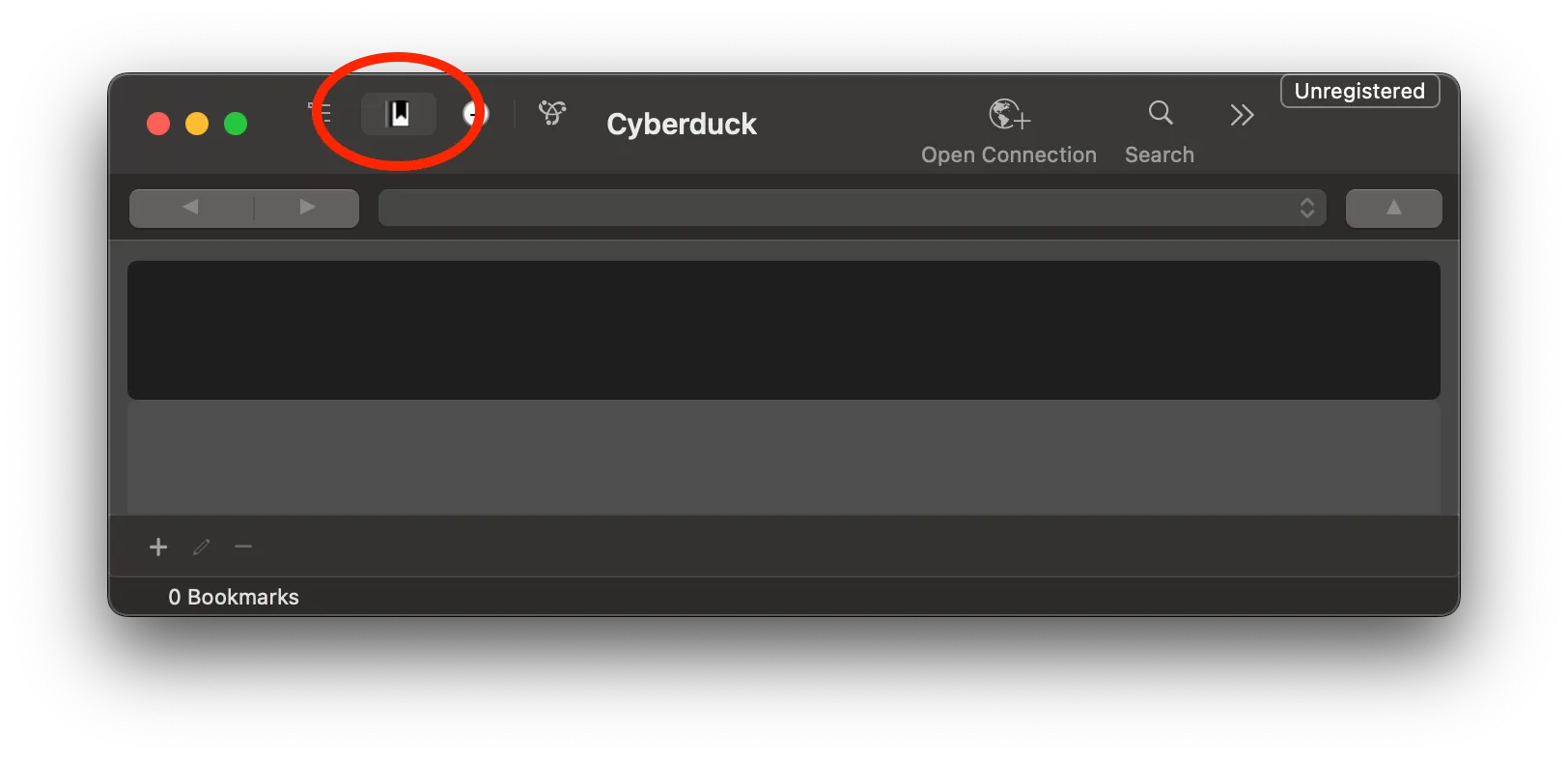
Open Cyberduck and select the Bookmarks tab.
-
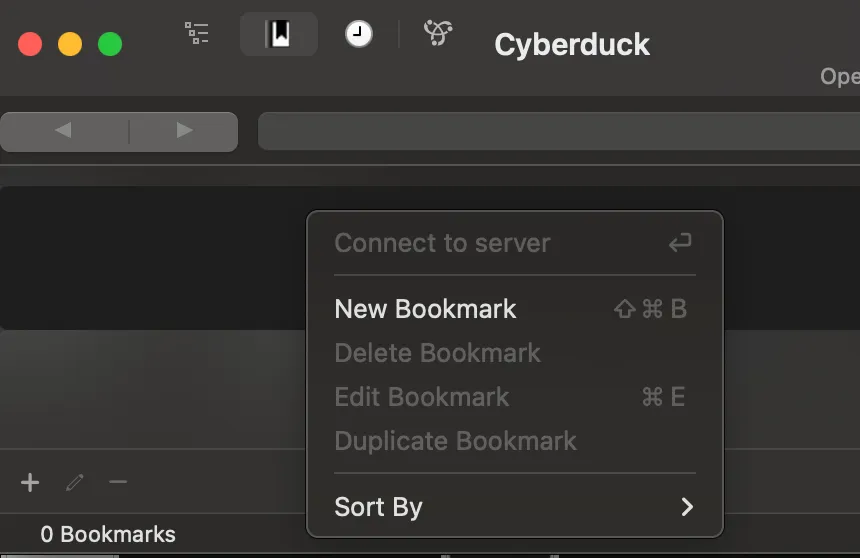
Right-click on the empty bookmark list and click New Bookmark.
-
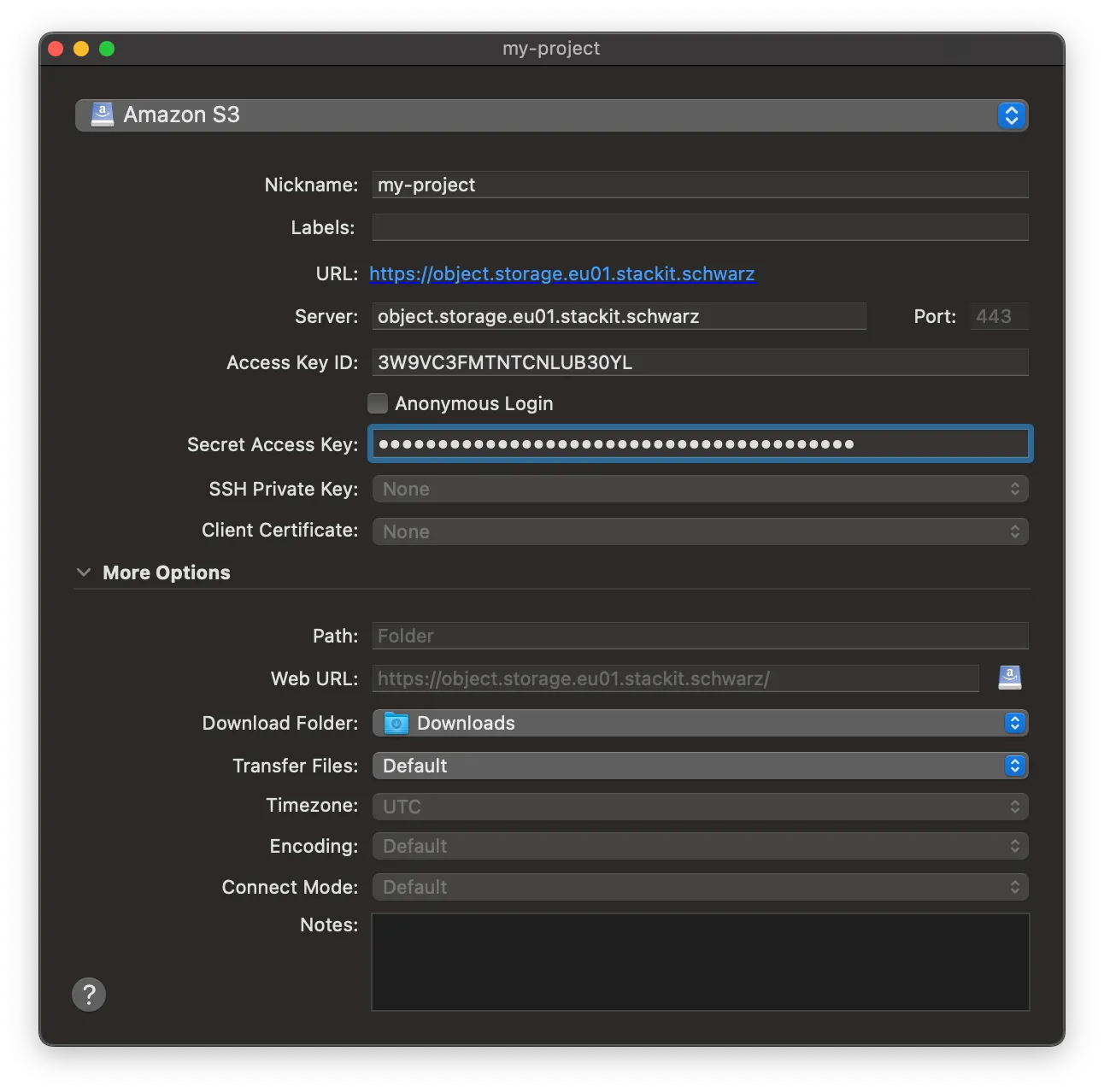
A new window pops up. In the top dropdown, change the default value from
FTPtoAmazon S3.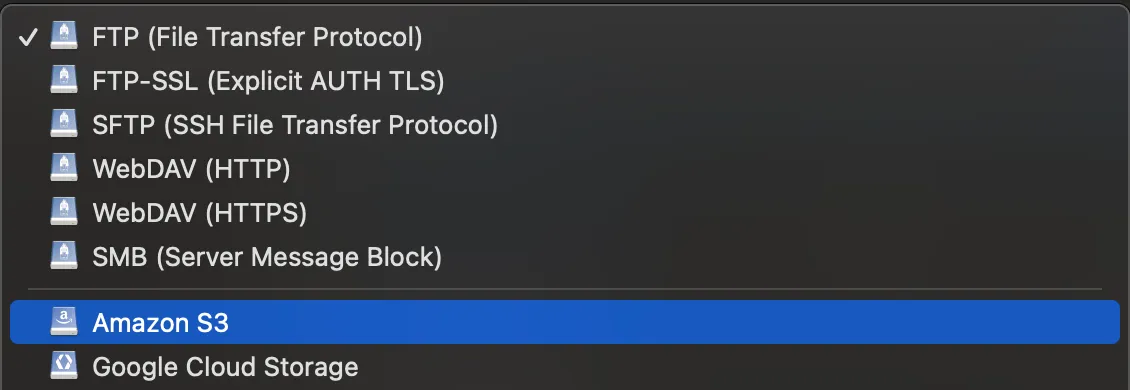
-
Configure the bookmark details:
- Nickname: Enter a recognizable name for the bookmark.
- Server: Enter
object.storage.eu01.stackit.schwarz. Adjust the valueeu01, if your bucket resides in another region. - Access Key ID: Paste your
Access Key IDfrom your Object Storage credentials. - Secret Access Key: Paste your
Secret Access Key.
-
Close the window to save the bookmark (Cyberduck saves automatically).
-
Double-click your new bookmark to connect. Cyberduck displays all buckets your credentials can access.
-
Select the configured bucket to locate and download your FOCUS reports