Use the issue tracker in STACKIT Git
Last updated on
Issues are an important mean of communication on STACKIT Git. Besides their basic purpose – reporting bugs to a project’s maintainer – they can be used to suggest enhancements, ask for new features, discuss a project’s direction, ask questions to your team and much more.
View Issues
Section titled “View Issues”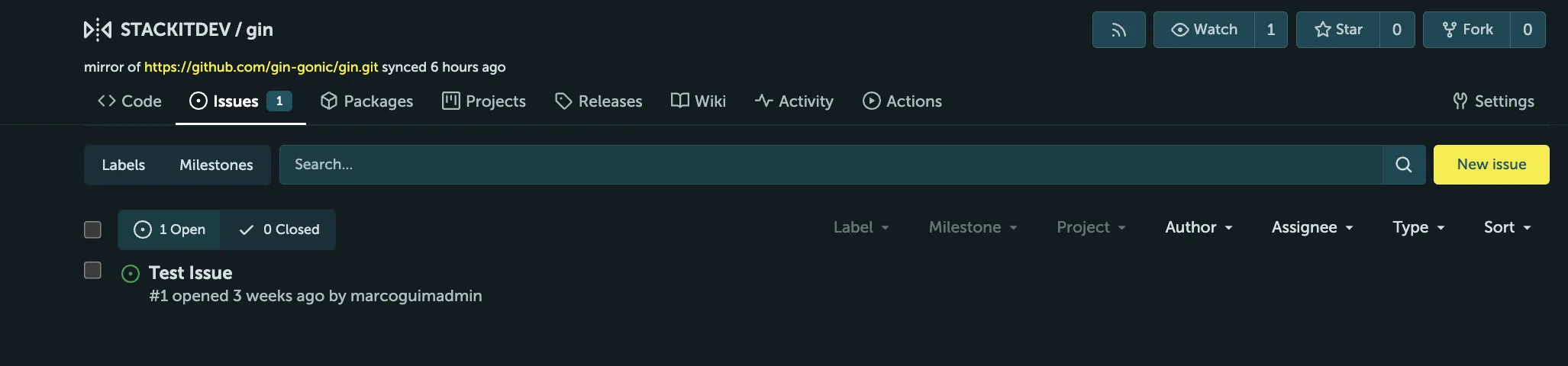
- Click the Issues tab to access the issue tracker.
You will see the list of all issues. - Switch between issues that are still open and those that are already resolved.
- Filter the issues by label, milestone, project, author, assignee, type and sort the list as required.
Projects can define milestones, to which issues can be assigned. They are a useful tool for visualizing the progress of a project’s development.
Creating Issues
Section titled “Creating Issues”- Click New issue (at the top right of the issues list).
An issue can have an assignee, meaning someone responsible for resolving or moderating the issue. Their profile picture, with a link to their profile, can be seen in the issue list.
Be aware that issues in the issue tracker are public, and everyone is able to read and answer them.