Overview
Last updated on
One of the best ways to learn is to get practical experience with STACKIT services using following hands-on tutorials. They describe the creation-configuration-using-deletion lifecycle of service plans. Before you start just contact our support team to create a customer account like described here.
Prerequisites
Section titled “Prerequisites”In order to follow the steps described on this page, the following conditions need to be met:
-
Your organization has a customer account.
(See: Create a customer account) -
You have a User Account with the necessary permissions.
(See: Create a user account) -
You have a Project in your customer account.
(See: Create a Project) -
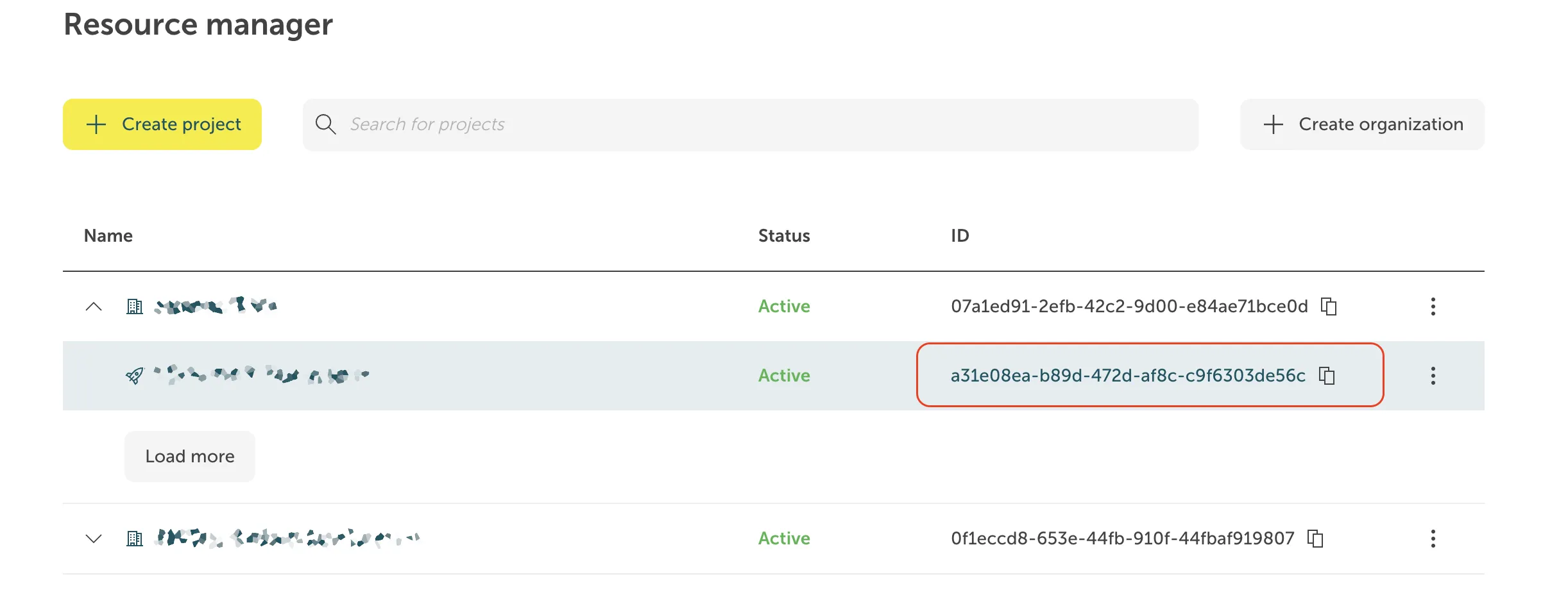
You know the Project ID. It is displayed in the projects list of the Resource manager:
-
You have created a Service Account.
(See: Create a Service account) -
You have assigned the required project permissions to this service account.
(See: Assign permissions to a service account) -
You have created an Access Token for this service account.
(See: Assign authentication token to a service account)
The STACKIT VPN API provides comprehensive functionality to create, manage and delete VPN Instances within your STACKIT environment, enabling full control over your VPN resources programmatically.
Access the API documentation here: STACKIT VPN API Documentation
Portal
Section titled “Portal”Portal integration will be available soon.
The STACKIT VPN functionality is integrated into the STACKIT SDK for Go, allowing for seamless automation and custom VPN configurations through code. It provides developers with the tools needed to programmatically deploy and manage VPN resources within the STACKIT Cloud.
Comprehensive documentation for the STACKIT SDK, including usage examples and best practices, can be found here: STACKIT SDK for Go
CLI functions will be available soon
Learn more about STACKIT CLI: STACKIT CLI
Terraform
Section titled “Terraform”Terraform functions will be available soon
Detailed documentation for the STACKIT Terraform Provider can be found here: STACKIT Terraform Provider