My subscriptions
Last updated on
The My subscriptions page in the STACKIT Marketplace is your central location to manage and track your purchases. This page contains all the details for your orders, subscriptions, and software licenses.
To find the page, navigate to the Marketplace menu item in the main navigation and select My subscriptions.
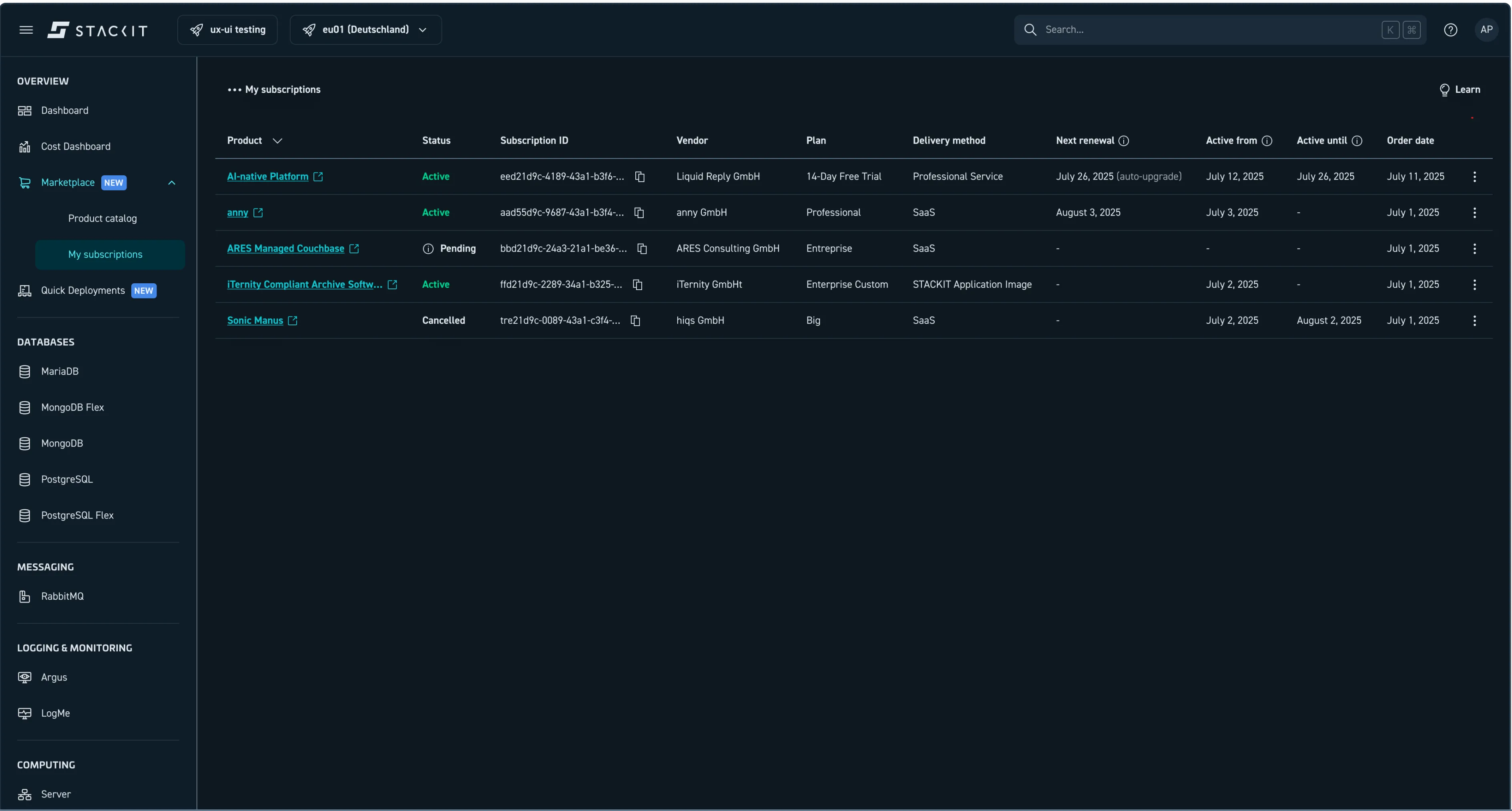
My subscriptions page in the Marketplace.
Key columns explained
Section titled “Key columns explained”The My subscriptions page provides these details for each entry:
- Product: The name of the cloud service or product you subscribe to.
- Status: The current life cycle state of your subscription (explained in the Subscription life cycle states section).
- Subscription ID: The unique identifier for your subscription.
- Vendor: The name of the cloud vendor offering the service.
- Plan: The pricing option you chose.
- Next renewal: Shows when the plan renews or, if a free trial, automatically ends.
- Active from: The date your subscription became active.
- Active until: The date your plan expires, depending on your pricing option.
- Order date: The date you placed your order.
- Actions: A column with a button that lets you perform actions for your subscription, such as viewing details or canceling.
Subscription life cycle states
Section titled “Subscription life cycle states”The Status column shows the current stage of your subscription.
Pending: You placed the order, but it isn’t active yet. The vendor is setting up the service. This status indicates that payment processing, service creation, or integration is underway.Active: The subscription is ready, and the service is available for you to use. Billing is ongoing.Cancelled: You canceled the subscription. The system deactivates the service and billing after the Active until date.- **
Rejected:**A technical error occurred during the provisioning process. The subscription isn’t active, and you aren’t billed. Contact the integration team for help. Approval incomplete: The vendor didn’t approve the subscription request. The subscription isn’t active, and you aren’t billed. Contact the integration team for help.
Subscription actions
Section titled “Subscription actions”You can perform these actions on the My subscriptions page:
- View details: Open the detail page for a specific product.
- Cancel subscription: End an active subscription. Cancellations usually take effect at the end of the current billing cycle. You must confirm this action before the system processes it.