Purchase a product or service
Last updated on
The STACKIT Marketplace offers both fully integrated and listed products, each with different delivery methods. While product configuration varies by method, the ordering process primarily differs in how the product integrates into the catalog.
Fully integrated products
Section titled “Fully integrated products”You can obtain fully integrated products directly through the STACKIT Marketplace.
Prerequisites
- You have a user account: Create a user account
- You have a customer account: Create a customer account
- You have a project: Create a project
- You have the
OwnerorEditorrole in a project: Assign roles to a user account
Procedure
- Go to the STACKIT Marketplace and select a product.
- If you are in the publicly accessible catalog, log in to place your order.
- Select your desired pricing model.
- You will then redirect to the order process.
- Review your order.
- Confirm your purchase to start using the product.
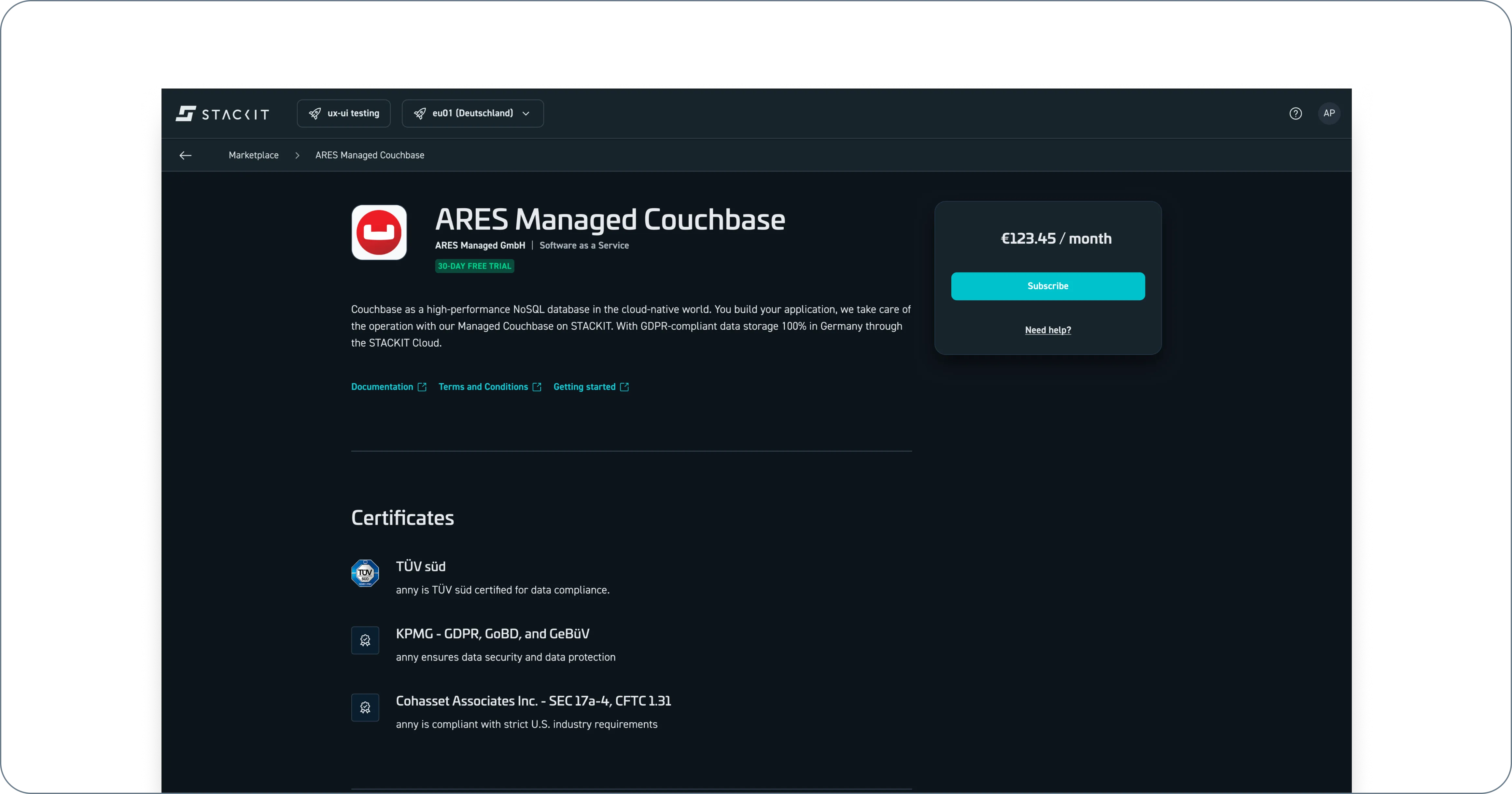
You can also order fully integrated products directly through the STACKIT Portal by using the price tile in the top right corner (as shown in the following screenshot).
Product listings
Section titled “Product listings”Product listings are products that cannot be purchased directly within the STACKIT Marketplace but can run on STACKIT. If you are interested, contact the retailer’s sales department.
- If you are in the publicly accessible catalog, log in to place your order.
- Navigate to the product detail page for your desired product within the Marketplace catalog.
- Select Contact sales.
- Enter your message to the retailer.
- Confirm the forwarding of your data to the retailer.
- Send the message. The sales department will then contact you immediately to clarify the order details.
You can order listed products through the STACKIT Portal by contacting the sales department through the price tile in the top right-hand corner (as shown in the following screenshot).
Requesting a product
Section titled “Requesting a product”If you cannot find a specific product in our catalog, or if you want to use a particular service through STACKIT, you can suggest it for inclusion.
- Go to Marketplace > Product catalog and select the Suggest a Product card.
- Complete the modal form.
- Agree to our terms of service. Your suggestion will be submitted for review.
- Our team will assess the product for compliance, security, integration feasibility, and its overall fit within our existing portfolio. After this evaluation, we aim to either list the product or integrate it into our catalog as quickly as possible, making it available for your use.
You can request products directly within the Marketplace.