Vendor registration and account creation
Last updated on
As a vendor on the STACKIT Marketplace, you can offer and sell products and services related to STACKIT Cloud Services. Whether your software runs on the STACKIT Cloud, adds value to our existing services, or focuses on cloud consulting - the Marketplace is the right place for all these cases.
Become a STACKIT Partner and acquire new customers via the STACKIT Marketplace. We look forward to your inquiry at partners@digits.schwarz.
Prerequisites for vendor registration
Section titled “Prerequisites for vendor registration”To offer services in the STACKIT Marketplace, an active customer account is required. You can create one easily via the STACKIT Portal. If you already have an account, you do not need to open a new one. You also need an active project named Marketplace within your organization.
- Customer account: A customer account contains all of your company’s data - from name to payment details. Once created, we verify your account and activate it for you.
- Organization: As soon as your customer account is active, an organization is automatically created for you. This forms the technical framework for your resources (folders and projects).
- Project: Create a project within your organization via the Resource Manager. Name the project as follows: Marketplace.
Vendor registration process
Section titled “Vendor registration process”The registration process for vendors is structured and consists of the following steps:
-
Register as a vendor
Section titled “Register as a vendor”If you want to offer your product on the STACKIT Marketplace, send us brief information about your company and the products you would like to offer.
You can contact us at marketplace@digits.schwarz or use our contact form. Our integration team will contact you to arrange an initial meeting.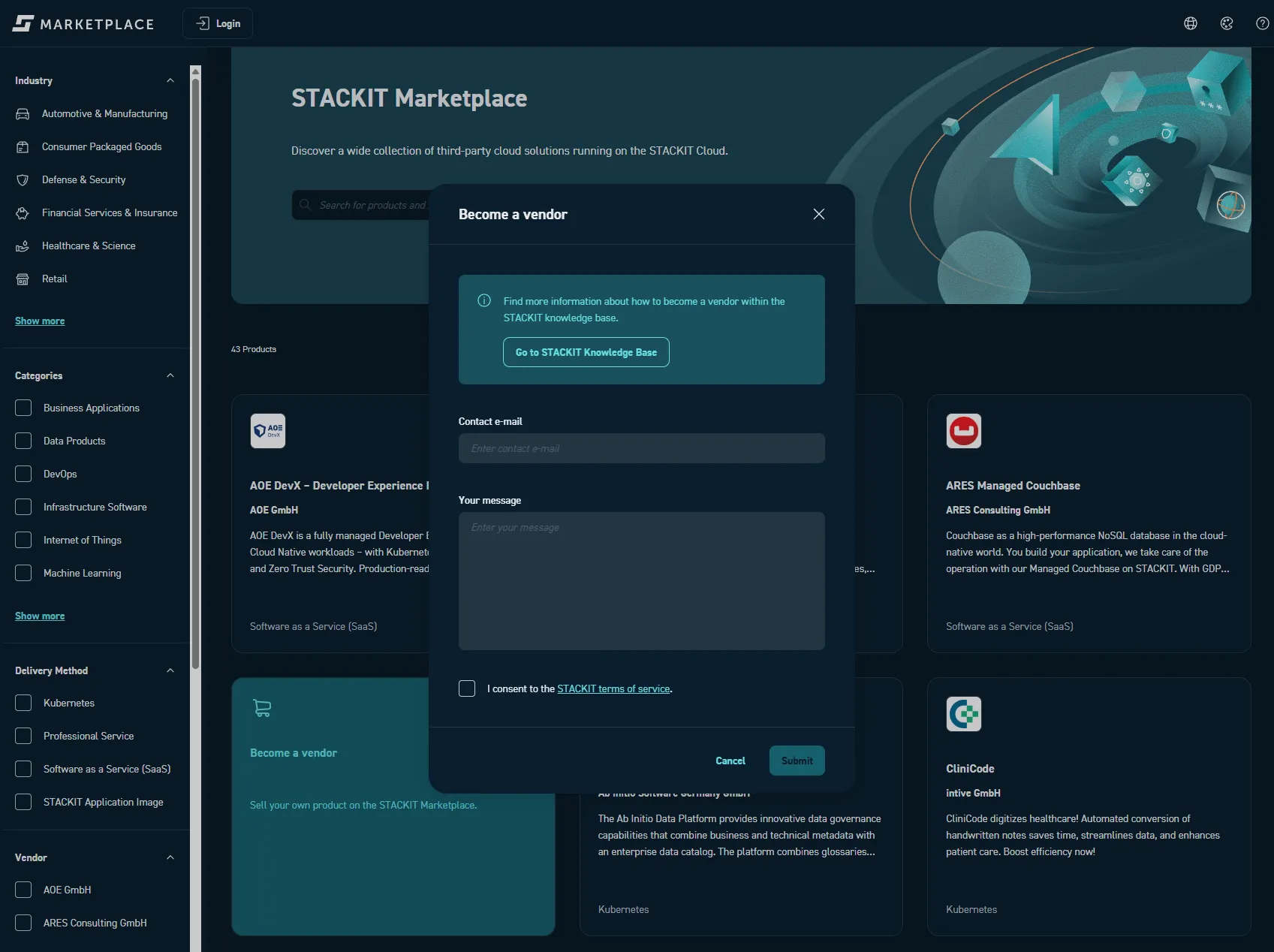
-
Attend the initial meeting
Section titled “Attend the initial meeting”In this meeting, you will learn how the STACKIT Marketplace works and how you can sell your products. You can ask questions about the onboarding process. Following the meeting, we will either connect you with partner management to become a STACKIT partner or ask you to provide product details via our information sheet.
-
Complete the integration check
Section titled “Complete the integration check”We evaluate how to integrate your product into the STACKIT Marketplace. This includes a review of the business, technical and legal feasibility of your product. This step requires the support of both technical and commercial experts on your side and from STACKIT. You will receive feedback on the next steps and an initial proposal for the integration schedule.
See also the available options per delivery method as well as types of integration: Product integration
-
Onboard the product
Section titled “Onboard the product”Product integration begins according to the agreed schedule. This requires a close exchange between your and our technical experts. Integration should be completed within one month.
-
Sign the contract
Section titled “Sign the contract”Along with the onboarding of the product, a STACKIT Marketplace contract is created based on all the details defined in the previous steps:
- Delivery method
- Pricing model and conditions
- Any other specific terms and conditions for your product
This contract will be sent to you for review and signature. This product contract must be completed individually for each product you wish to sell through our marketplace.
-
Review and test
Section titled “Review and test”After onboarding the product, you can test the integration of your product in advance. To do this, you will receive access to your product, which is marked as a “preview”. You can contact us at any time if you have any questions: marketplace@digits.schwarz.
-
Go live
Section titled “Go live”As soon as the test has been confirmed by you, we will activate the product within a maximum of 3 working days.
Vendor Portal
Section titled “Vendor Portal”We currently perform the vendor registration process manually as described above. We are developing a dedicated vendor portal and will notify you when it becomes available.