Download FOCUS reports from Object Storage
Last updated on
STACKIT stores your FOCUS reports in the Object Storage bucket that you defined in your FOCUS export schedule. The Object Storage offering from STACKIT is S3-compatible, so there is a wide range of options to choose from to download the reports. In this guide we want to highlight some common ones.
Prerequisites
Section titled “Prerequisites”- You have created a FOCUS export schedule and STACKIT has delivered at least one report to your bucket.
- You have access to the project that contains the bucket.
- You have created Object Storage credentials for the project that contains the bucket.
Download the reports
Section titled “Download the reports”Use Python to access reports programmatically.
Prerequisites
- Python 3 installed.
- Code editor (e.g., Visual Studio Code).
-
Create a directory for your project and navigate into it.
Terminal window mkdir -p "desired/project/folder"cd "desired/project/folder" -
Initialize a virtual environment and install
boto3.Terminal window python3 -m venv .venvsource .venv/bin/activatepip install boto3 -
Set your credentials as environment variables. If you don’t have credentials, see Create and delete Object Storage credentials
Terminal window export ACCESS_KEY_ID="<CHANGE ME>"export SECRET_ACCESS_KEY="<CHANGE ME>" -
Create a script file named
focus-downloader.py. This script downloads the FOCUS report from your bucket (your-bucket) and saves it to a local path (local/path/to/downloaded-report.csv.gz).import boto3import osimport sysaccess_key_id = os.getenv('ACCESS_KEY_ID')secret_access_key = os.getenv('SECRET_ACCESS_KEY')if not access_key_id:print('Environment variable ACCESS_KEY_ID empty!')sys.exit(1)if not secret_access_key:print('Environment variable SECRET_ACCESS_KEY empty!')sys.exit(1)s3 = boto3.client('s3',endpoint_url='https://object.storage.eu01.stackit.schwarz',aws_access_key_id=access_key_id,aws_secret_access_key=secret_access_key,)s3.download_file('your-bucket', 'path/to/report.csv.gz', 'local/path/to/downloaded-report.csv.gz') -
Run the script:
Terminal window python3 focus-downloader.py -
Verify the download. The file appears in the specified local path (e.g.,
local/path/to/downloaded-report.csv.gz)
s3cmd is a mature command-line tool for accessing files in S3-compatible storage like STACKIT Object Storage.
-
Install
s3cmdby following the official installation instructions -
Start the configuration process:
Terminal window s3cmd --configure -
Enter the Access Key ID from your Object Storage credentials.
-
Enter your Secret Access Key.
-
Enter the default region
eu01. Adjust the valueeu01if your bucket resides in another region. -
Enter the endpoint:
object.storage.eu01.stackit.schwarz. Adjust the region, if necessary. -
Enter the DNS-style template:
object.storage.eu01.stackit.schwarz/%(bucket) -
Skip encryption password with
Enter. -
Skip GPG path with
Enter. -
Enter
Yesto use HTTPS. -
Skip proxy with
Enter. -
Enter
yto test the setup. -
Enter
yto save the settings. -
Verify your configuration summary matches the output below:
Terminal window New settings:Access Key: <Your Access Key ID>Secret Key: <Your Secret Access Key>Default Region: eu01S3 Endpoint: object.storage.eu01.stackit.schwarzDNS-style bucket+hostname:port template for accessing a bucket: object.storage.eu01.stackit.cloud/%(bucket)Encryption password:Path to GPG program: NoneUse HTTPS protocol: TrueHTTP Proxy server name:HTTP Proxy server port: 0Test access with supplied credentials? [Y/n] yPlease wait, attempting to list all buckets...Success. Your access key and secret key worked fine :-)Now verifying that encryption works...Not configured. Never mind.Save settings? [y/N] y -
List your buckets to confirm access:
Terminal window s3cmd ls -
Download a report:
Terminal window s3cmd get s3://your-bucket/path/to/report.csv.gz downloaded-report.csv.gz
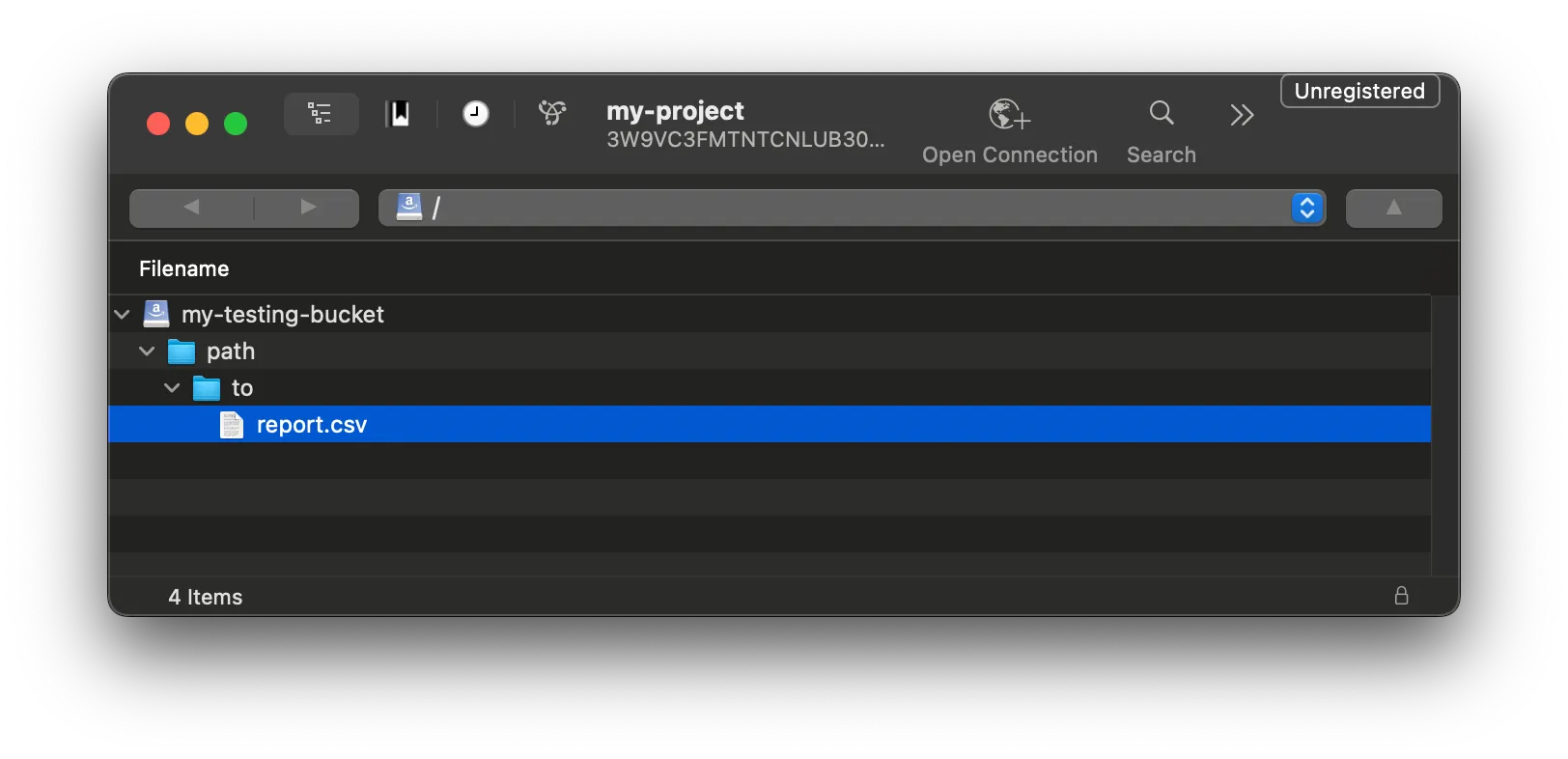
Cyberduck is a graphical storage browser for MacOS and Windows that is compatible with many protocols. It can also be used to connect to STACKIT Object Storage.
-
Download and install Cyberduck: https://cyberduck.io/download/
-
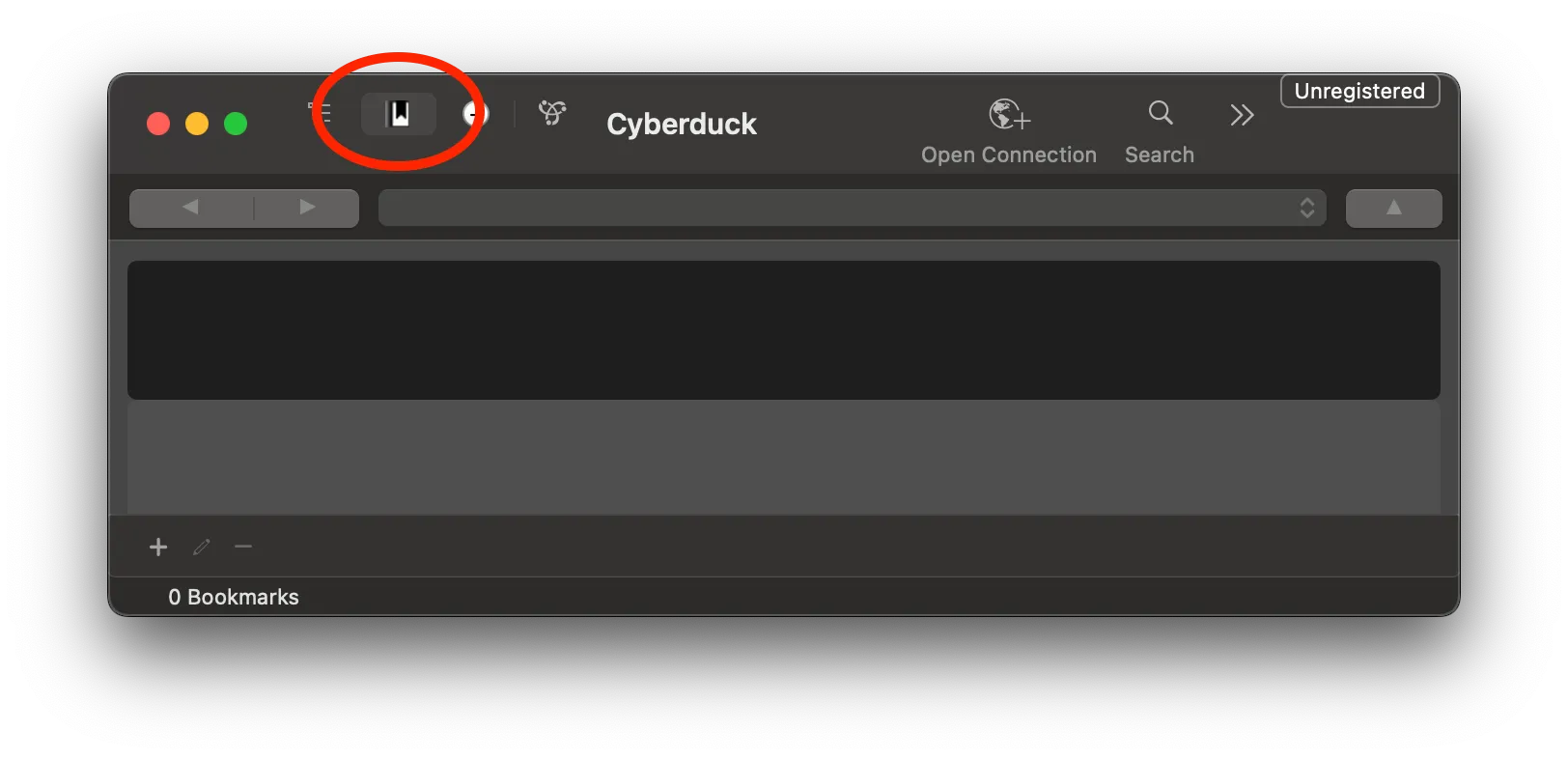
Open Cyberduck and select the Bookmarks tab.
-
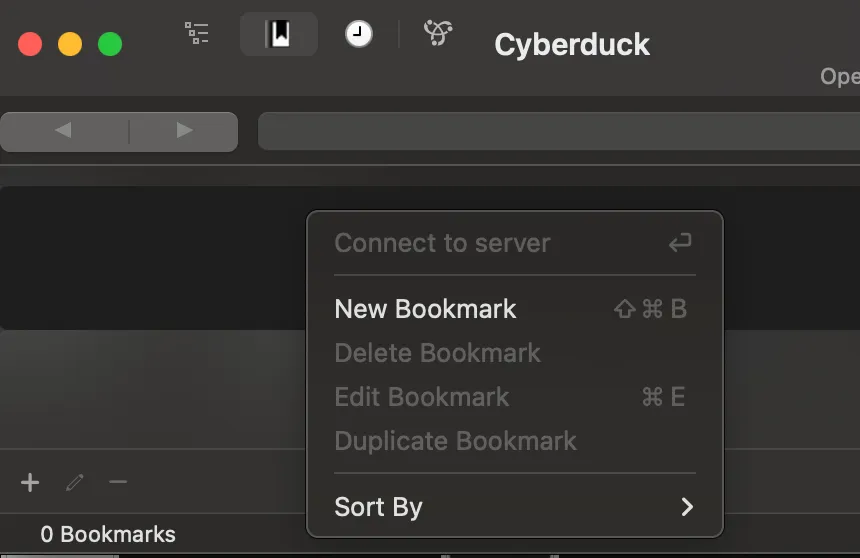
Right-click on the empty bookmark list and click New Bookmark.
-
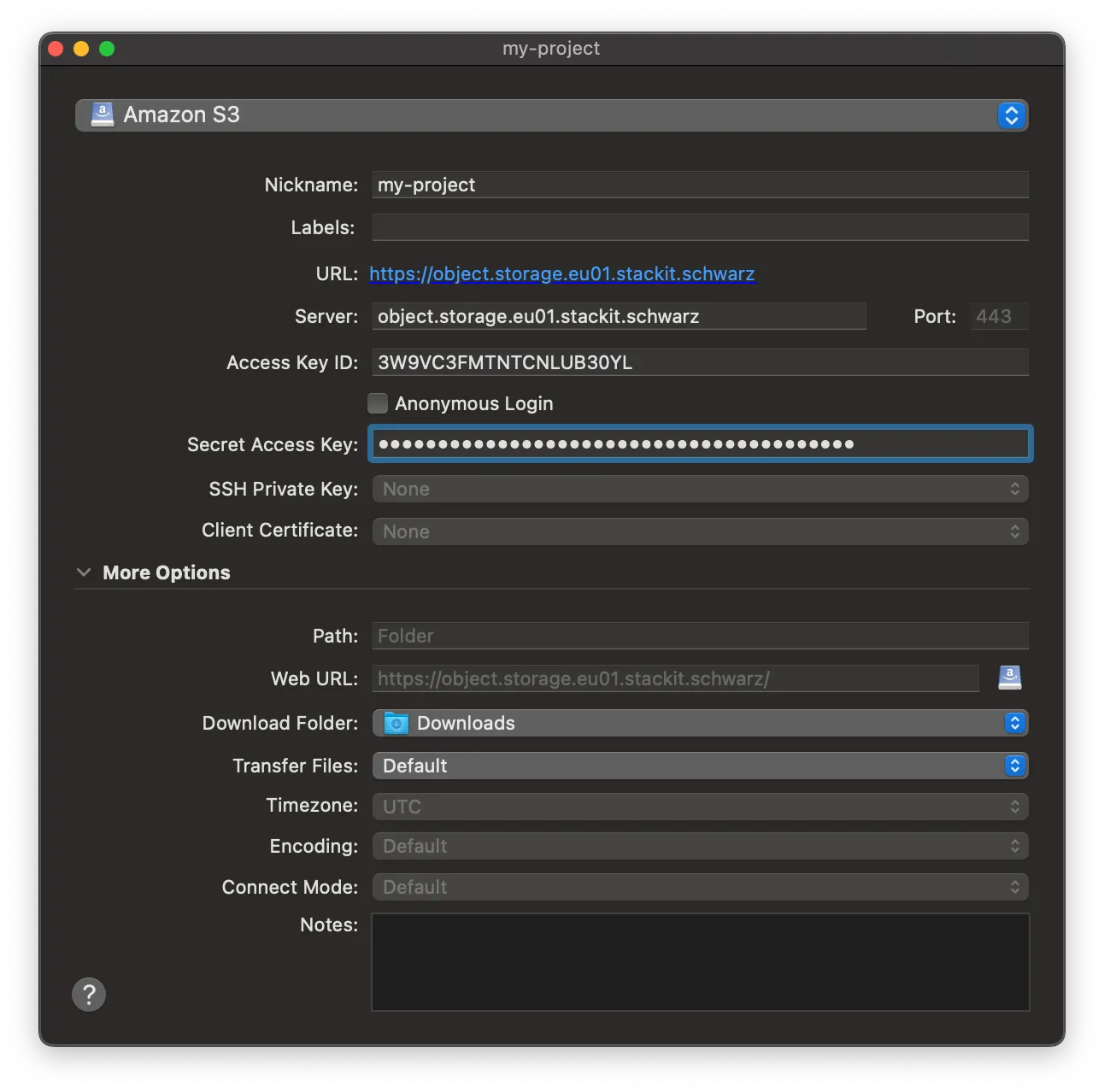
A new window pops up. In the top dropdown, change the default value from
FTPtoAmazon S3.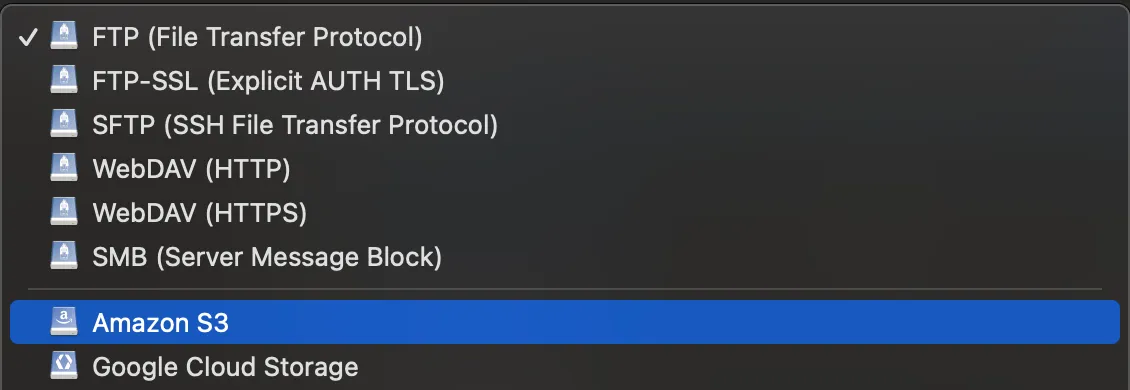
-
Configure the bookmark details:
- Nickname: Enter a recognizable name for the bookmark.
- Server: Enter
object.storage.eu01.stackit.schwarz. Adjust the valueeu01, if your bucket resides in another region. - Access Key ID: Paste your
Access Key IDfrom your Object Storage credentials. - Secret Access Key: Paste your
Secret Access Key.
-
Close the window to save the bookmark (Cyberduck saves automatically).
-
Double-click your new bookmark to connect. Cyberduck displays all buckets your credentials can access.
-
Select the configured bucket to locate and download your FOCUS reports